Rate Alerts notify you when a specific borrower may be back in the money for a refinance.
LO Ninja monitors market rates and notifies you internally when a borrower’s alert condition is met.
Nothing is automatically sent to the client.
You choose a trigger for each contact.
LO Ninja then monitors market rate averages and alerts you when that condition is met.
You can set alerts two ways (You only need to fill in one option.)

Notify me when rates hit X%
Example: Alert me when rates reach 6.00%.
Notify me when rates drop X points from the borrower’s current rate on file.
Example: If the borrower’s current rate is 7.25%, a 0.50 drop alert triggers at 6.75%.
Note: Rate Drop requires the contact to have a current interest rate saved.
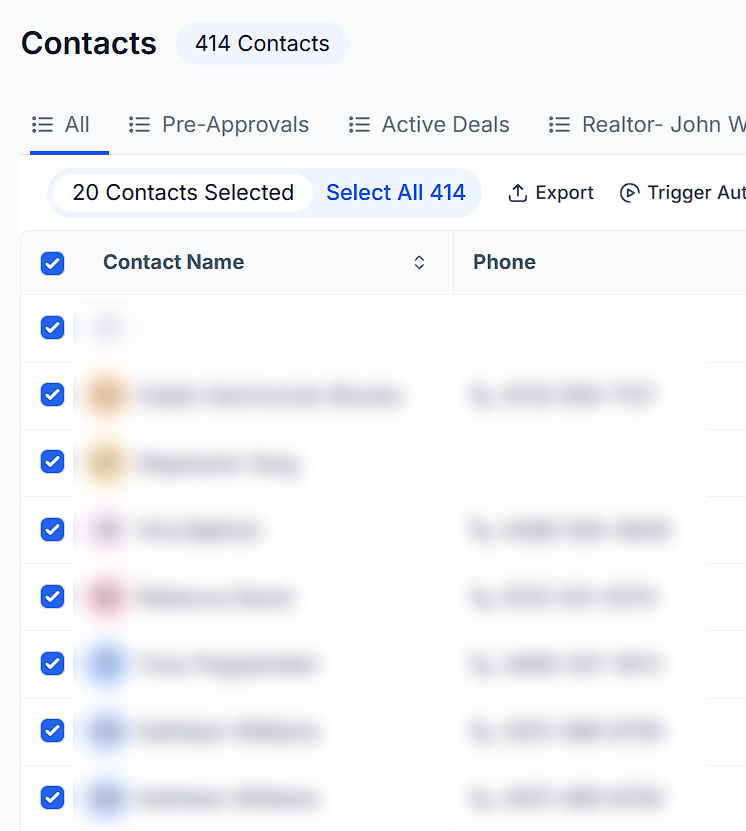
Go to Contacts
Select one or more contacts
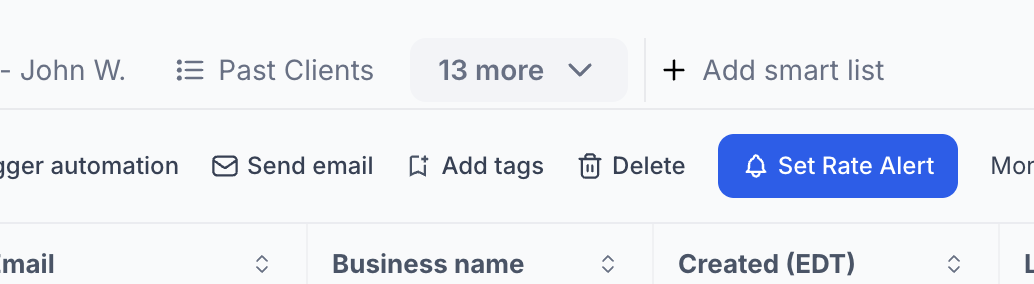
Click Set Rate Alert
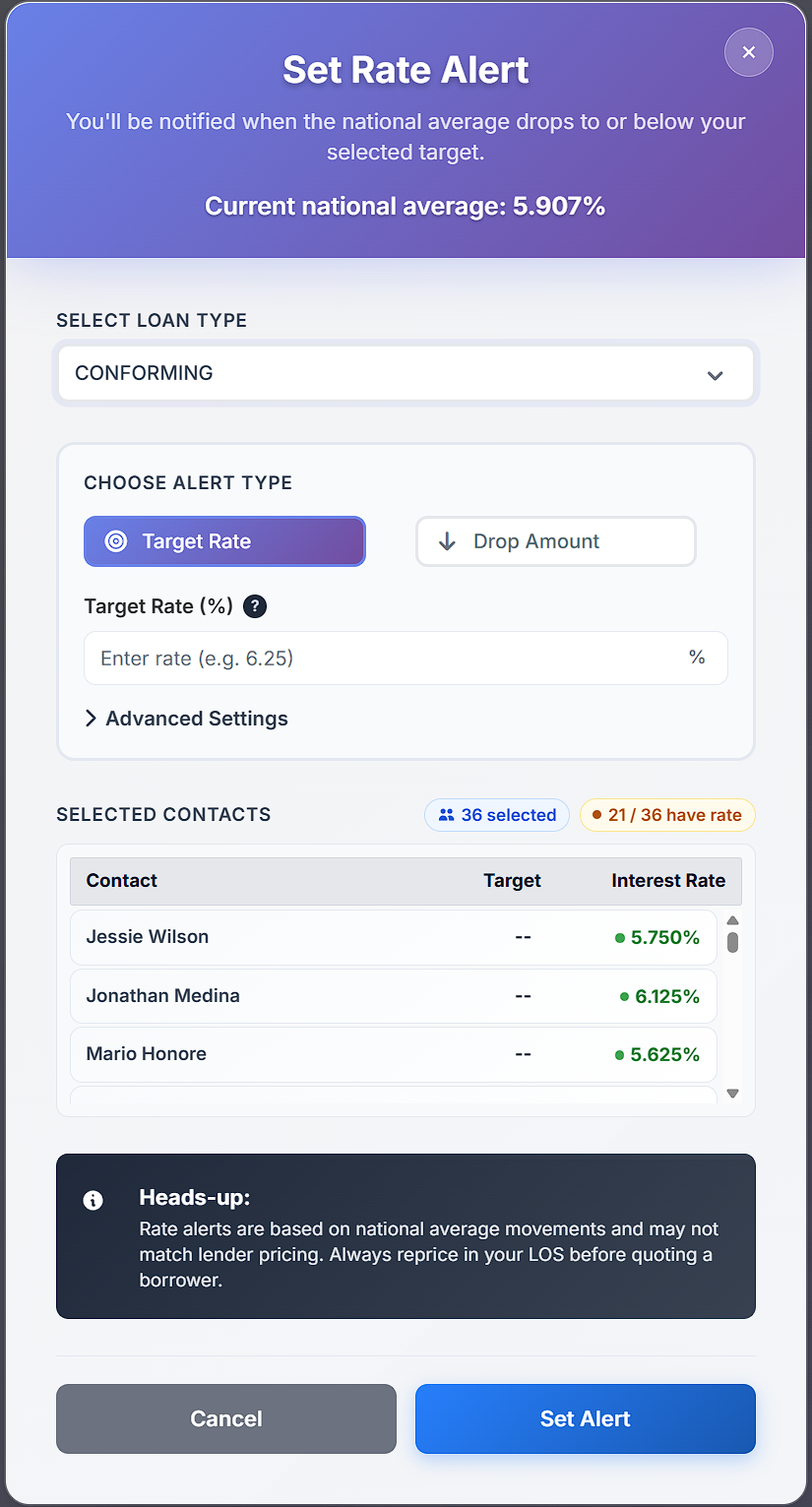
Choose either a Target Rate or Rate Drop
The same alert rule can be applied to multiple contacts at once.
When an alert fires:
You receive an internal notification.
Nothing is automatically sent to the borrower.
From there you can decide how to follow up, such as:
• Call the borrower
• Send a text
• Send an email
• Create a task
If you want alerts to automatically trigger outreach, you can customize the Rate Alert Notification workflow.
Rate Alerts compare borrower rates against national market averages.
Since every lender’s pricing is different, you can adjust the comparison using the Adjuster setting.
Example:
If the market average is 6.50% and your typical pricing is about 0.50% better, you could set:
Adjuster = -0.50
This helps the alert system better match your usual pricing.
(Insert Advanced Settings screenshot here)
Rate Alerts are not meant to replace pricing.
They simply flag potential opportunities so you know when to take a closer look.
Always confirm final pricing in your LOS before quoting a borrower.
LO Ninja includes two tools for spotting refinance opportunities.
🔔 Rate Alerts
Used for specific contacts.
You choose a rate trigger for an individual borrower.
Example:
• Notify me when rates hit 6.00%
• Notify me when rates drop 0.50%
This is best for tracking important borrowers closely.
📊 Rate Watch
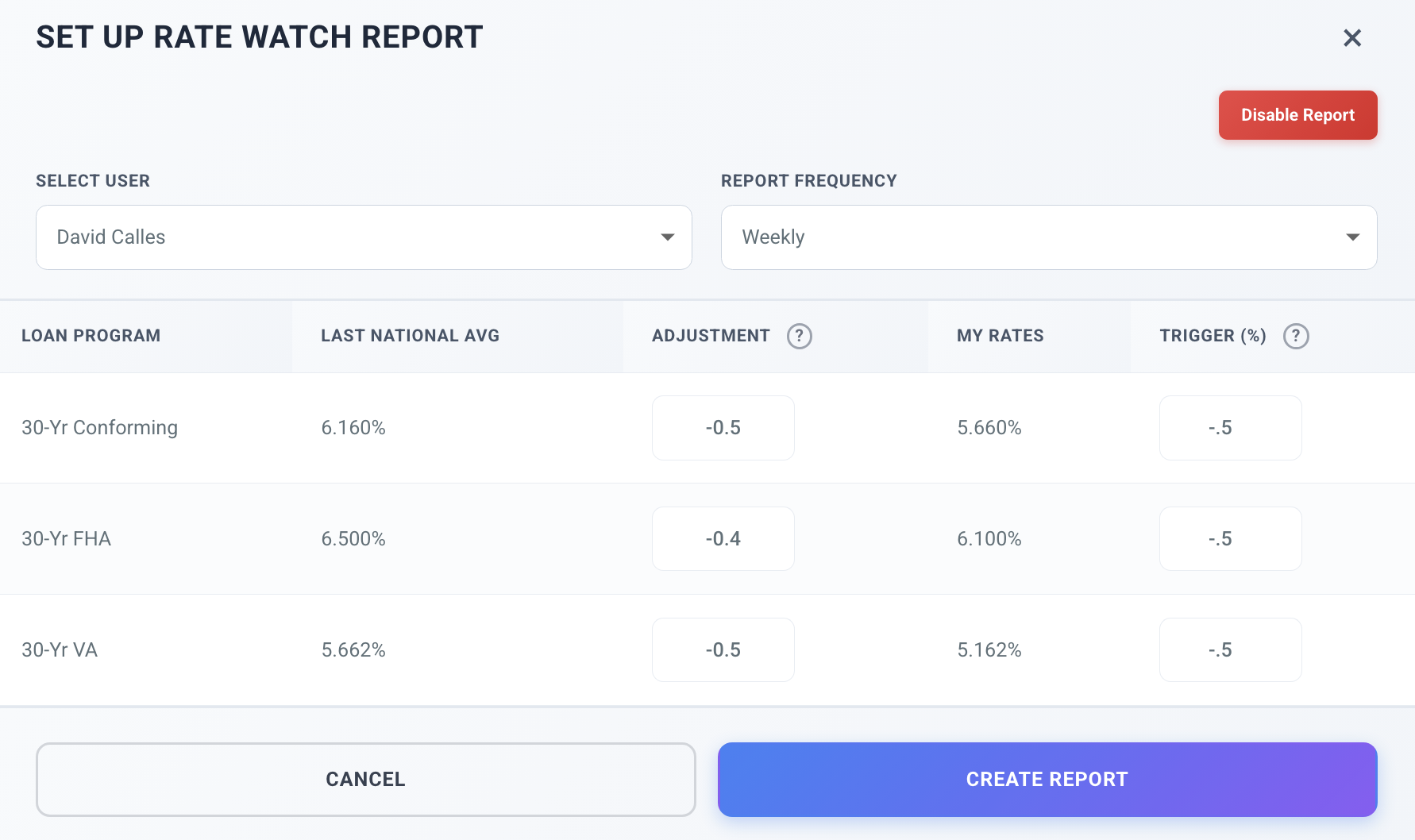
Rate Watch Monitor is a database-wide rate watch report.
Instead of setting alerts for individual contacts, you set a blanket threshold such as:
“Show me anyone who could be about 0.50% better than their current rate.”
LO Ninja scans your entire database and sends you a report of contacts who may now qualify.
This acts as a fail-safe, helping you catch opportunities even if individual alerts haven’t been set yet.
Many loan officers use the two features together:
• Rate Alerts for high-priority borrowers
• Rate Watch Monitor to scan the rest of the database
This keeps refinance opportunities from slipping through the cracks.
