PDF to Carousel Conversion: Upload PDFs to LinkedIn, converting each page into individual images for a dynamic and informative Carousel post.
Photo to PDF Conversion: Import images into the Social Planner, merge them into a single PDF, and post directly to LinkedIn.
Expanded Reach: Carousel posts typically gain more visibility, making them ideal for sharing expertise or promoting content that resonates with audiences.
Effortless Editing: Rename PDF files, add watermarks, and delete images from the preview easily for a customized post.
Go to the Social Planner through the Marketing tab to get started.

Select your LinkedIn profile or page within the Social Planner by connecting through account settings if you haven’t already.

Click on “New Post” to open the post composer, and select LinkedIn (and any other platforms if you plan to cross-post).
In the post composer, click the file upload icon, positioned between the image and video icons.
For LinkedIn Carousel posts:
Select and upload a PDF to convert each page into separate images.
For PDF from Images:
Import multiple images, which will automatically convert into a single PDF when you select "Post as PDF."

Adjust the PDF name and add a watermark as needed for branding consistency.
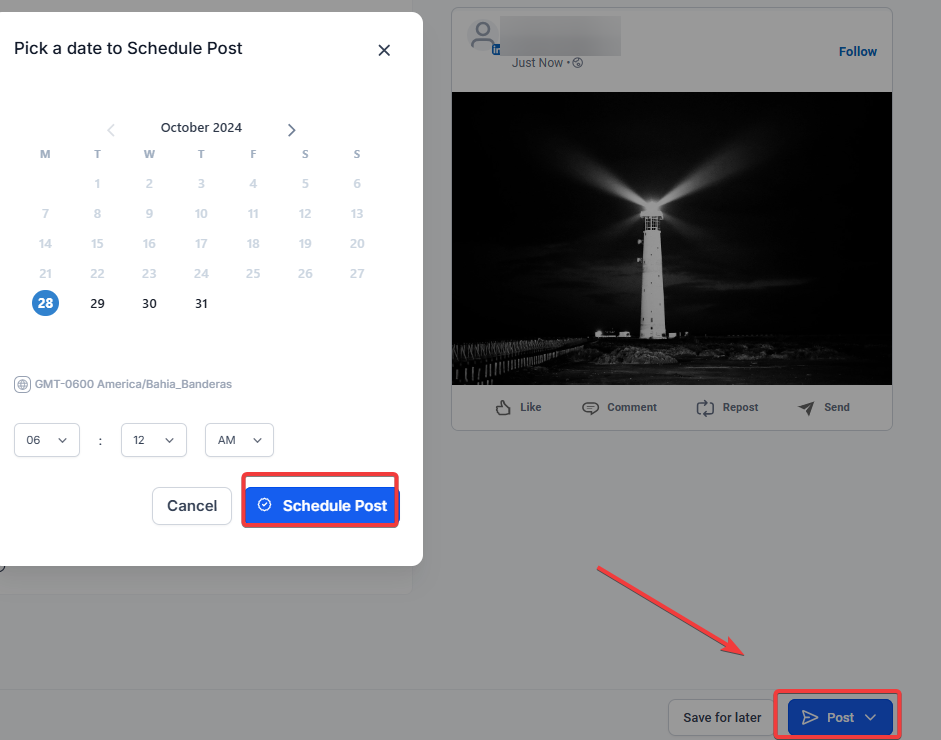
Click “Post Now” to publish immediately or “Schedule” for a later date.
File Limitations: LinkedIn allows up to 300 pages and a maximum size of 100 MB per document.
Image Cropping: When posting to Instagram, images are automatically resized to fit Instagram’s aspect ratio.
Media Deletion: You can remove media by hovering over the preview and clicking the “X.”
Q: How many images can I convert into a PDF for LinkedIn posting?
A: LinkedIn supports up to 300 pages per PDF, with a maximum file size of 100 MB.
Q: Can I add multiple LinkedIn accounts to the Social Planner?
A: Yes, you can connect multiple LinkedIn pages or profiles, selecting the desired one during post-creation.
Q: What happens if I upload an oversized PDF?
A: You will be prompted to reduce the file size to meet LinkedIn’s 100 MB limit.
Q: How do I ensure images fit Instagram’s aspect ratio?
A: When selecting Instagram, the Social Planner automatically crops images to meet platform specifications.
Q: Can I cross-post Carousel content to other platforms?
A: Yes, LinkedIn Carousel content can be shared across platforms that support similar formats; otherwise, individual images will be displayed as standard posts.
