
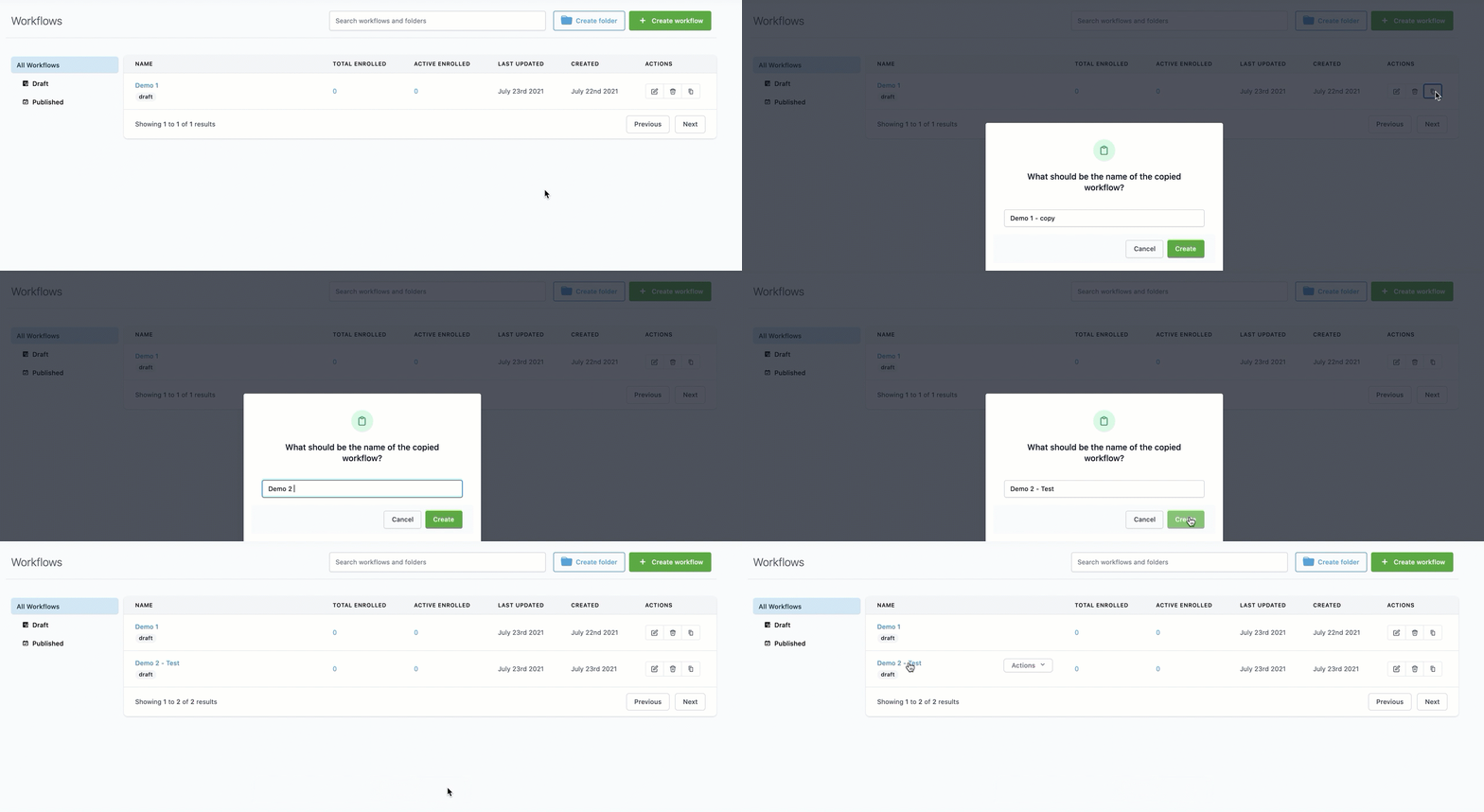
Step 1: Navigate to Workflows
Step 2: Click the Clone/Copy icon on the right side of the Workflow you wish to clone.

Step 3: Name the new Workflow.
In the popup window, name your new Workflow.
Click “Create” to clone the Workflow.

Step 4: Edit the New Workflow
Click into the newly cloned Workflow to start building/editing the cloned version.
