The "Prospect Generated" trigger is a powerful tool that automates workflow actions whenever a new prospect is created. This feature supports multiple sources, including both in-app and widget-generated prospects, enabling businesses to automate lead management, create contacts automatically, and engage prospects through personalized communication.
Automated Lead Management: Trigger workflows instantly when new prospects are generated.
Enhanced Engagement: Automate personalized emails or SMS to new leads.
Improved Efficiency: Reduce manual data entry by automatically creating contact records.
1- Access the Workflow Builder:
Go to your automation or workflow section within .
Click on "Create New Workflow."
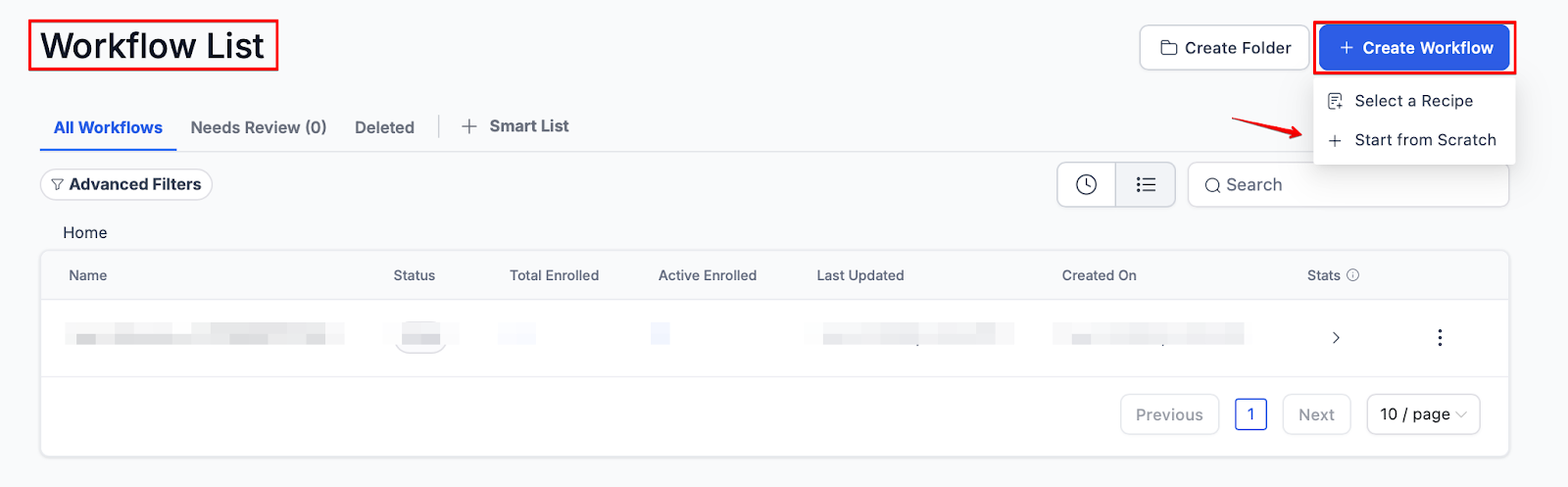
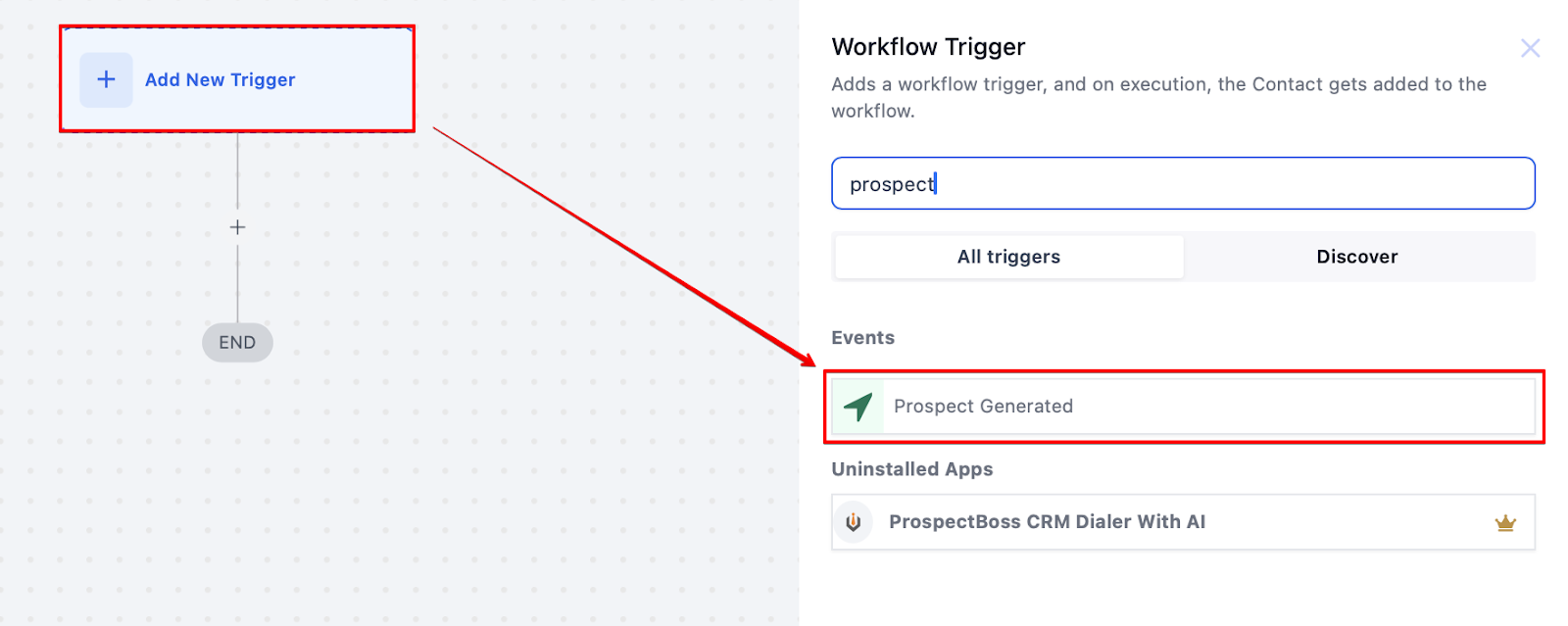
2- Select the "Prospect Generated" Trigger:
Choose the "Prospect Generated" trigger from the list of available options.
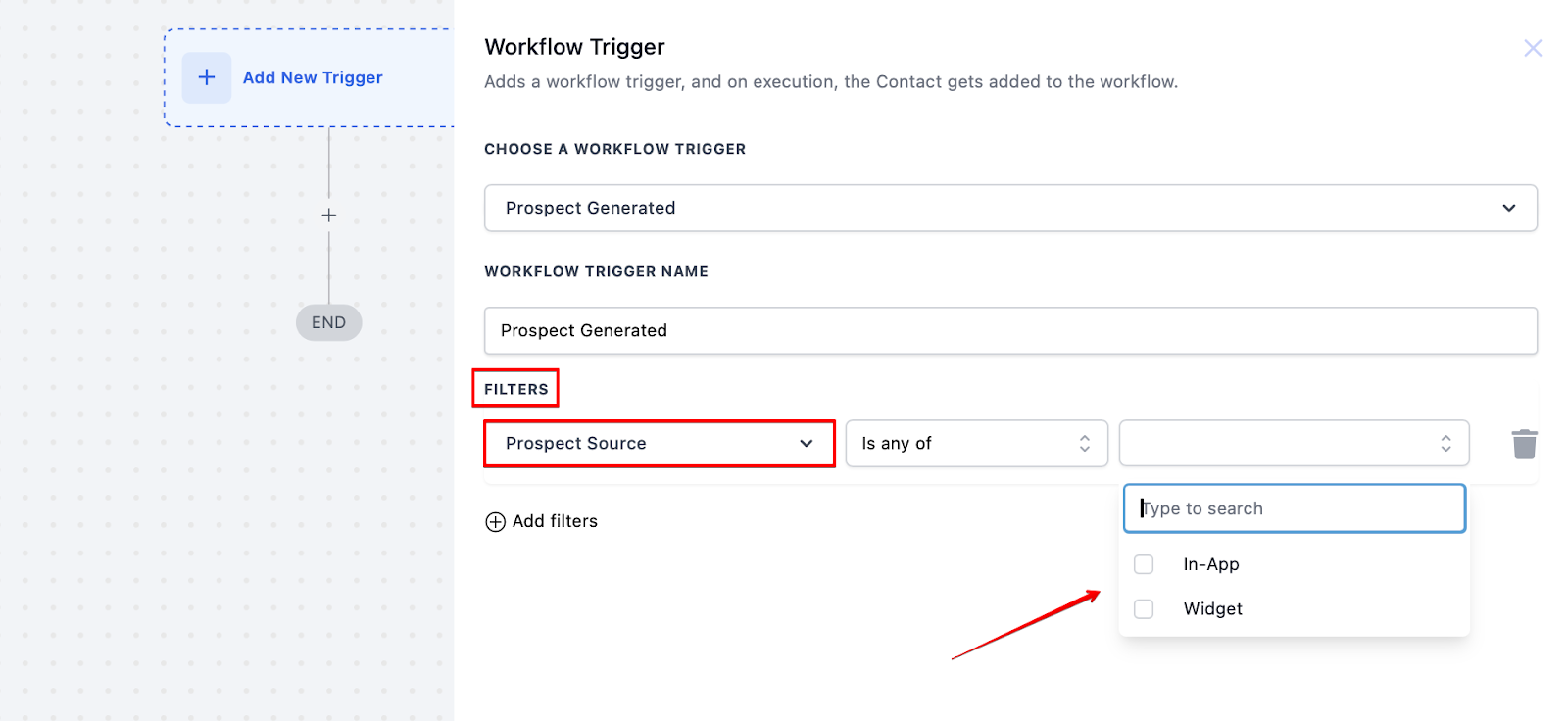
3- Configure Trigger Settings:
Select Prospect Source: Choose between "In-App" or "Widget" sources based on where the prospects are generated.
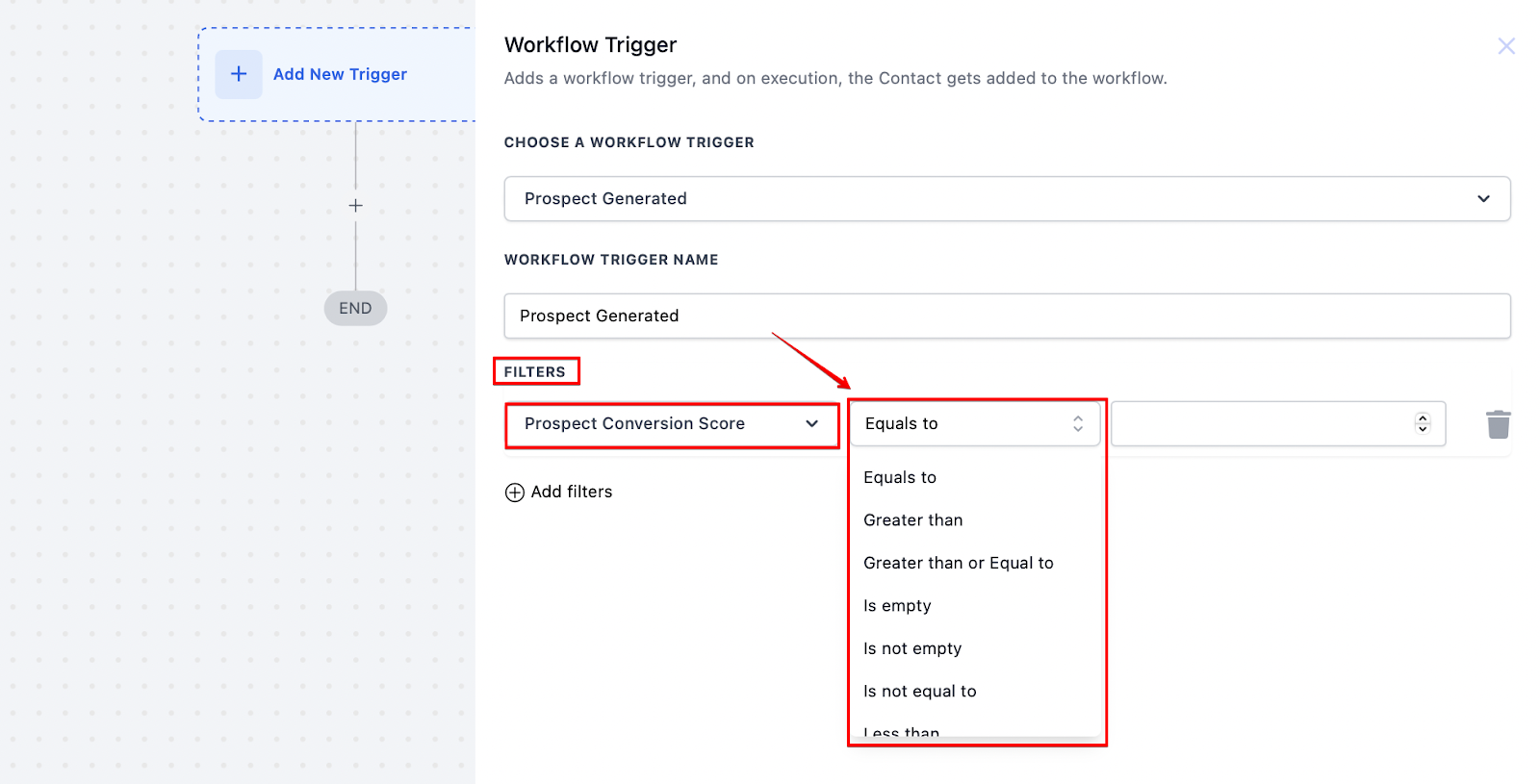
Set Conversion Score Filters: Define a conversion score range using operators like >, <, or = to prioritize high-quality leads.
4- Add Workflow Actions:
Send Automated Emails/SMS: Choose templates for welcoming or nurturing prospects.
Create Contacts Automatically: Enable automatic contact creation for new prospects.
Assign Tags: Organize leads by assigning tags for better segmentation.
Export Prospect Data: Automate data export to Excel for easier tracking and analysis.
5- Save and Activate the Workflow:
Review the configured settings and click "Save."
Activate the workflow to start automating lead management processes.
Scenario: A business wants to prioritize high-conversion prospects and engage them automatically.
Trigger: "Prospect Generated"
Filters:
Source = Widget
Conversion Rate > 70%
Actions:
Send a welcome email/SMS to new prospects.
Automatically create contacts.
Assign special tags for segmentation.
Export prospect data to Excel.
Improved Engagement: Ensure timely follow-ups with prospects.
Prioritized Lead Follow-Up: Focus on high-conversion prospects.
Seamless Contact Creation: Reduce manual data entry efforts.
Q1: How do I set up the "Prospect Generated" workflow trigger? A: Access the workflow builder, select "Prospect Generated" as the trigger, configure the source and filters, and add desired actions.
Q2: Can I filter prospects by conversion score? A: Yes, you can filter prospects using conversion score ranges with operators like >, <, and =.
Q3: What types of actions can I automate with this trigger? A: You can automate sending emails/SMS, creating contacts, assigning tags, and exporting data to Excel.
Q4: Is this feature available for all accounts? A: The "Prospect Generated" trigger is available only at the sub-account level.
Q5: Can I use this trigger with both manual and widget-generated prospects? A: Yes, the trigger supports both in-app (manual) and widget-generated prospects.
