
PROBLEM: The video player won’t record when I’m using incognito mode.
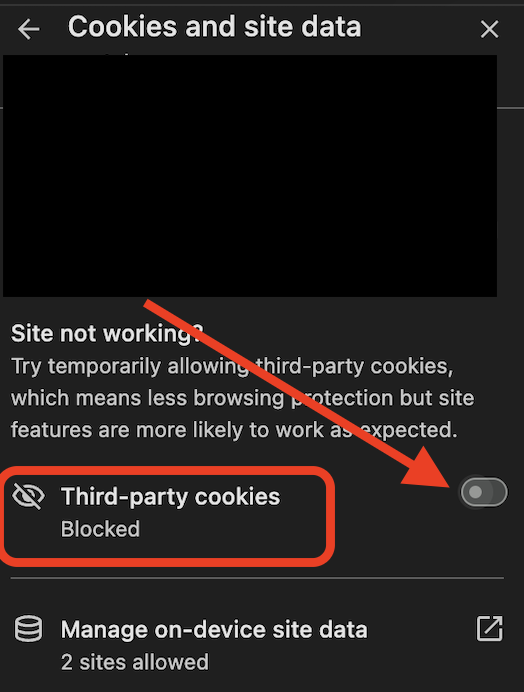
Solution: Incognito mode blocks third-party cookies by default, which can prevent the video player from working properly. To fix this:
Go to your browser settings.
Enable third-party cookies
Refresh your browser and try again.
Problem: My face recording disappears when I switch tabs while screen recording.
Solution: KonnectVid can record either your face or your screen, but not both simultaneously across multiple tabs.
If you switch tabs, the face recording will stop.
To keep your face visible, stay on the selected tab while recording.
If you need to switch tabs, choose full-screen recording instead of a single tab.
PROBLEM: How do I send a video to an entire Smart List?
Solution: The KonnectVid app doesn’t display Smart Lists, but you can still send your video to a Smart List by following these steps:
Record your video and copy the video link.
Go to Contacts in your CRM.
Select your Smart List.
Use Bulk Actions to send an email or SMS.
Paste the video link and send it to your selected contacts.