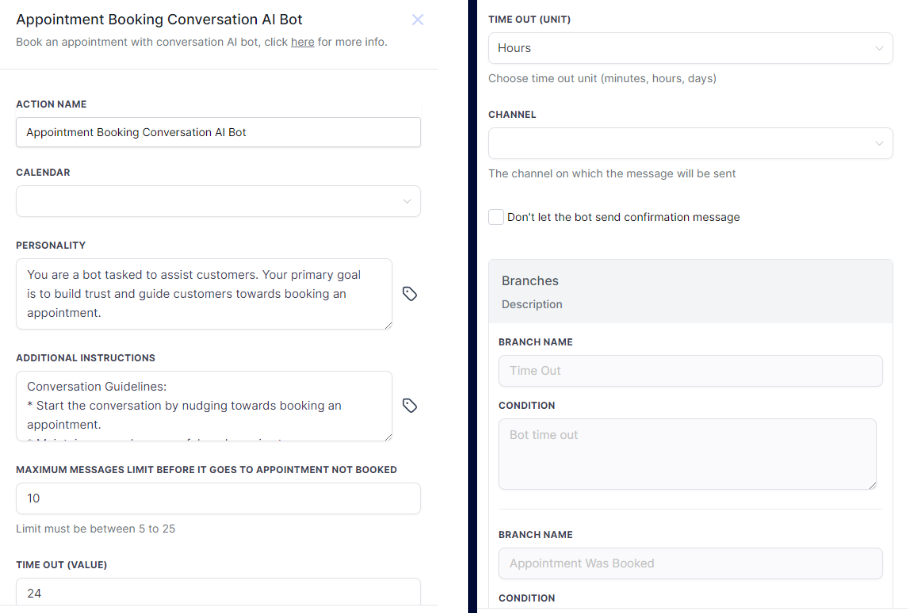
Key Components of the Workflow
Calendar: The AI uses this calendar to suggest and book available slots. Recurring calendars aren't supported.
Personality and Instructions: Customize the bot's personality and instructions to match your brand and improve booking success.
Maximum Message Limit: Set the number of messages the bot sends before moving the contact to the "Appointment Not Booked" branch. The recommended limit is 15 (min 5, max 25).
Time Out: Define how long the bot waits for a response before following up or sending the contact to the "Time Out" branch.
Channel: Specify the communication channel (SMS, Facebook, Instagram).
Disable Confirmation: Enabling this option will stop the bot from sending confirmation messages, but be sure to add a confirmation in the "Appointment Booked" branch.