
Multi-Purpose Use:
Internal Notifications can be used to send emails or texts to external contacts (borrowers, agents, etc.), not just internal team members.
Steps:
Go to the Workflow:Open the workflow you want to edit.
Add an Action:
Find where you want to add this action (usually above or below the main borrower’s message).
Click the + button to Search "Internal Notification" > Email (or SMS for texts).
Choose Custom Email/Phone Number:
From the drop-down, choose Custom Email (or Custom Number for SMS).
Use the search bar to find the field (e.g., co-borrower email, buyer agent email).
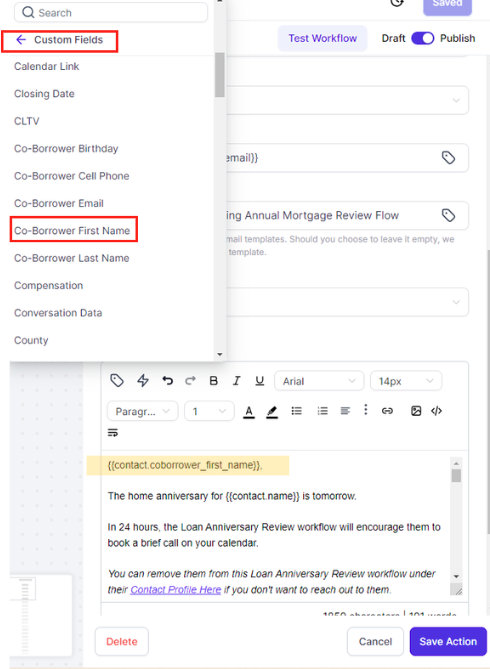
Personalize the Message:
Be sure to use the appropriate first name field (e.g., Co-borrower First Name) to personalize the message correctly.
If sending to multiple recipients (e.g., multiple emails separated by commas), avoid using names, as the same email will be sent to all.
Note:
This applies to any workflow where you need to communicate with multiple parties, such as co-borrowers, buyer agents, or anyone with an email/phone stored in a custom field.