
Ever wanted to send a thank-you email to your referral source automatically?
Now you can, with just one click! This new feature streamlines your workflow and ensures your referral sources are always appreciated.
How It Works:
1. Ensure Referral Fields Are Filled In:
Navigate to the Contacts from the sidebar.
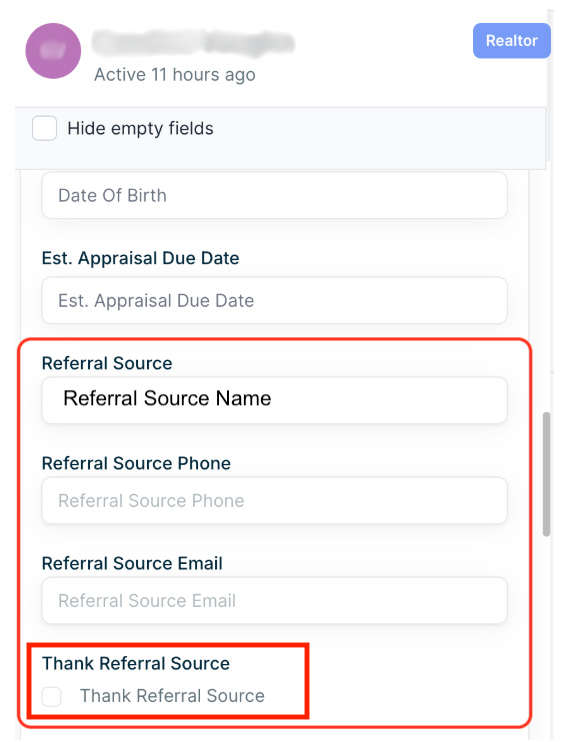
Fill in the referral source’s name and email fields. (Refer to the screenshot below for guidance—key fields are boxed in red.)
2. Activate the Feature:
Check the "Thank Referral Source" box on the contact record.
3. Email Sent Automatically:
If the referral source email is available:
A thank-you email will send automatically after 2 minutes.
The checkbox will reset itself once the email is sent.
If no email is provided, you’ll receive a notification instead.
4. Testing:
Feel free to test this feature using a test contact to see it in action!