
Setting Rate Alerts for Multiple Contacts
Rate alerts help you monitor when market rates reach your borrowers’ target rates. This guide also shows how to filter and organize contacts by interest rate from the smart lists, and set up rate alerts for multiple contacts at once using bulk actions.
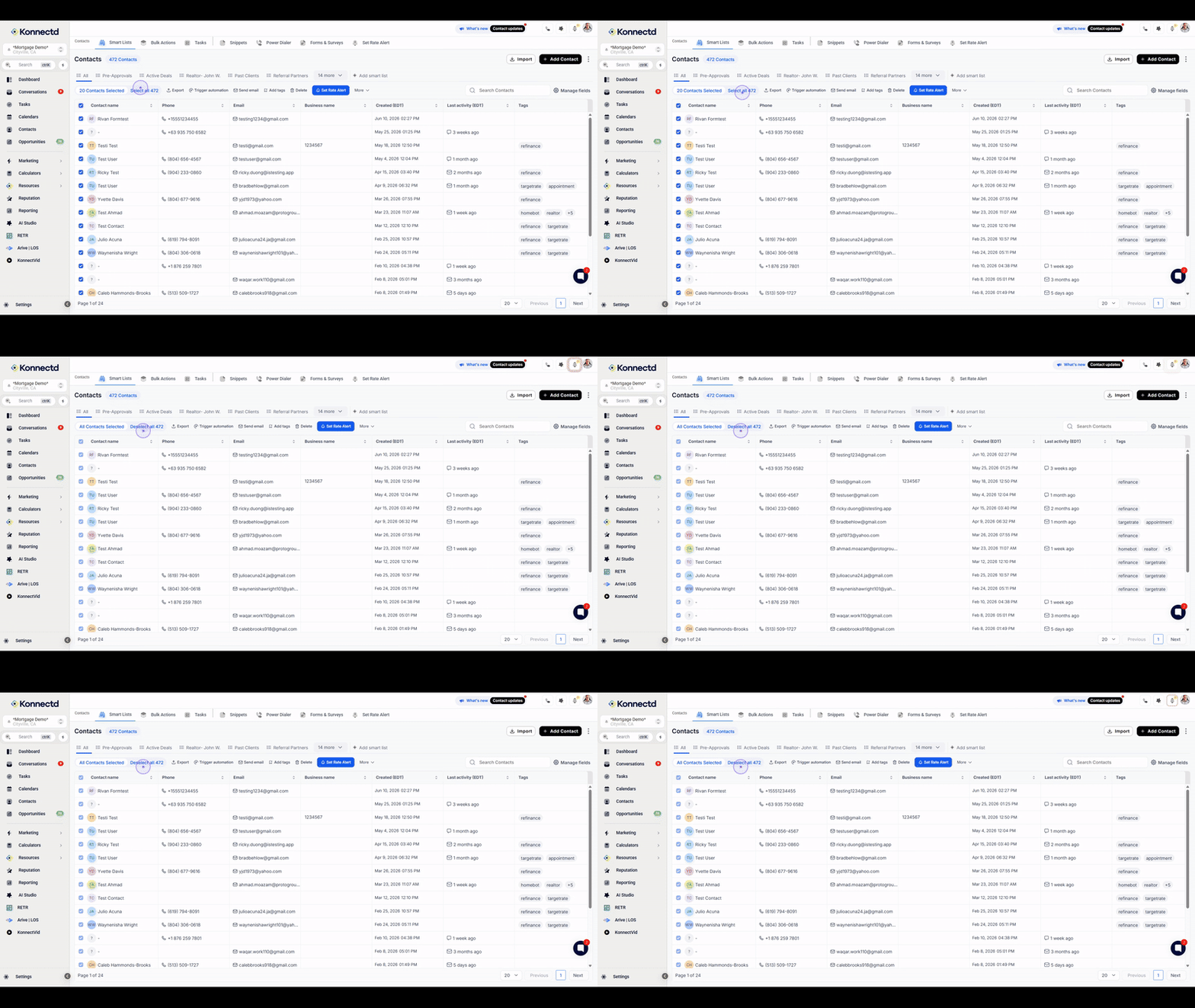
Step 1: Select contacts in your list
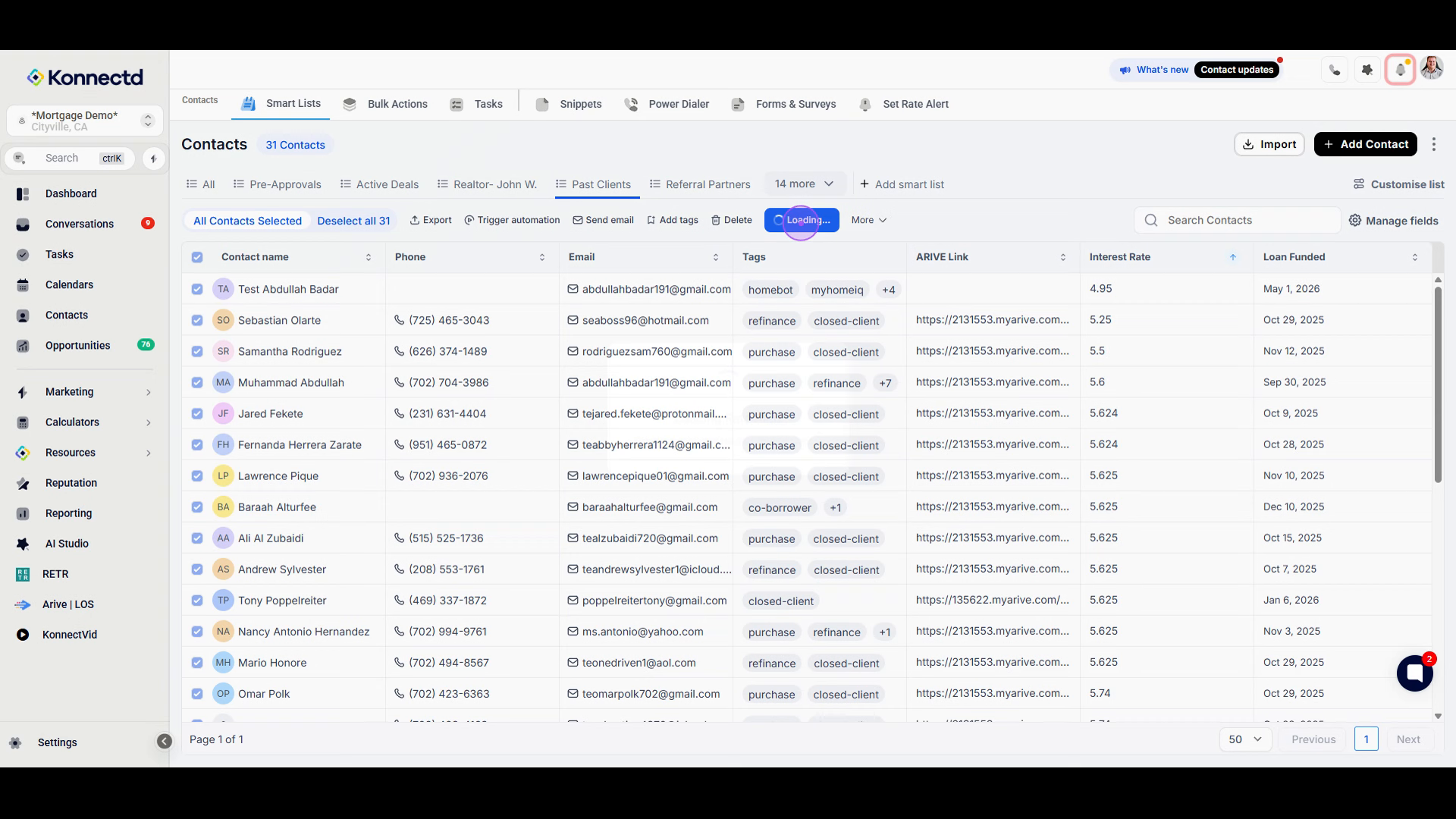
Start by selecting the contacts you want to set rate alerts for. Click the checkbox next to individual contacts or click Select all to select all contacts in your current view.
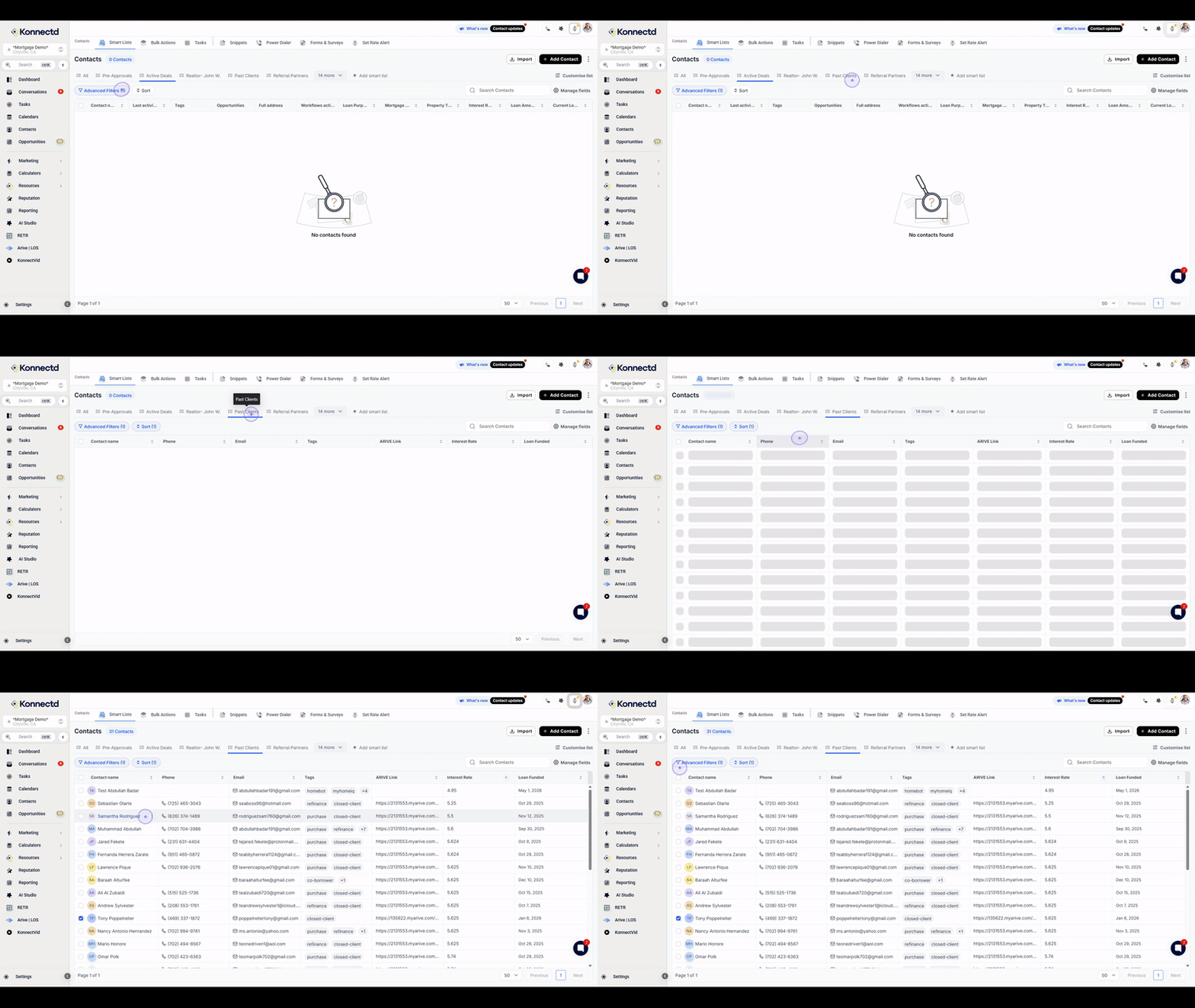
Step 2: Filter contacts using Smart Lists
Use Smart Lists and filters to narrow down your contacts. For example, you can filter past clients with interest rates above 7% to identify potential refinance opportunities.
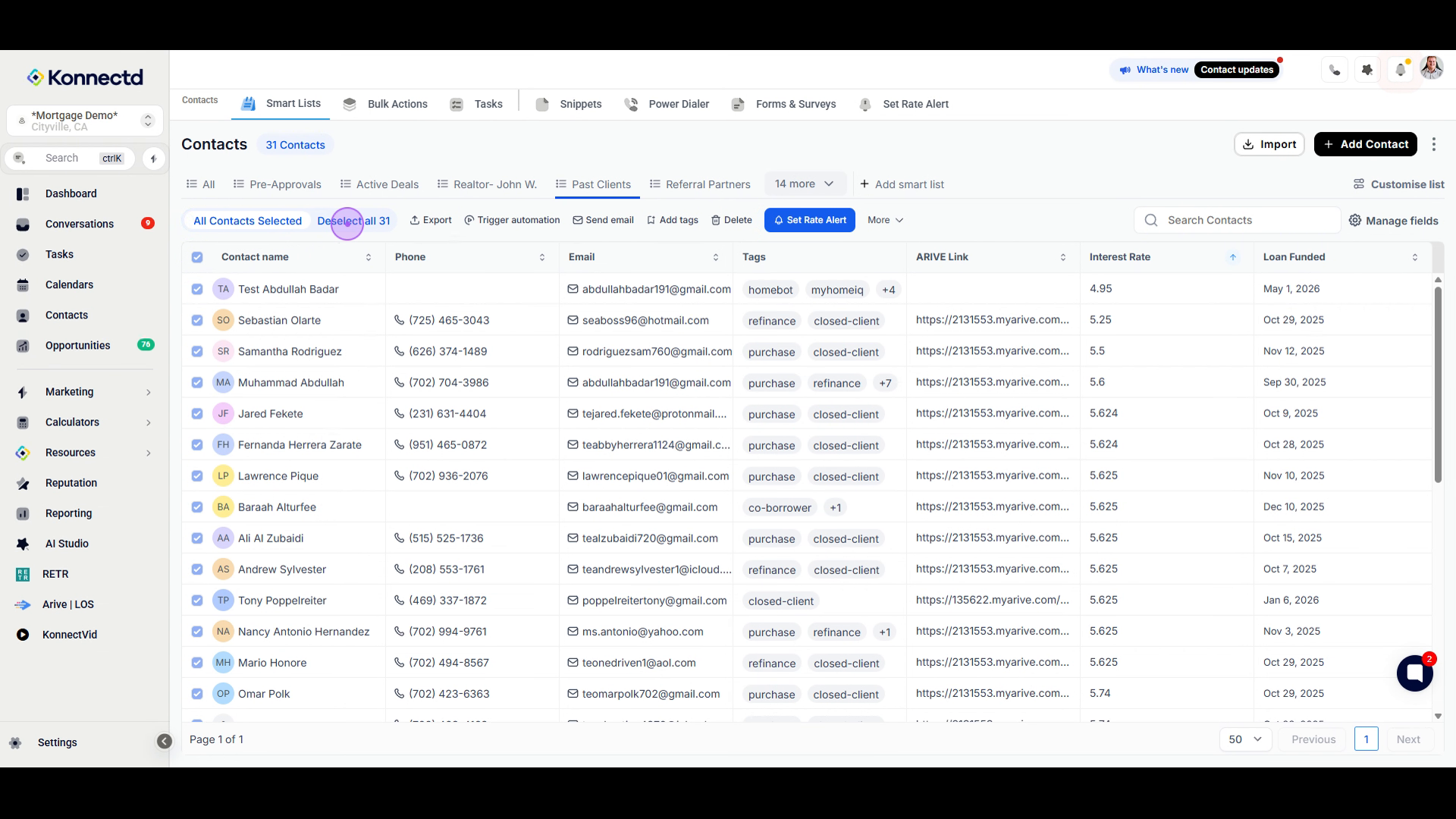
Step 3: Select all filtered contacts
Once you have applied your filter, click the Select all button again to ensure all contacts within that specific view are selected for the bulk action.
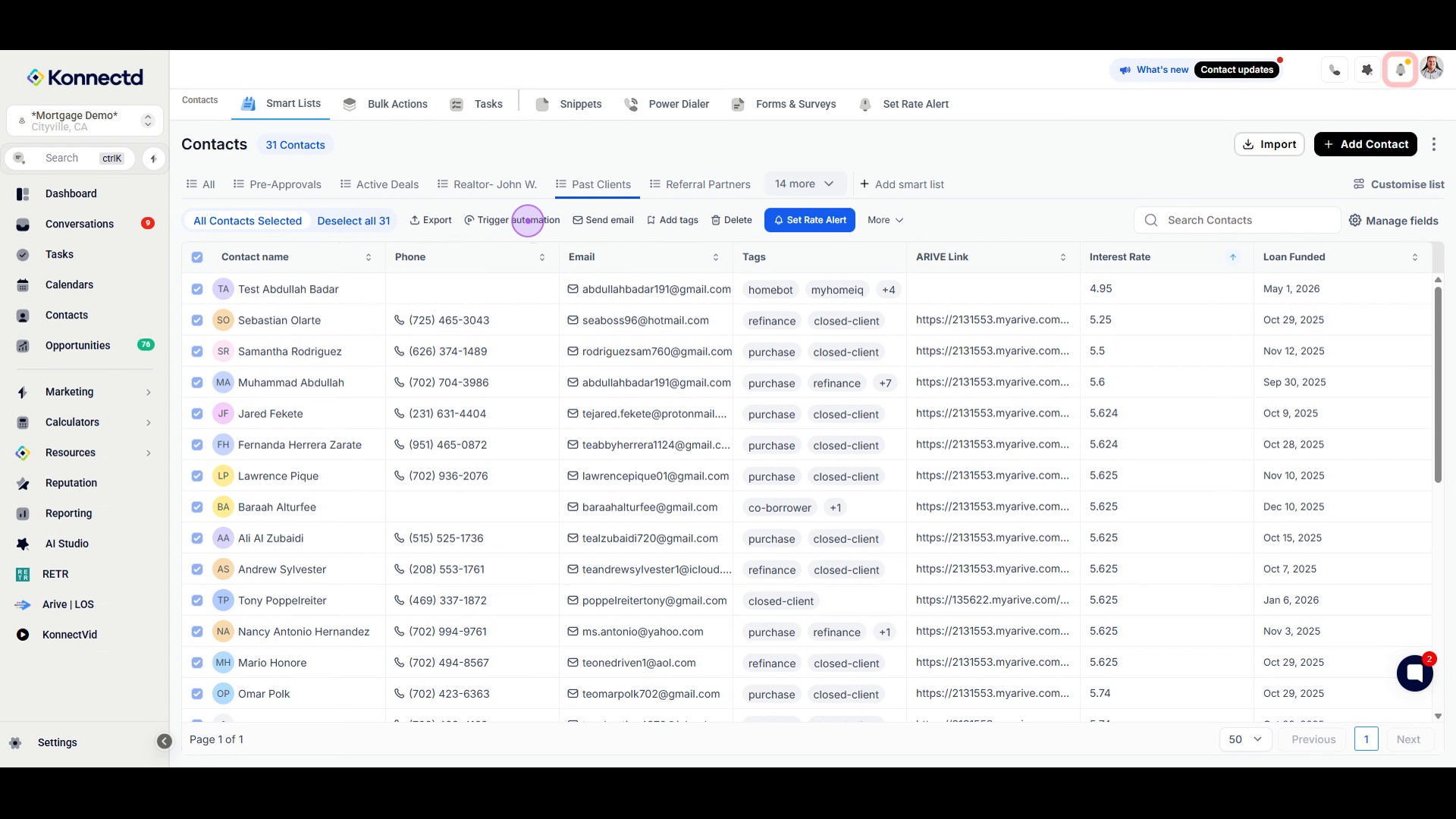
Step 4: Access bulk action options
With your contacts selected, a bulk action toolbar will appear. This menu allows you to perform various tasks, including Trigger automation, Send email, and Add tags.
Step 5: Open Set Rate Alert
To proceed with the rate monitoring, click the Set Rate Alert button located in the bulk actions toolbar. This will open the configuration modal where you can define your alert parameters.
Step 6: Configure Rate Alert settings
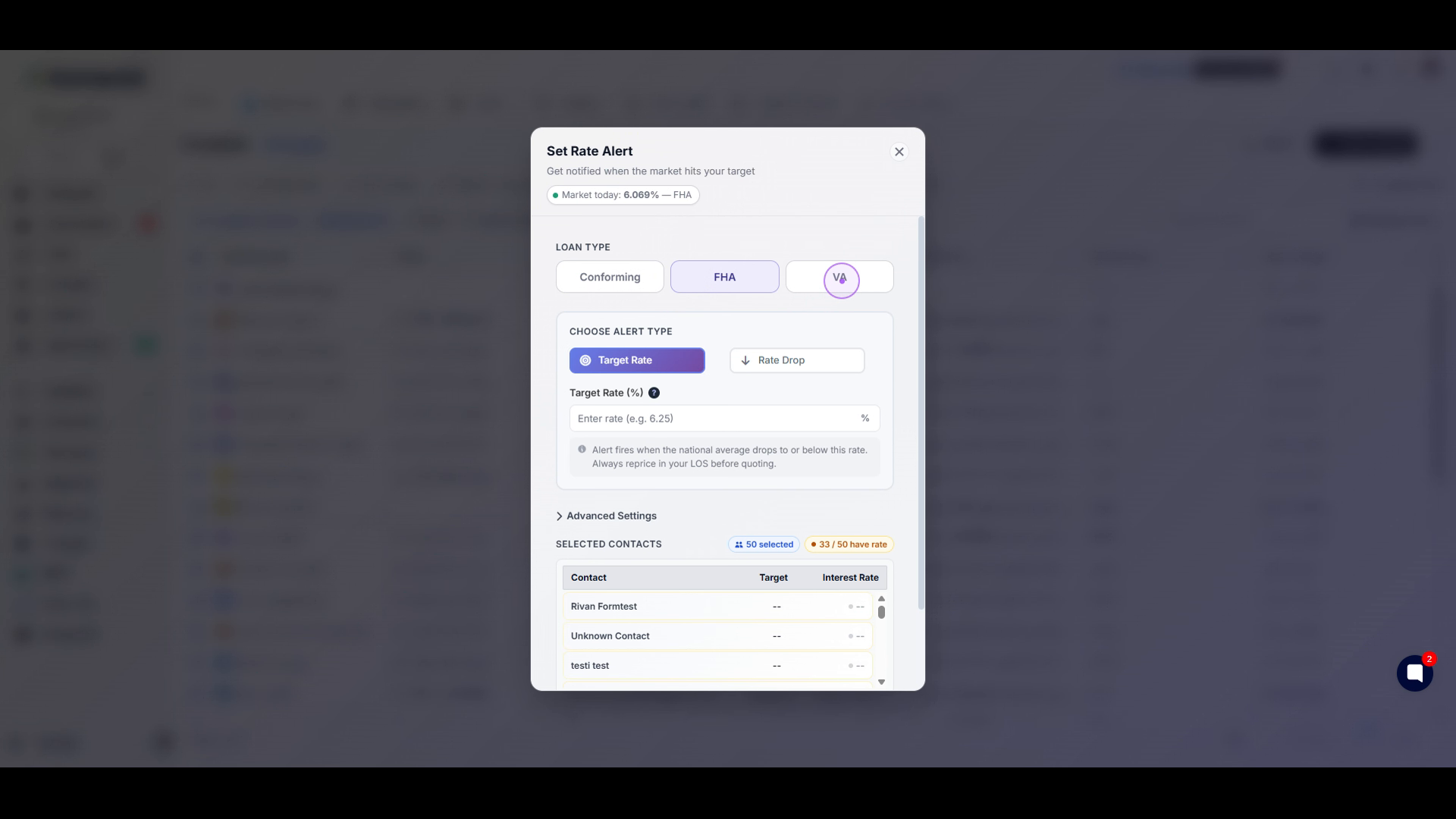
In the configuration modal, choose your desired Loan Type (Conforming, FHA, or VA) and Alert Type (Target Rate or Rate Drop). Finally, enter the target percentage to complete the setup.
Target Rate: Receive a notification when the market reaches a specific rate.
Rate Drop: Receive a notification when rates have dropped by a specified amount from the contact’s current rate.
Tips
Use interest rate filters to quickly identify potential refinance opportunities.
Rate alerts are only applied to contacts with rate data on file.
The current market rate is displayed at the top of the Rate Alert window for reference.