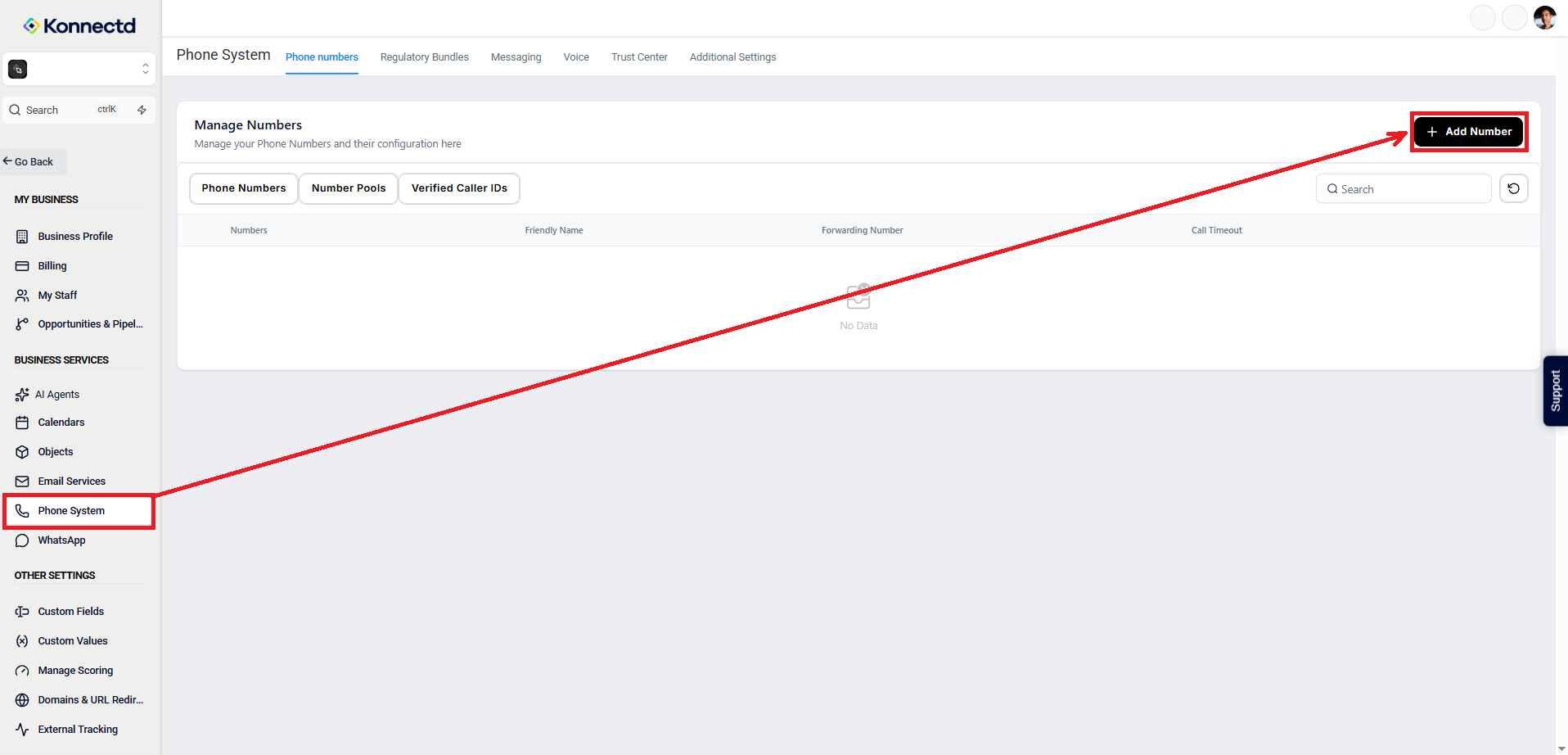
Step 1: Navigate to Phone System
Go to:
Settings > Phone System > Add Number
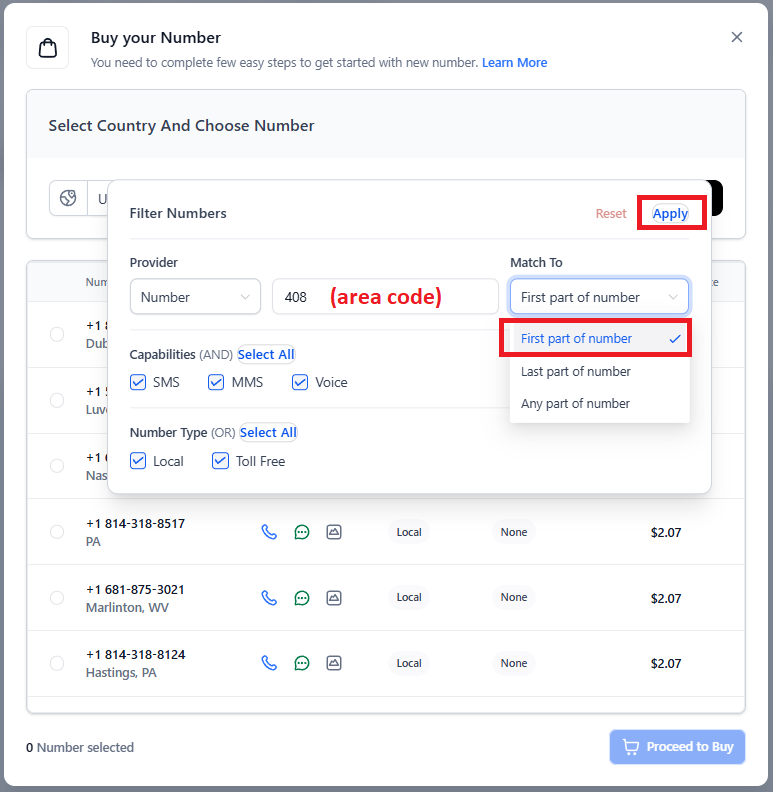
Step 2: Search by Area Code
In the search field, type the area code you want.
Step 3: Select Your Number
Browse the available options and select the phone number you want to use. Then, scroll down and click “Proceed to Buy”.
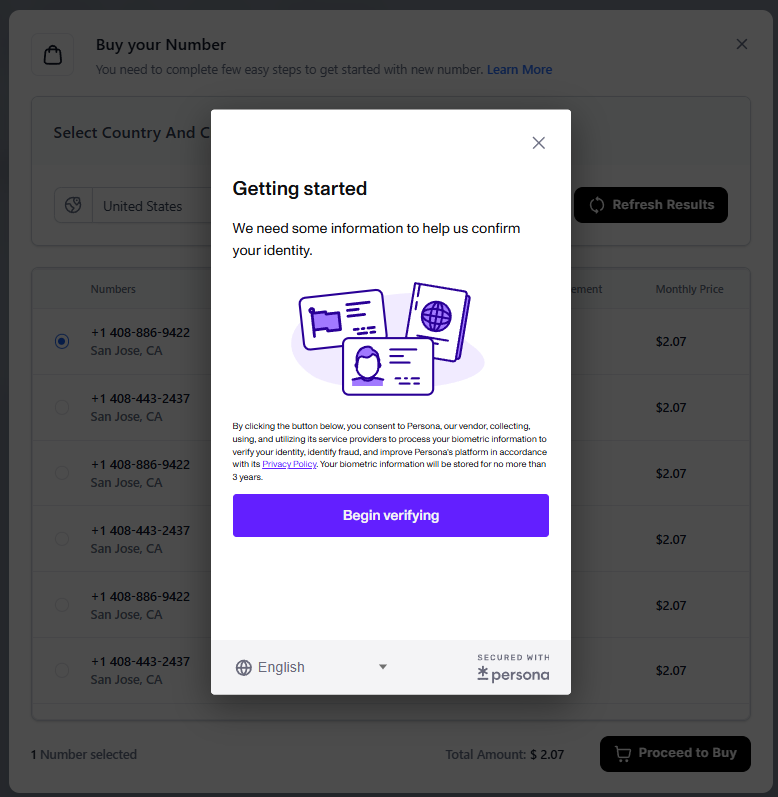
Step 4: Complete the Purchase
Click Proceed to Buy.
You’ll be prompted to submit an ID for verification to complete the purchase.