
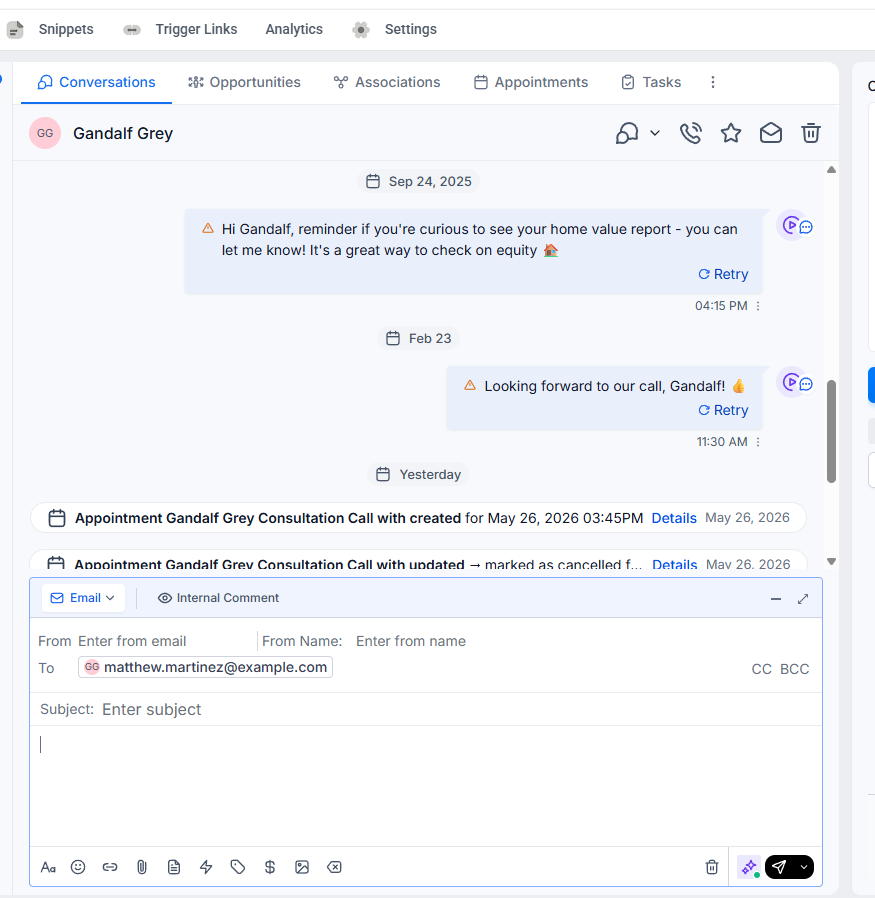
1. To begin, go to conversation
3. For this example, select the 'Email' tab.
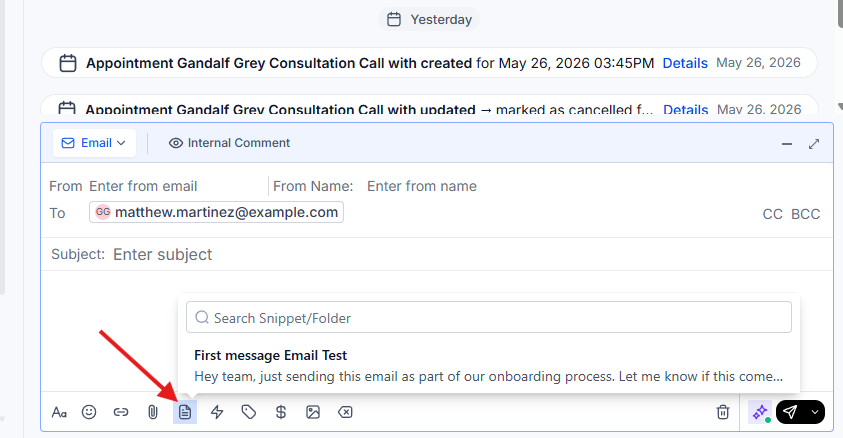
4. Click here to open your message snippets.
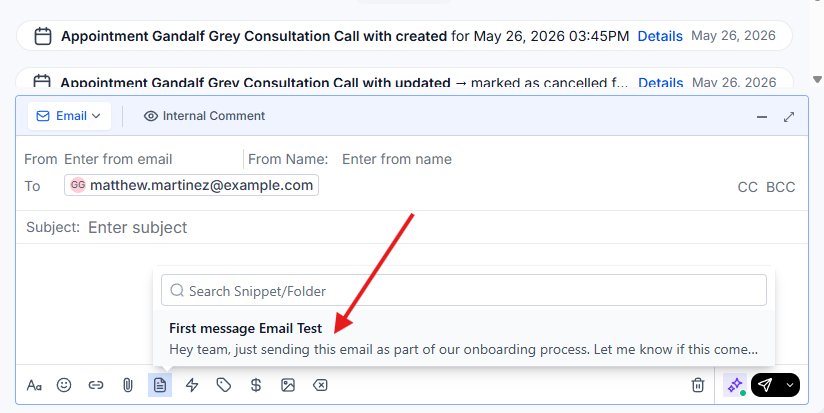
5. Now, select the snippets you want to use.
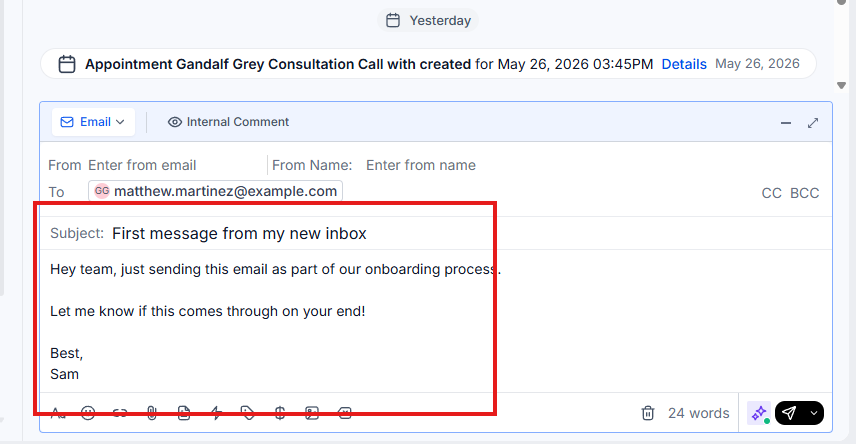
6. Confirm that your snippet has been successfully added.
1. To begin, go to conversation
3. For this example, select the 'Email' tab.
4. Click here to open your message snippets.
5. Now, select the snippets you want to use.
6. Confirm that your snippet has been successfully added.