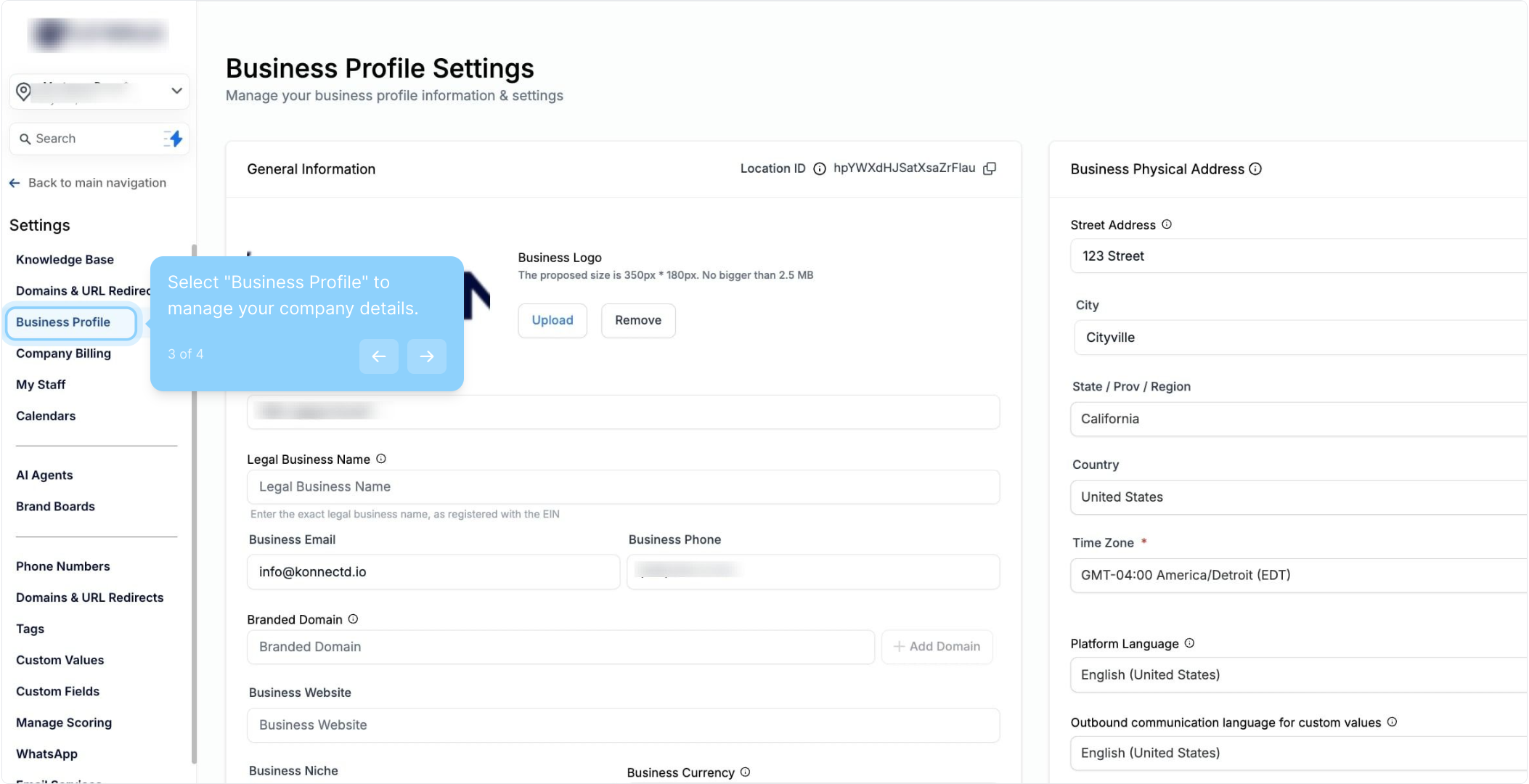
Navigate to Settings > Business Profile.
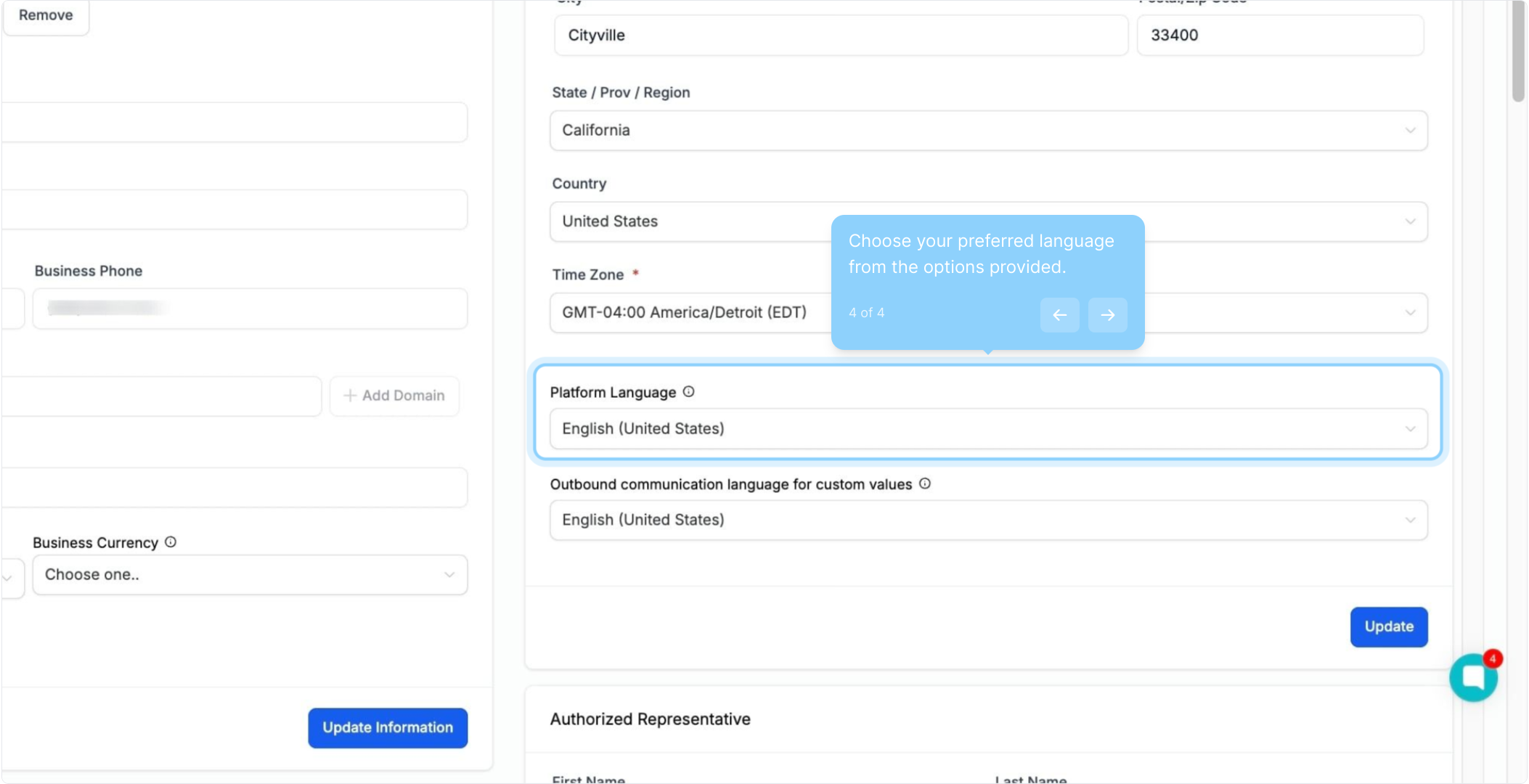
On the right side, under the Business Physical Address, select the language for the Platform Language field.
Click Update.
Users can choose their preferred language from a comprehensive list of available languages.
Settings
My Profile - My Personal Data
Platform Language
Note: The language selected under My Profile will take a preference over the language selected under the Business Profile.
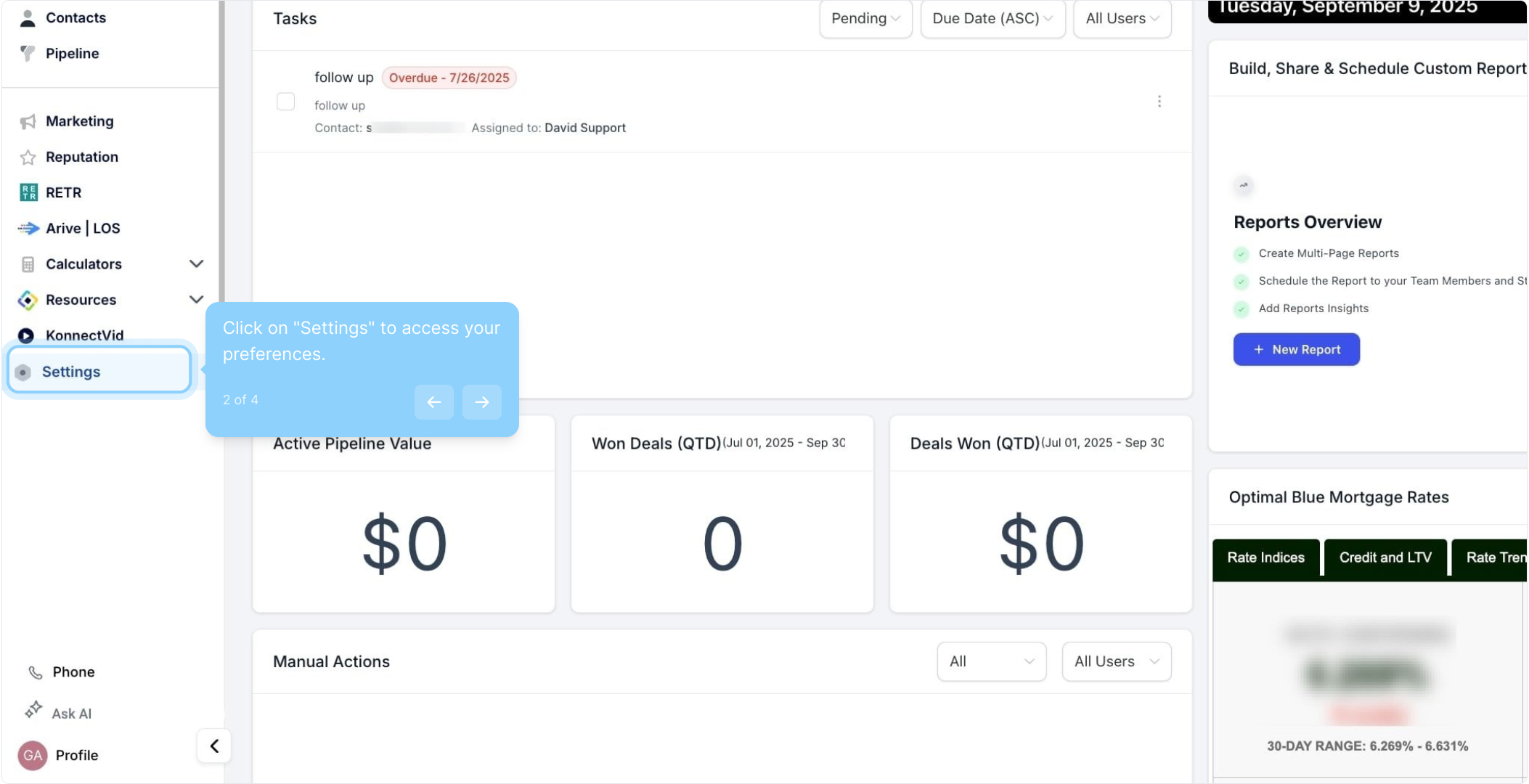
2. Click on "Settings" to access your preferences.
3. Select "Business Profile" to manage your company details.
4. Choose your preferred language from the options provided.
Please Note: At this time language translation is limited to:
Products | Spanish | German | French France | French Canada | Portuguese (Portugal) | Portuguese (Brazil) | Italian | Dutch | Swedish | Danish | Finnish | Norwegian |
Location Dashboard | Y | Y | Y | Y | Y | Y | Y | Y | Y | Y | Y | Y |
Contacts/Smartlist | Y | Y | Y | Y | Y | Y | Y | Y | Y | Y | Y | Y |
Tasks | Y | Y | Y | Y | Y | Y | Y | Y | Y | Y | Y | Y |
Bulk Actions | Y | Y | Y | Y | Y | Y | Y | Y | Y | Y | Y | Y |
Company | Y | Y | Y | Y | Y | Y | Y | Y | Y | Y | Y | Y |
Restore | Y | Y | Y | Y | Y | Y | Y | Y | Y | Y | Y | Y |
Manage Smart List | Y | Y | Y | Y | Y | Y | Y | Y | Y | Y | Y | Y |
Opportunities | Y | Y | Y | Y | Y | Y | Y | Y | Y | Y | Y | Y |
Chat Widget | Y | Y | Y | Y | Y | Y | Y | Y | Y | Y | Y | Y |
Form | Y | Y | Y | Y | Y | Y | Y | Y | Y | Y | Y | Y |
Survey | Y | Y | Y | Y | Y | Y | Y | Y | Y | Y | Y | Y |
Funnel | Y | Y | Y | Y | Y | Y | Y | Y | Y | Y | Y | Y |
Website | Y | Y | Y | Y | Y | Y | Y | Y | Y | Y | Y | Y |
URL redirect | Y | Y | Y | Y | Y | Y | Y | Y | Y | Y | Y | Y |
Documents | Y | Y | Y | Y | Y | Y | Y | Y | Y | Y | Y | Y |
Blogs | Y | Y | Y | Y | Y | Y | Y | Y | Y | Y | Y | Y |
Domains | Y | Y | Y | Y | Y | Y | Y | Y | Y | Y | Y | Y |
Invoice Preview | Y | Y | Y | Y | Y | Y | Y | Y | Y | Y | Y | Y |
Payments links | Y | Y | Y | Y | Y | Y | Y | Y | Y | Y | Y | Y |
Payment Widget | Y | Y | Y | Y | Y | Y | Y | Y | Y | Y | Y | Y |
Affiliate Portal | Y | Y | Y | Y | Y | Y | Y | Y | Y | Y | Y | Y |
Custom values | Y | Y | Y | Y | Y | Y | Y | Y | Y | Y | Y | Y |
Reputation | Y | Y | Y | Y | Y | Y | Y | Y | Y | Y | Y | Y |
Certificates | Y | Y | Y | Y | Y | Y | Y | Y | Y | Y | Y | Y |
Communities - Preview and Builder | Y | Y | Y | Y | Y | Y | Y | Y | Y | Y | Y | Y |
Agent Reporting | Y | Y | Y | Y | Y | Y | Y | Y | Y | Y | Y | Y |
Ad Reporting | Y | Y | Y | Y | Y | Y | Y | Y | Y | Y | Y | Y |
Spanish | Español
German | Deutsch
French (France) | Français
French (Canada) | Français
Portuguese (Portugal) | Português
Portuguese (Brazil) | Português
Italian | Italiano
Dutch | Nederlands
Swedish | Svenska
Danish | Dansk
Finnish | Suomi
Norwegian | Norsk
Q: How do I change the platform language for my entire account?
A: Navigate to Settings > Business Profile. Under the Business Physical Address section, select your desired language from the Platform Language field and click Update.
Q: How can individual users change their language settings?
A: Users can select their preferred language by going to Settings > My Profile > My Personal Data and choosing a language under the Platform Language section.
Q: Will the language settings for individual users override the account-wide language setting?
A: Yes, the language selected under My Profile will take precedence over the language set at the Business Profile level.
Q: Which areas of support language translation?
A: Language translation is available in the Template Library, Side Menu Bar, Membership Builder, Dashboard, Blogs, Workflows, Email Service, Opportunities, Review Widget, Calendars, Payments/Invoices, Funnels, Website, Social Planner, Email Builder, Domains, Affiliate Manager, Call Reporting, Attribution Report, URL Redirects, Reputation Management, Ad Reporting, Agent Reporting, ContentAI-related areas, Chat Widget (With all Three Types: SMS/Email, Live Chat, WhatsApp), Contacts Tab (Smartlists, Tasks, Bulk Actions, Company, Restore, Manage Smartlist)
