
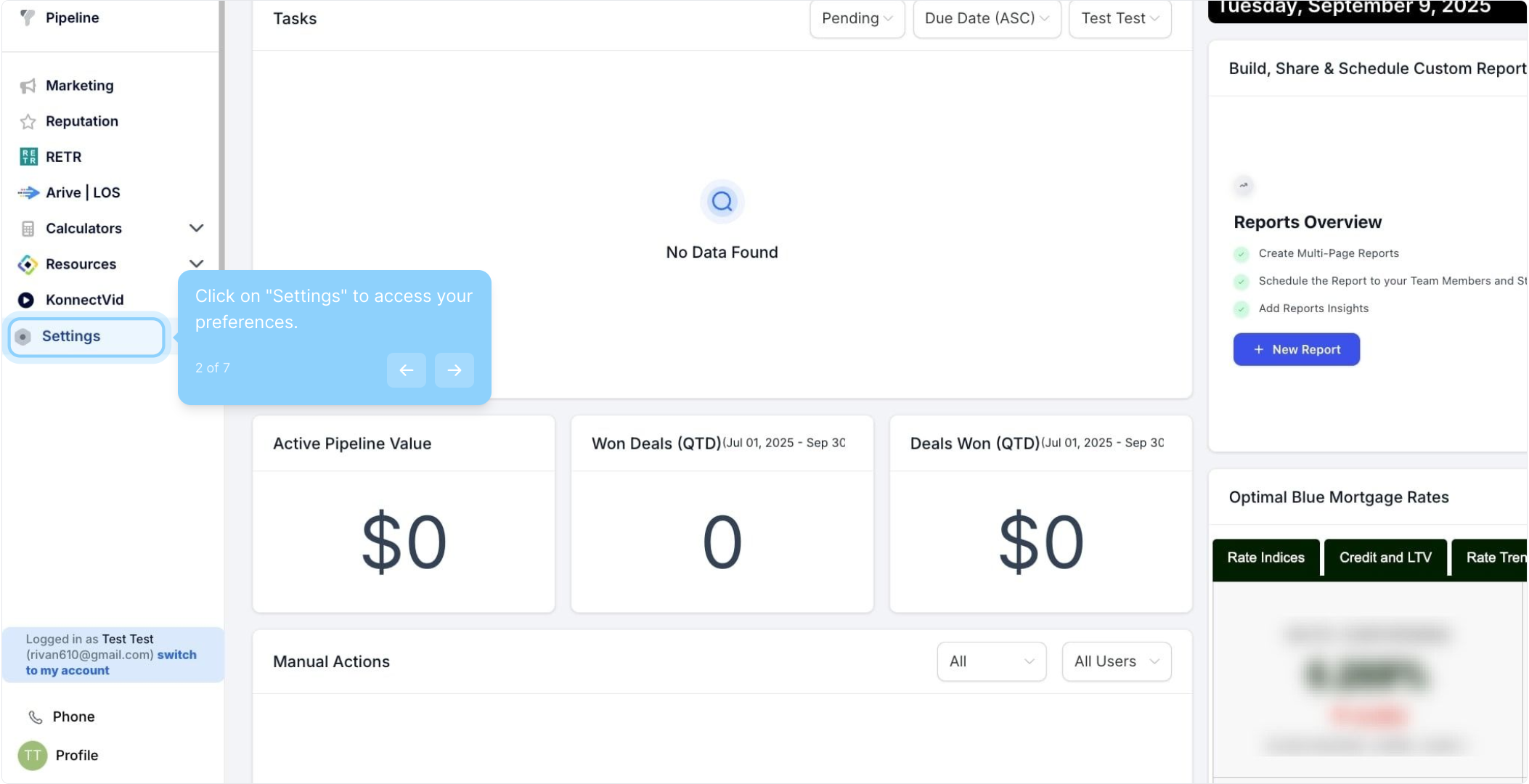
2. Click on "Settings" to access your preferences.
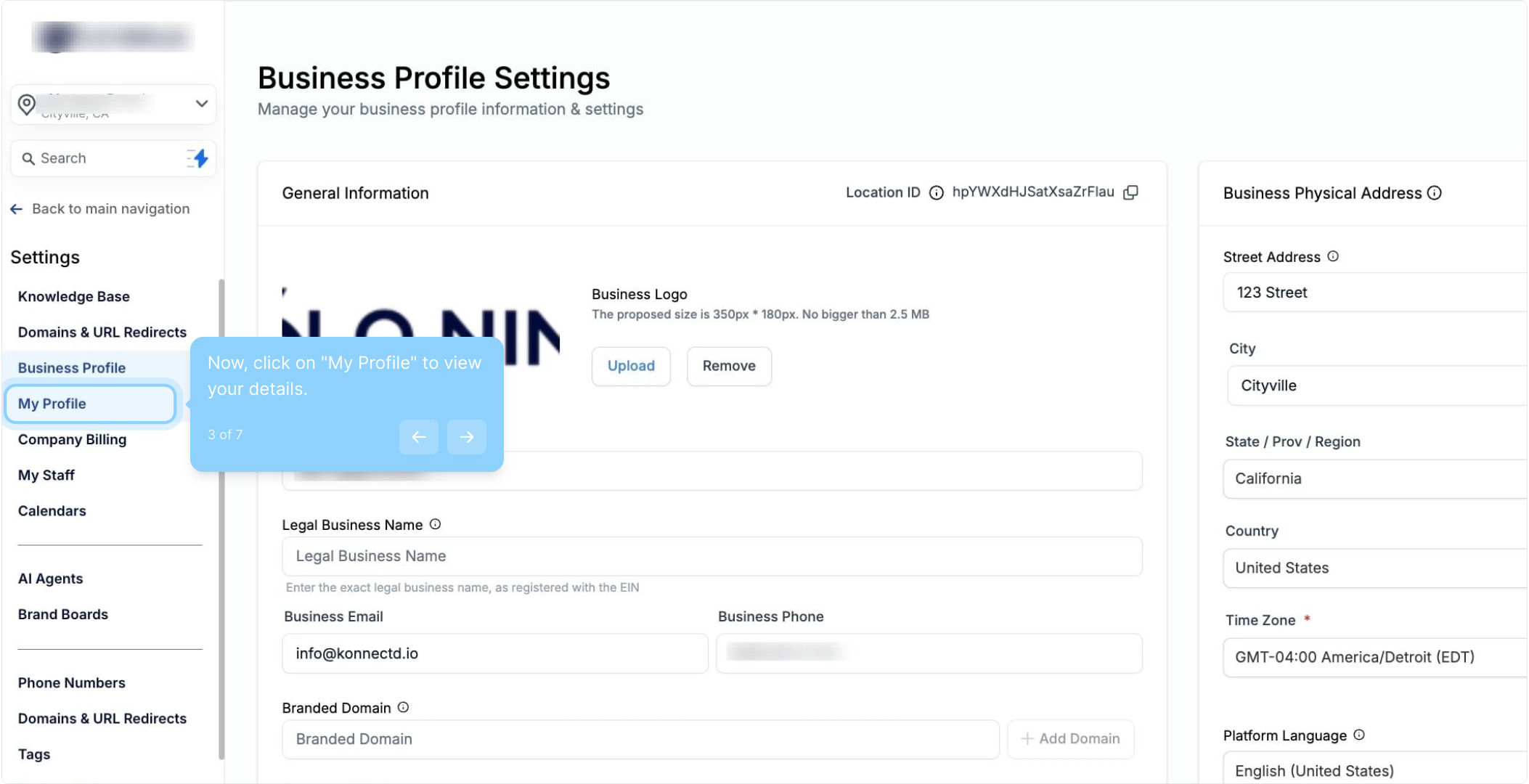
3. Now, click on "My Profile" to view your details.
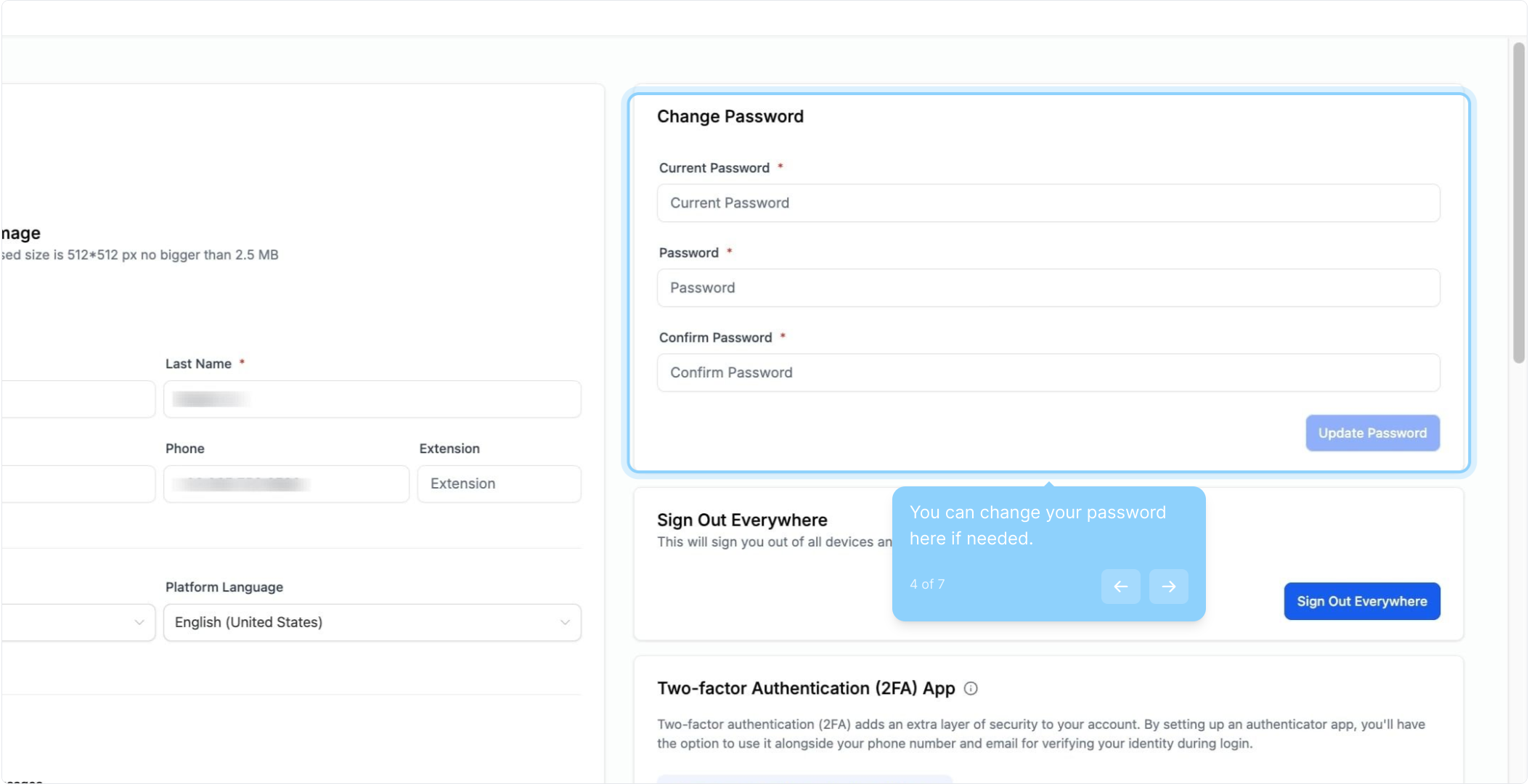
4. You can change your password here if needed.
Note: The password must be more than 8 characters including uppercase, lowercase, numbers, and special characters.
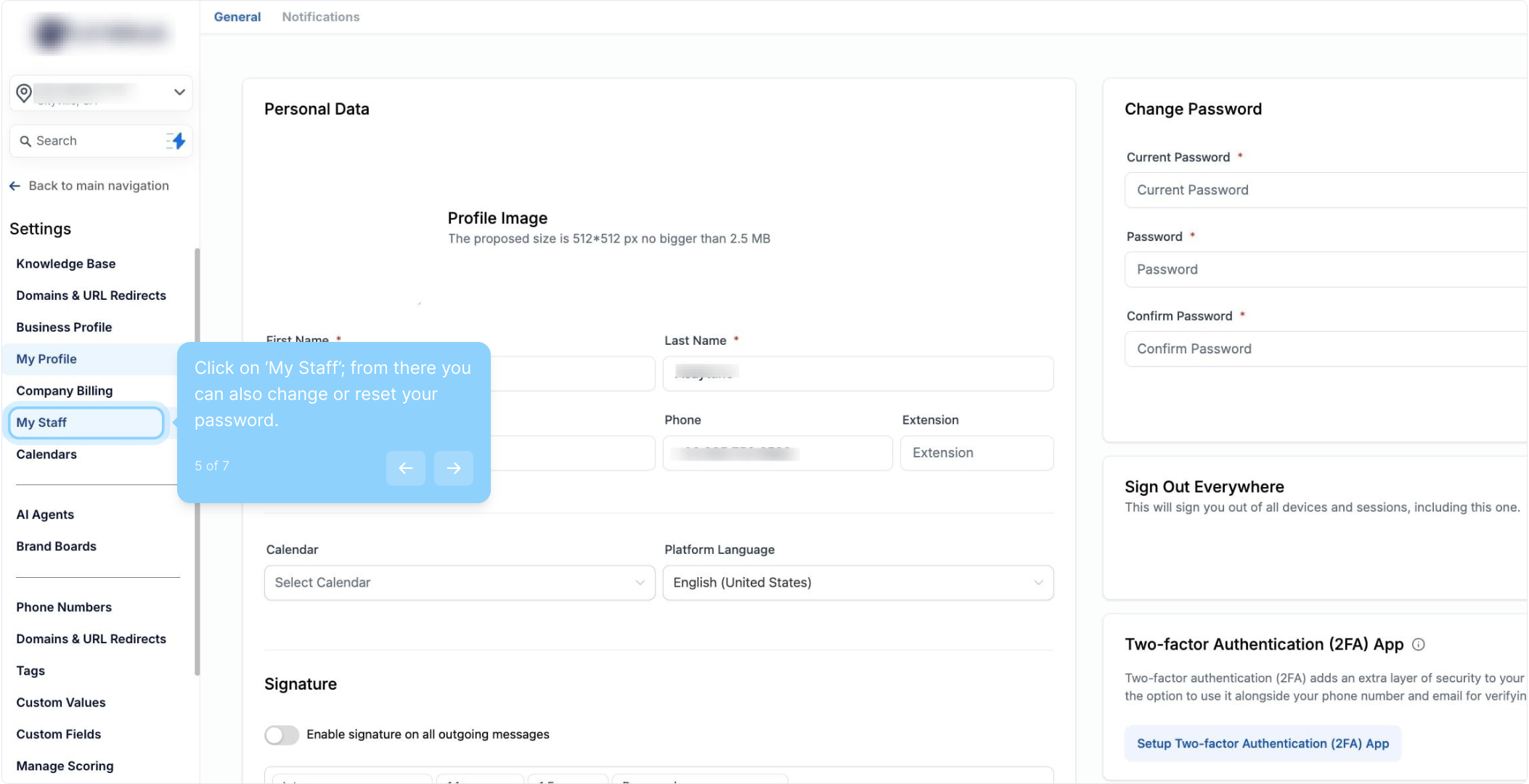
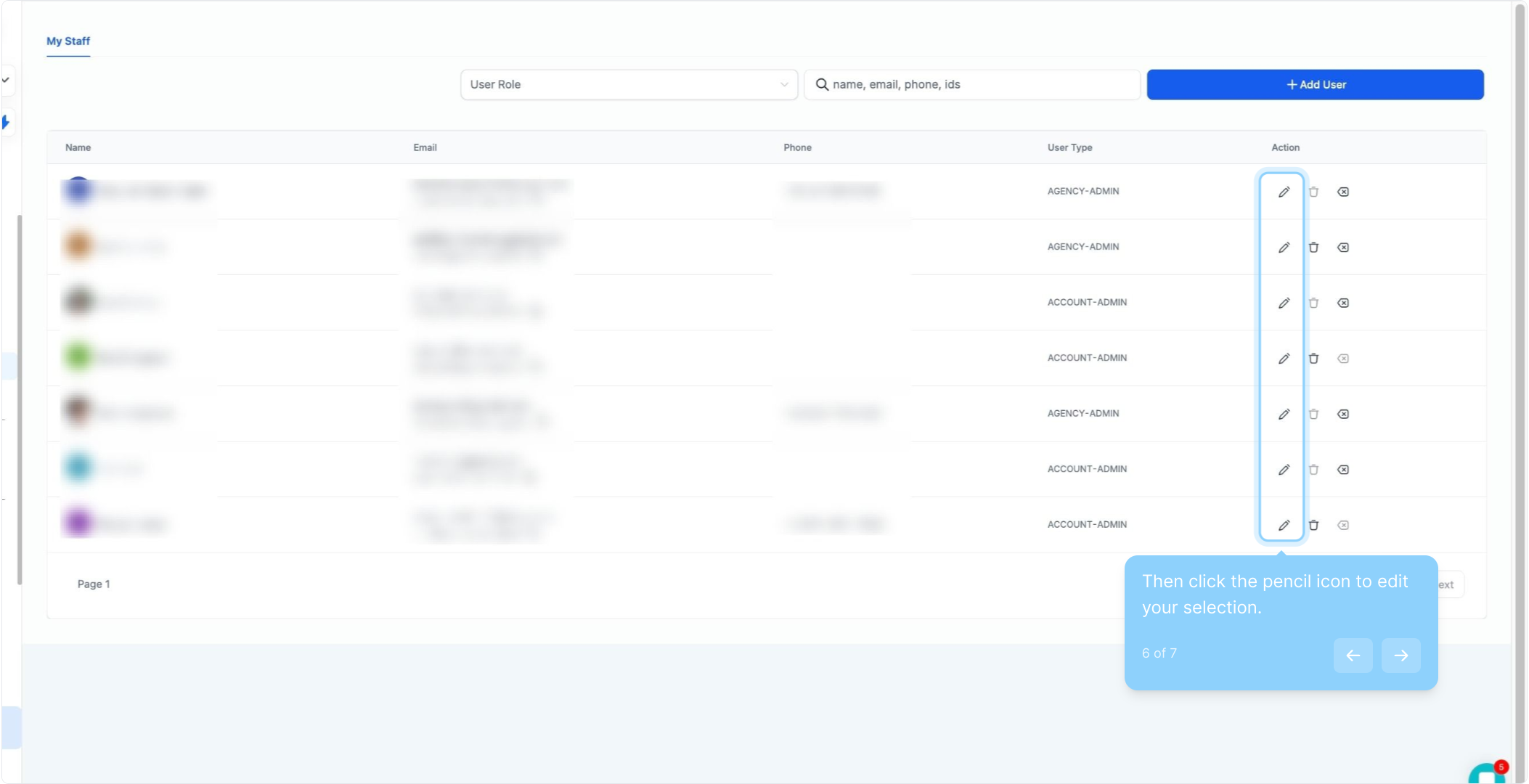
5. Click on ‘My Staff’; from there you can also change or reset your password.
6. Then click the pencil icon to edit your selection.
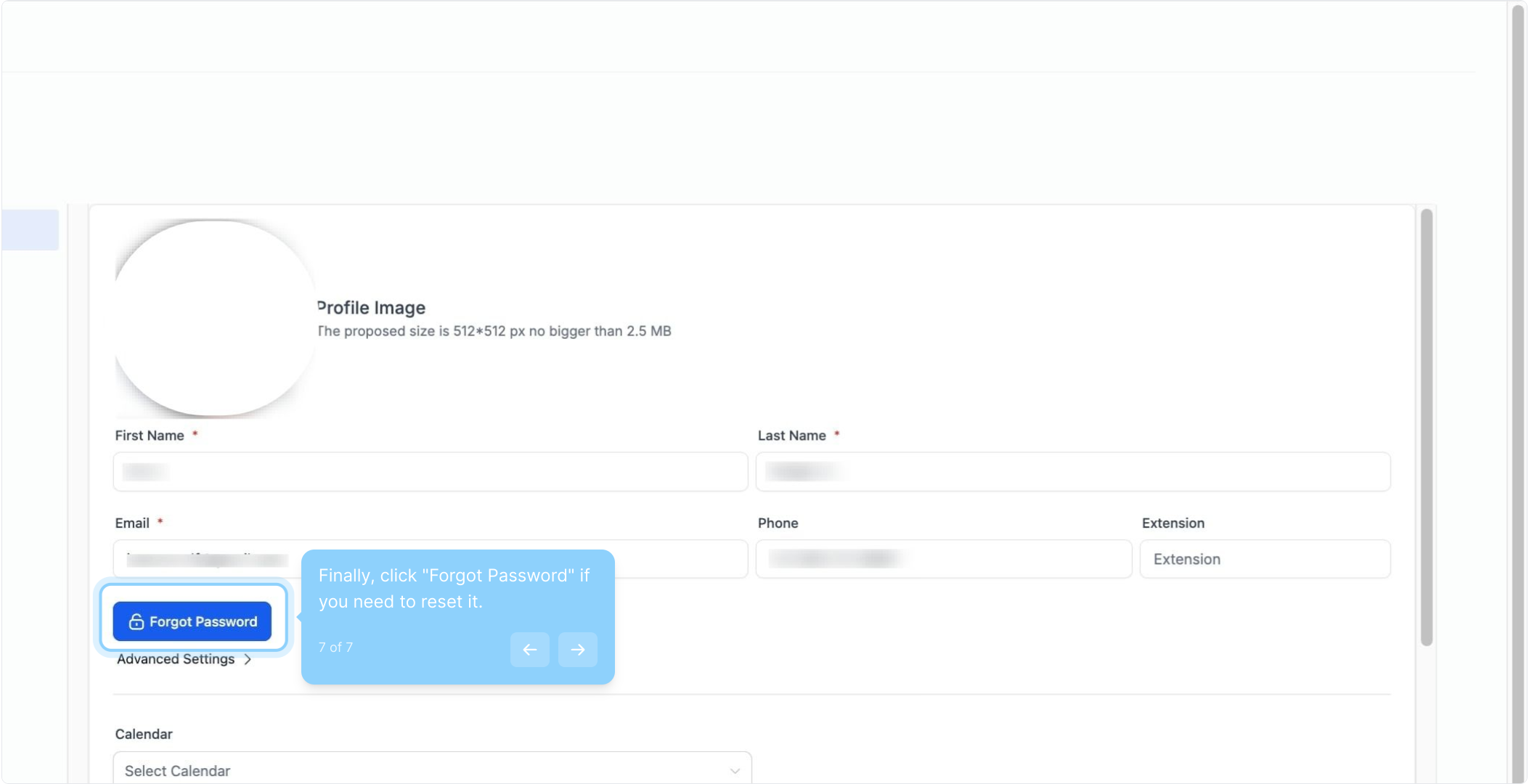
7. Finally, click "Forgot Password" if you need to reset it.
Check your email and restore your password using the link
FAQ
1. How can I reset my account password?
You can reset your account password through two options:
Option 1: Navigate to Settings > My Profile if the "My Staff" tab is not visible in your account settings.
Option 2: Navigate to Settings > My Staff if you have access to the "My Staff" tab.