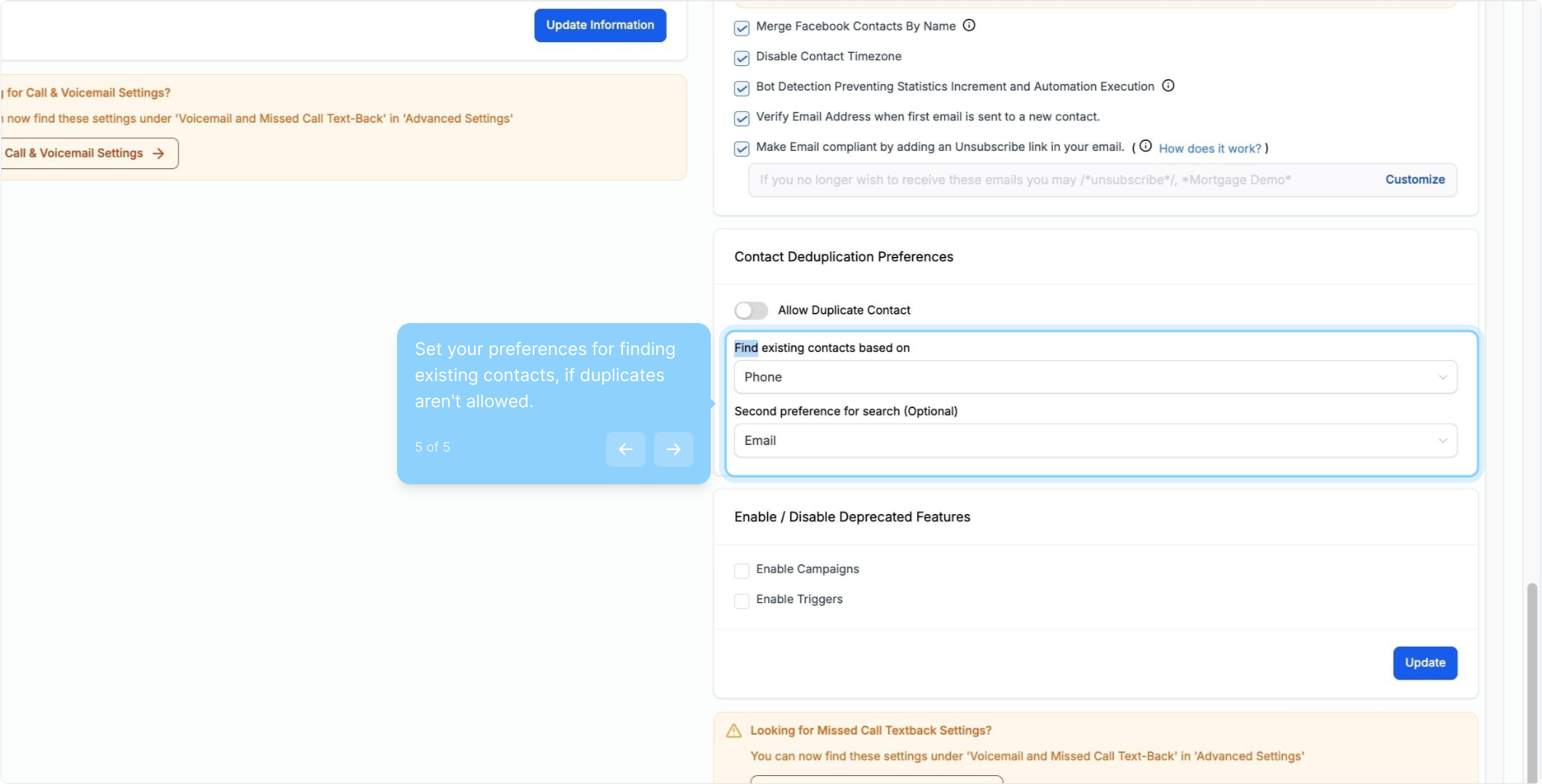
2. Click on "Settings" to access your preferences.
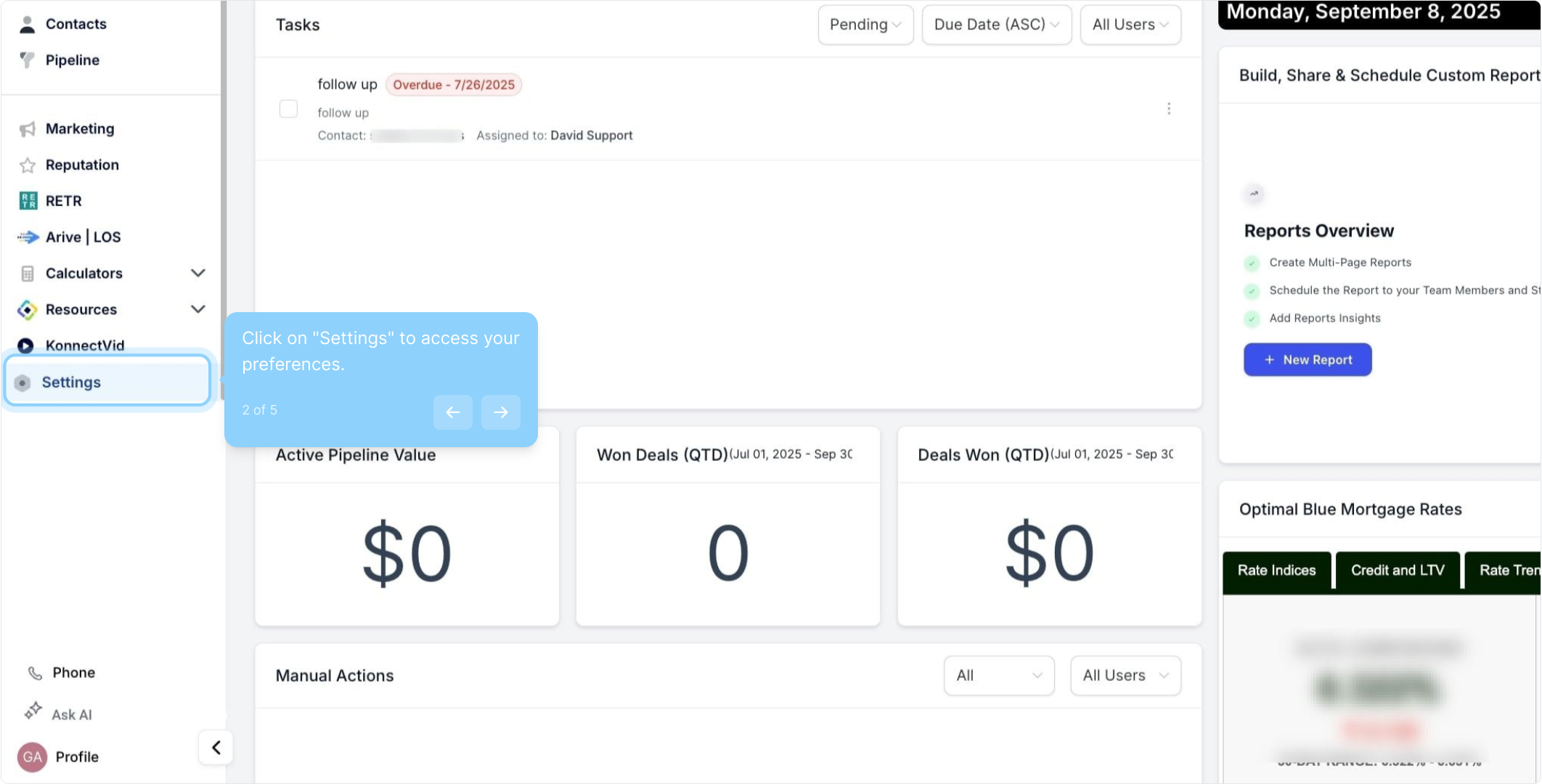
3. Navigate to the Contact Deduplication Preferences section.
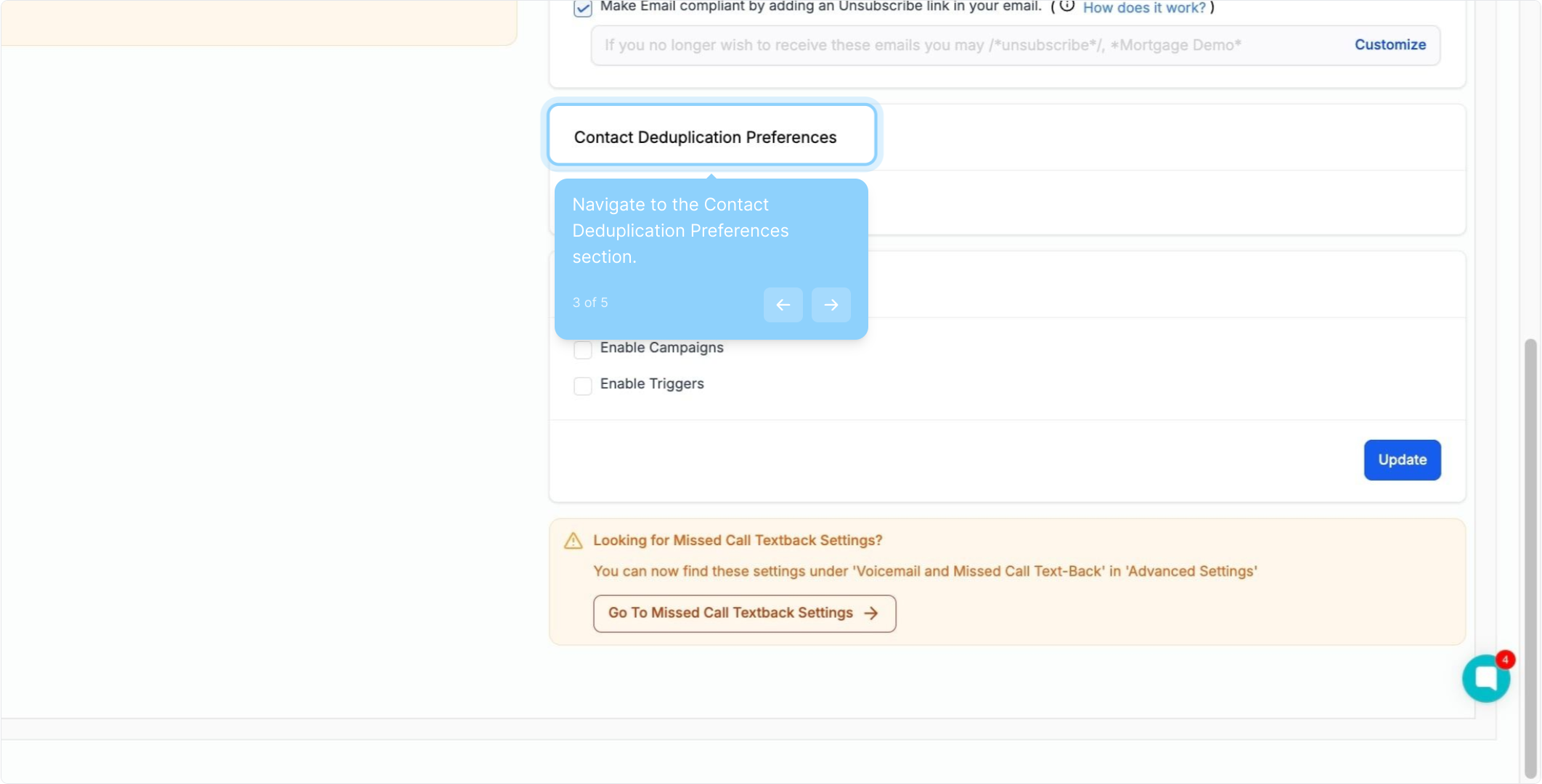
4. Toggle the switch to allow duplicate contacts if needed.
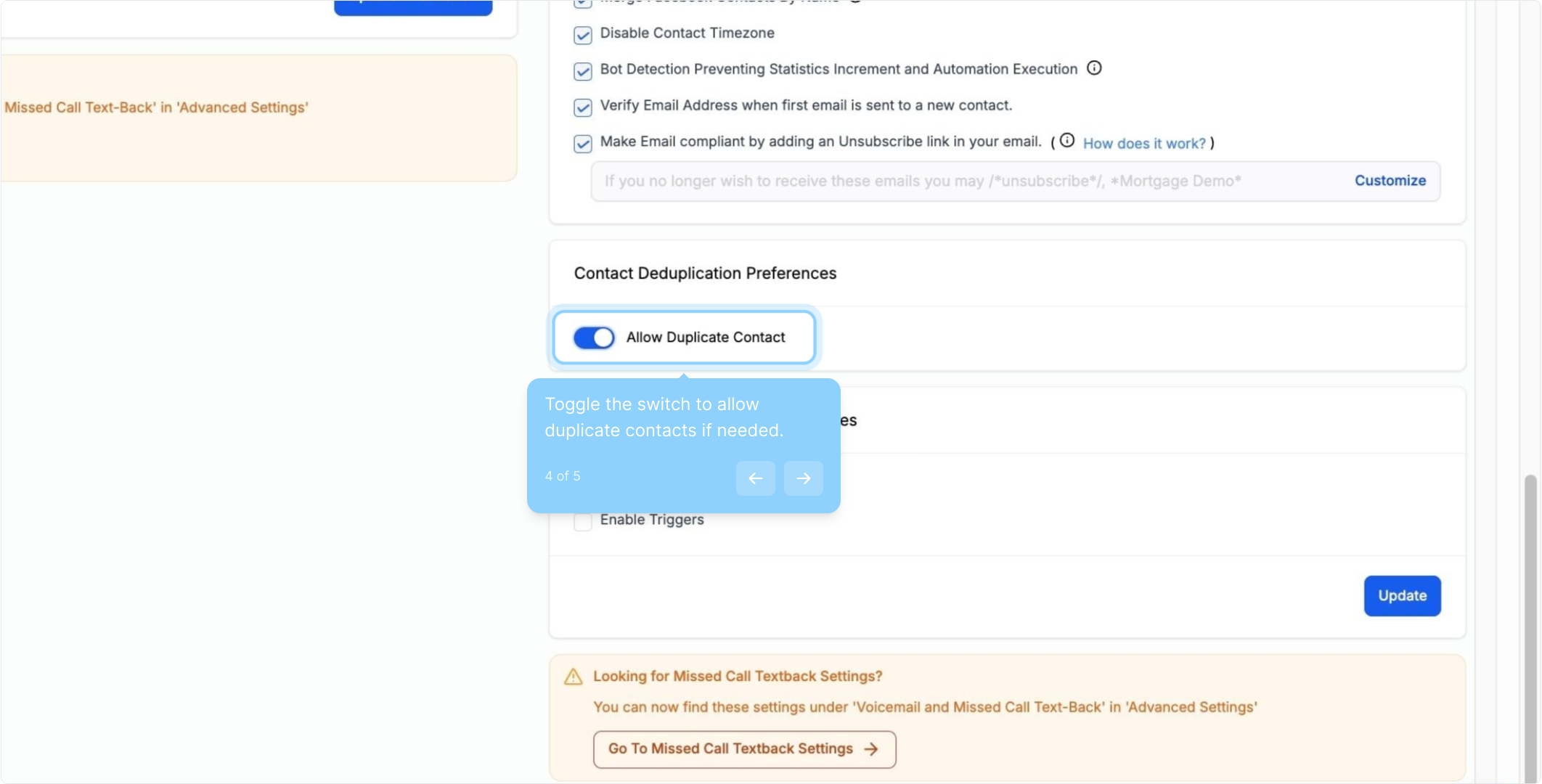
5. Set your preferences for finding existing contacts, if duplicates aren't allowed.