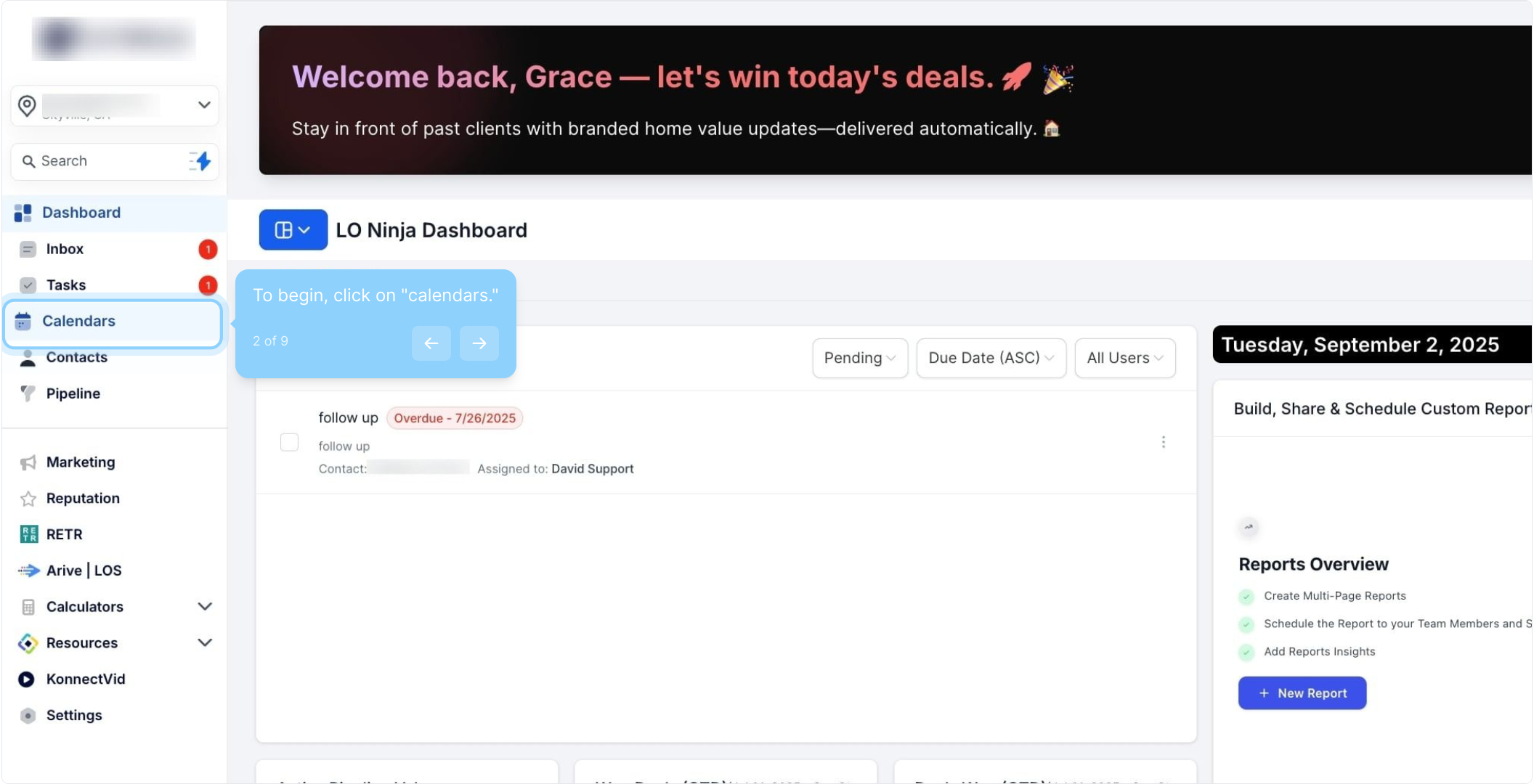
2. To begin, click on "calendars."
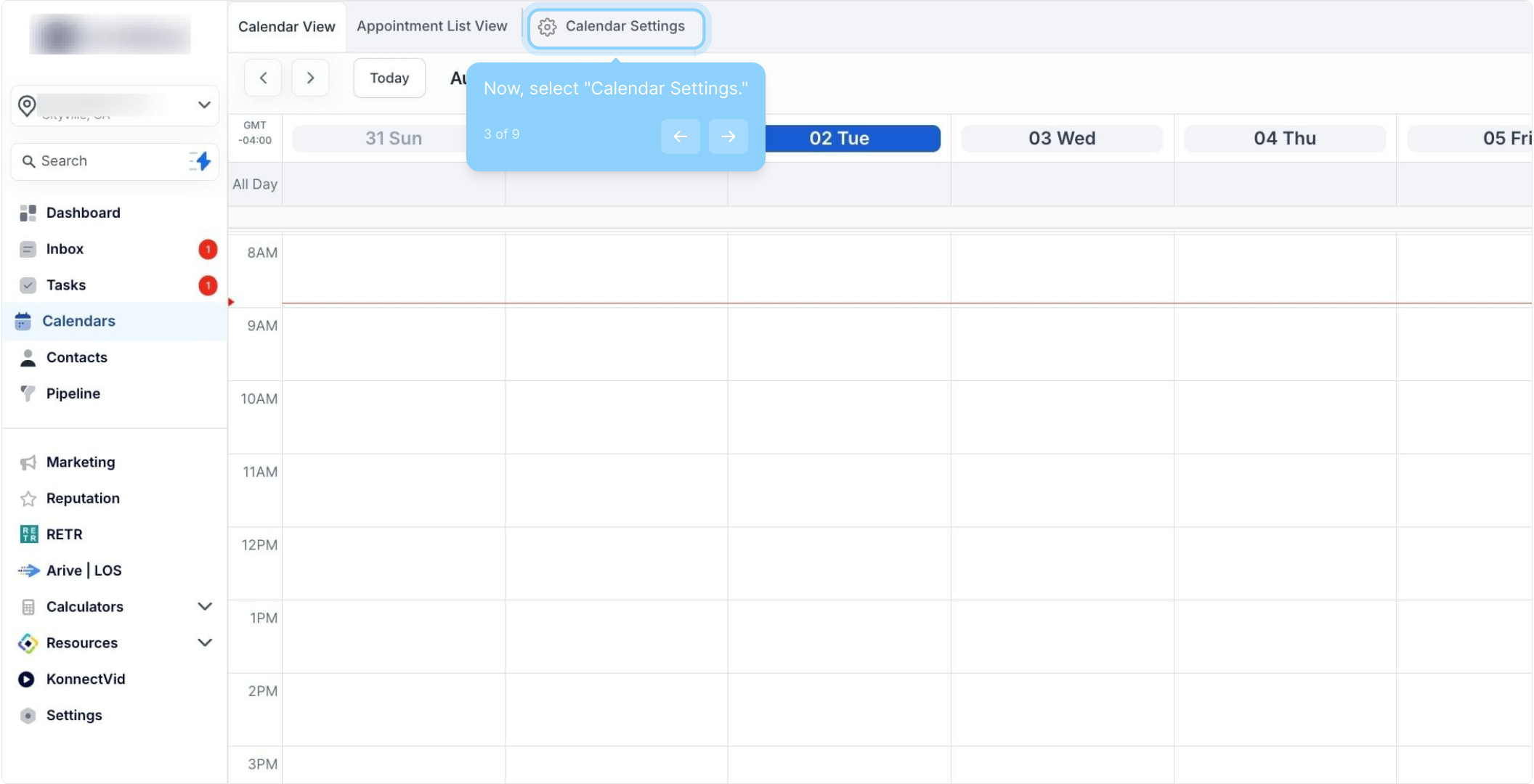
3. Now, select "Calendar Settings."
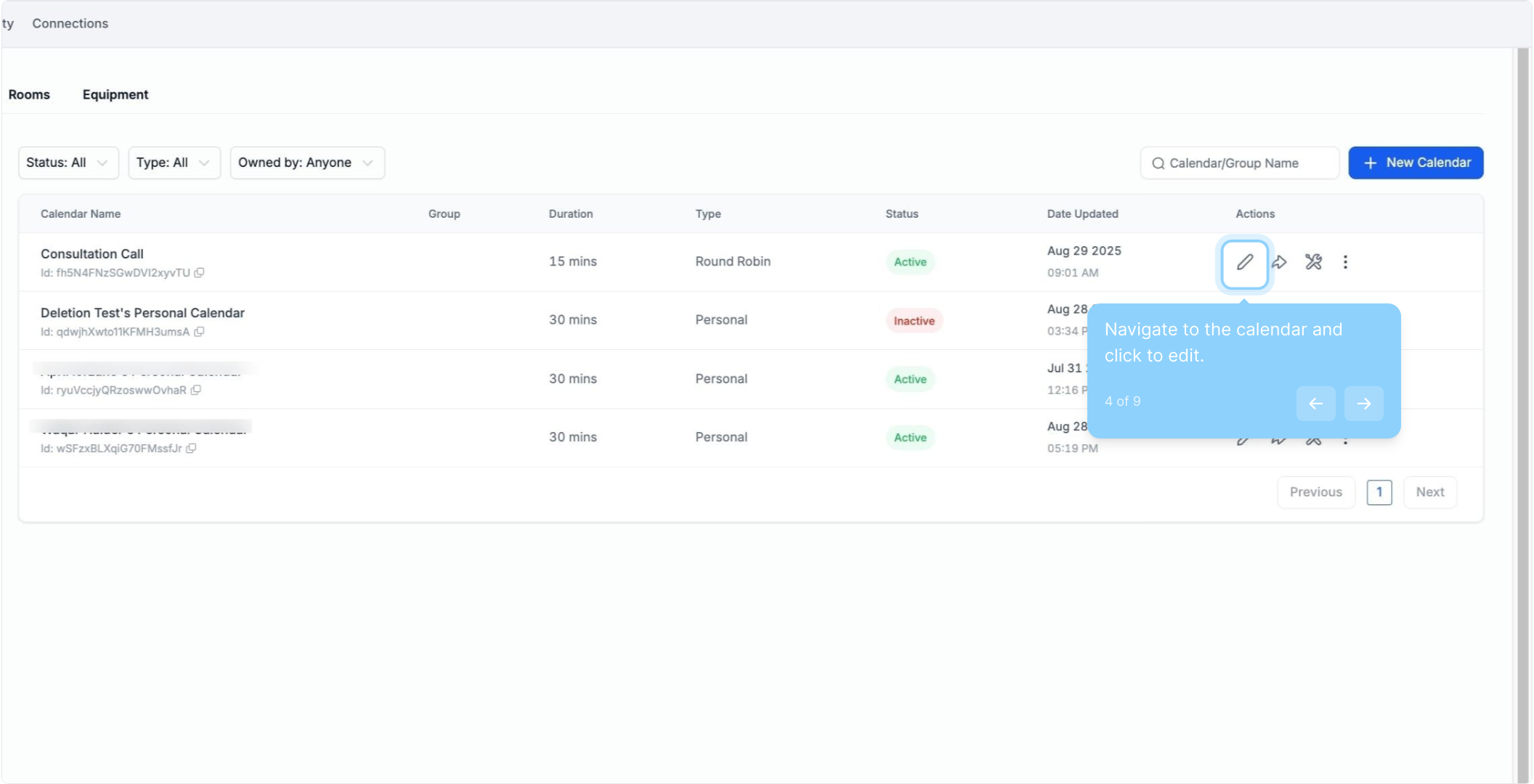
4. Navigate to the calendar and click to edit.
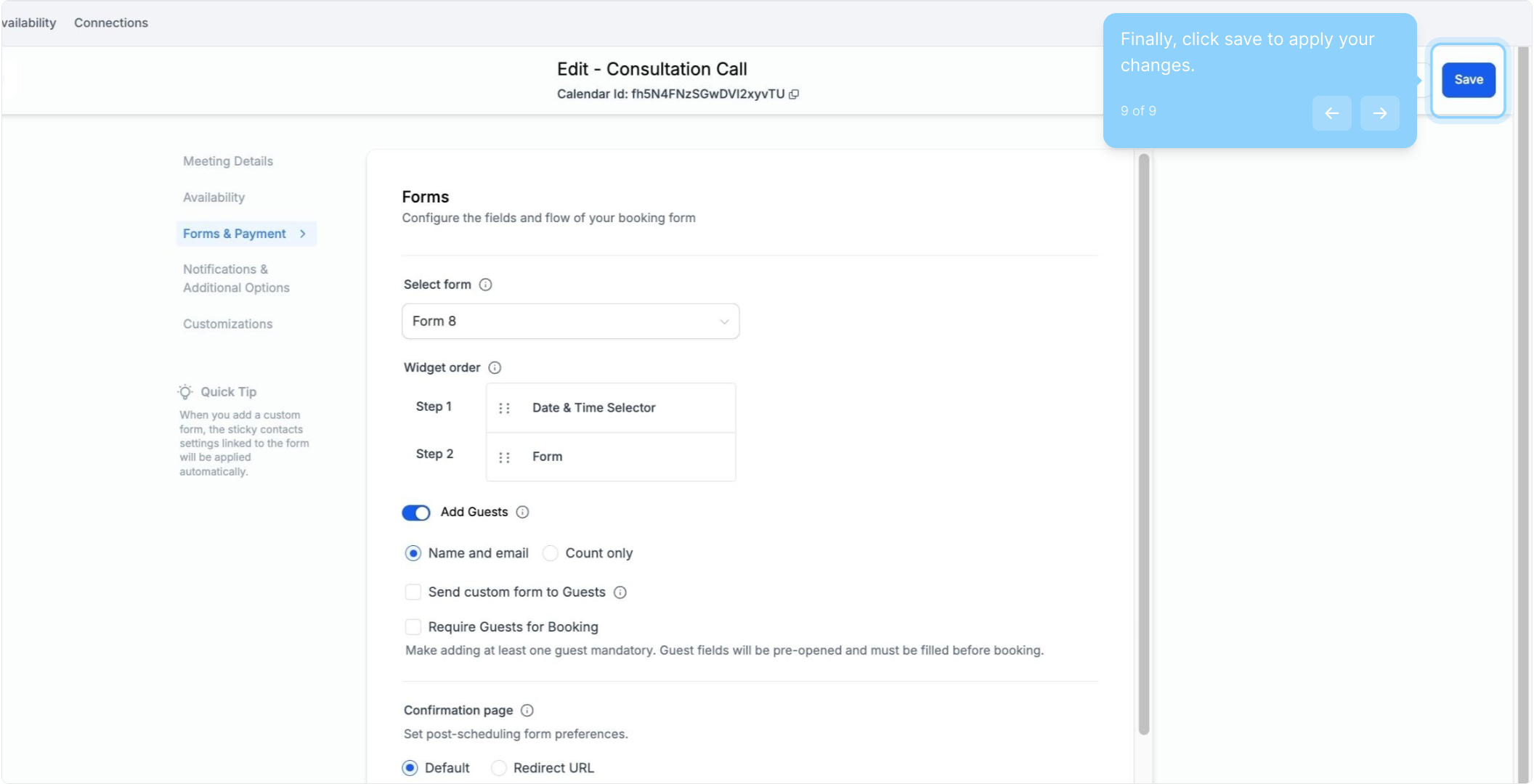
5. Next, click on "Forms & Payment."
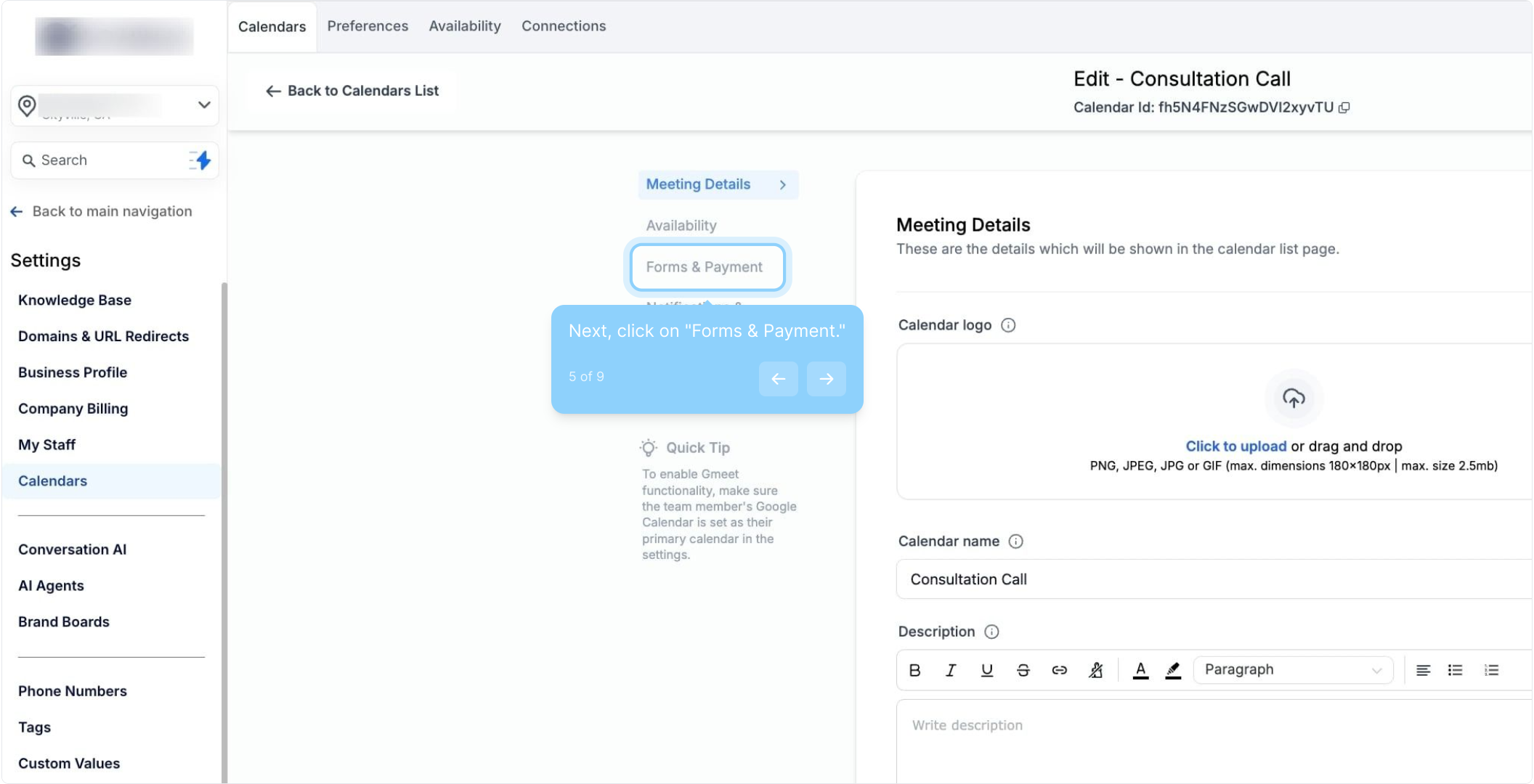
6. Move to the Forms section.
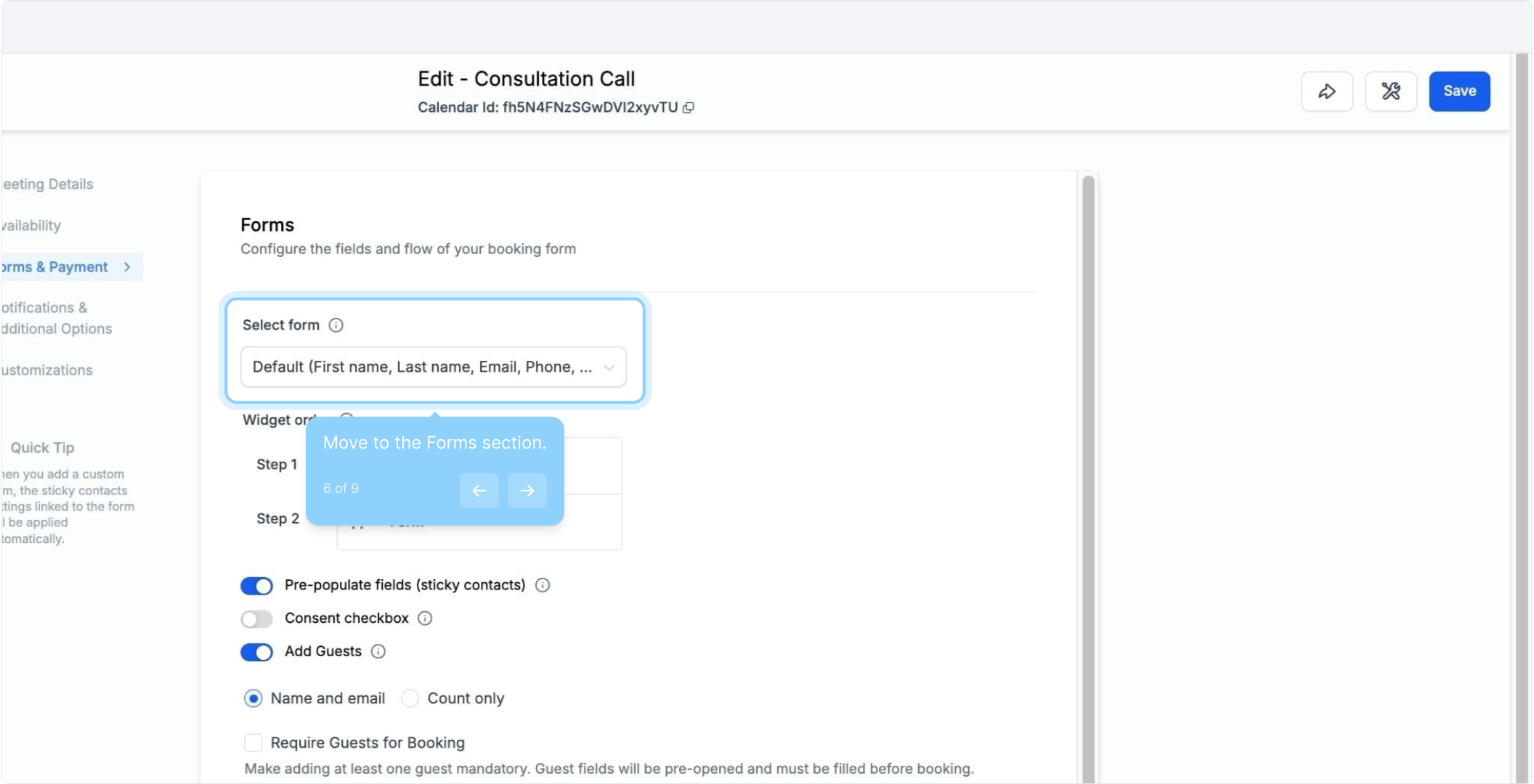
7. Choose the form you want from the dropdown.
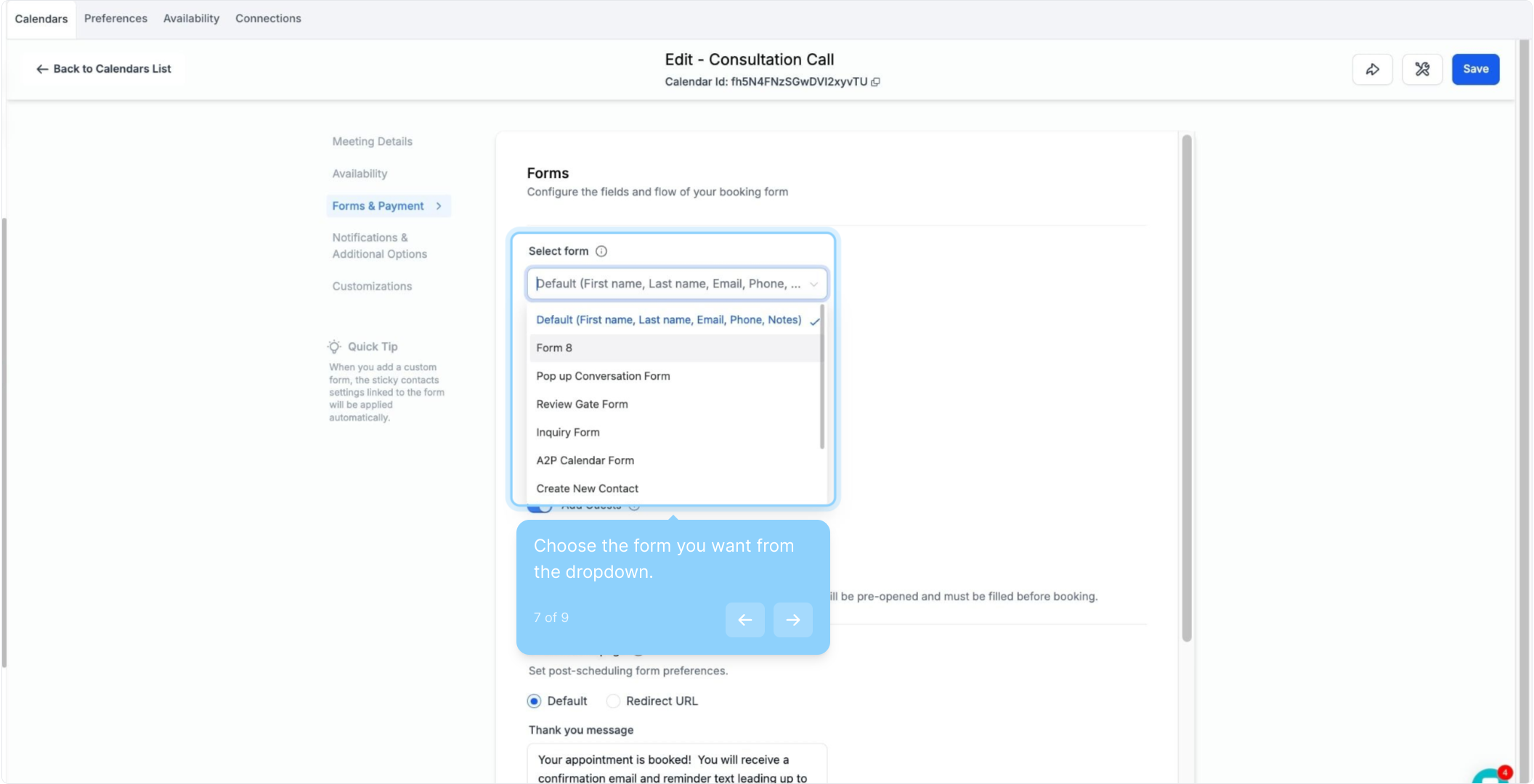
8. Adjust the widget order as needed.
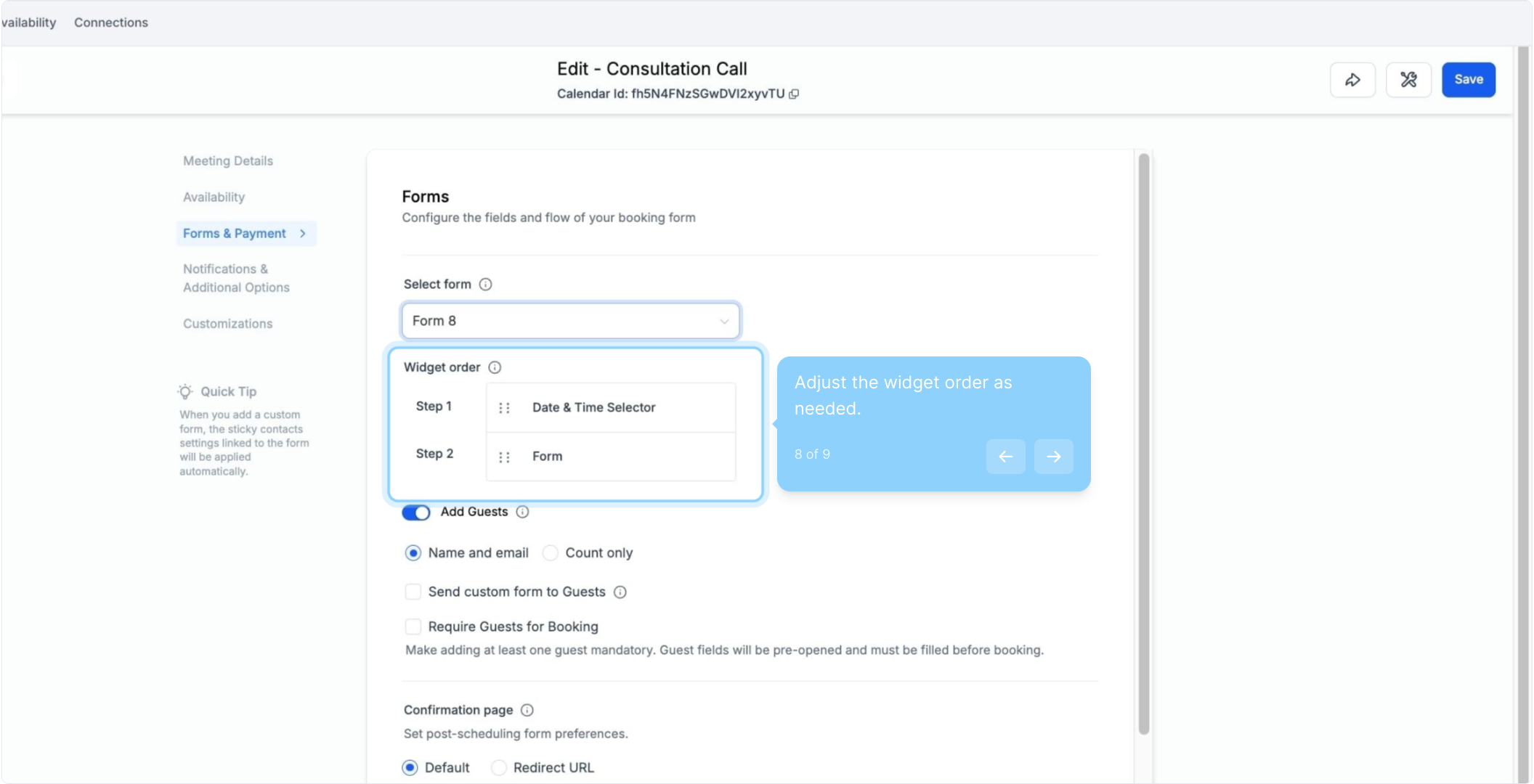
9. Finally, click save to apply your changes.