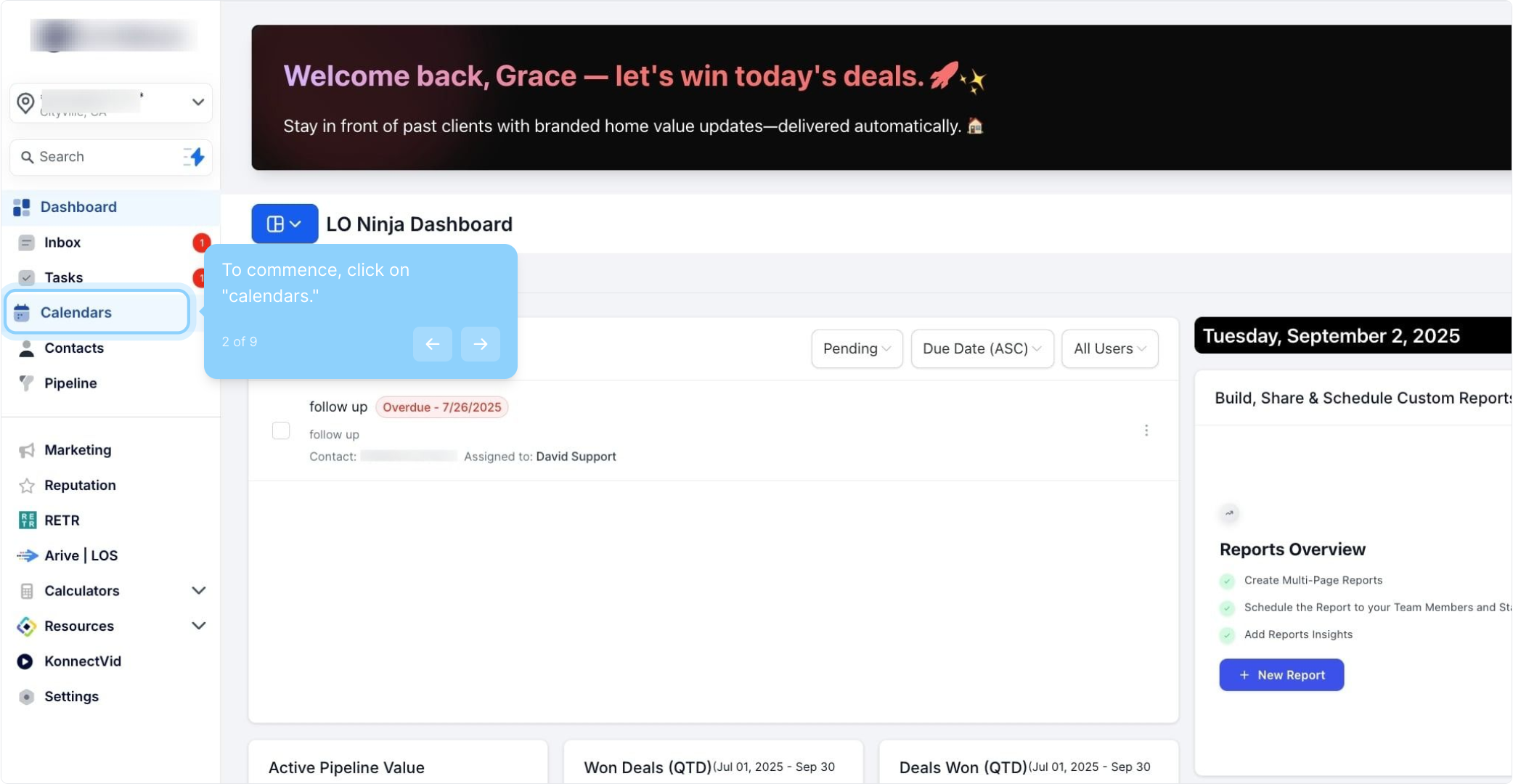
2. To commence, click on "calendars."
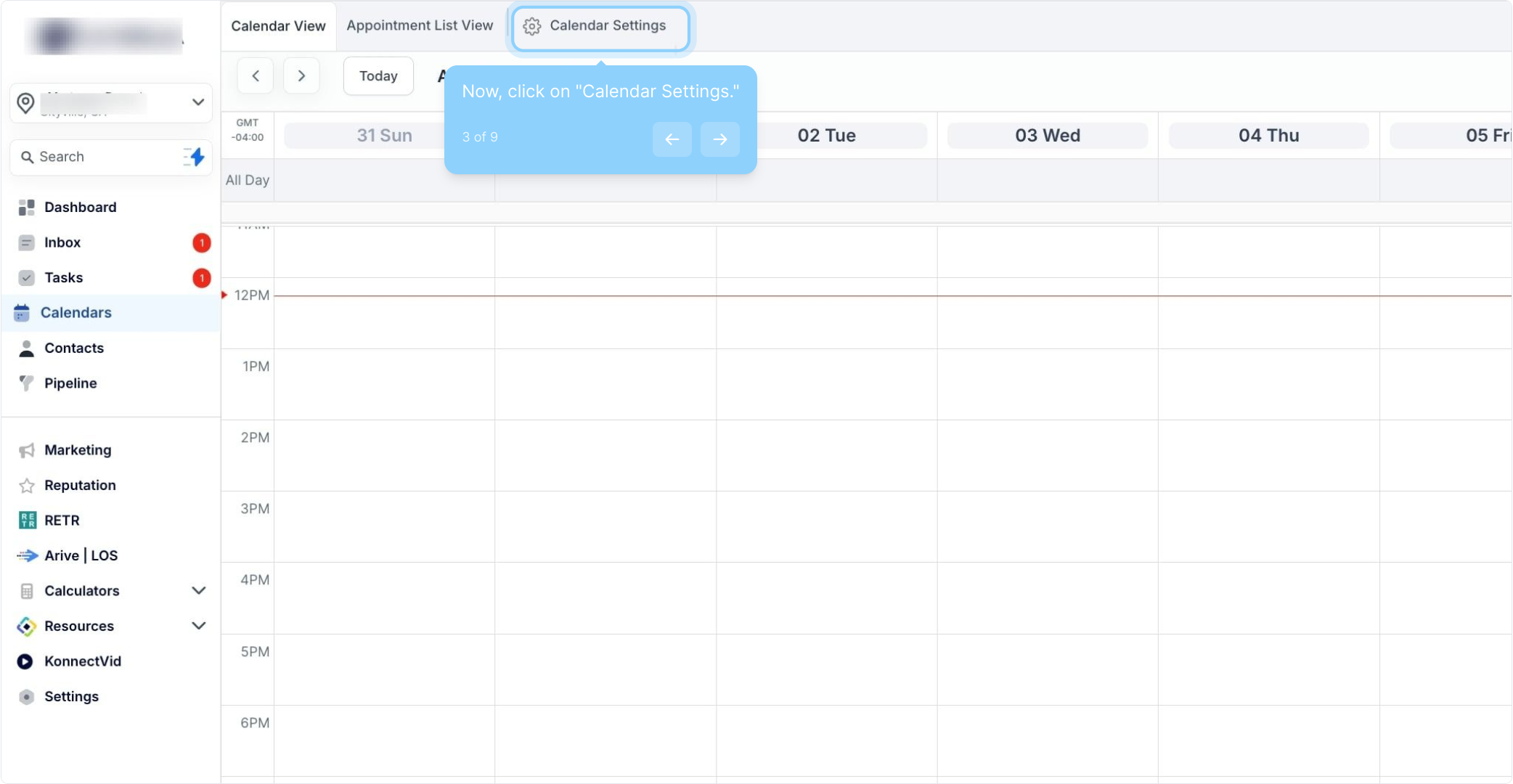
3. Now, click on "Calendar Settings."
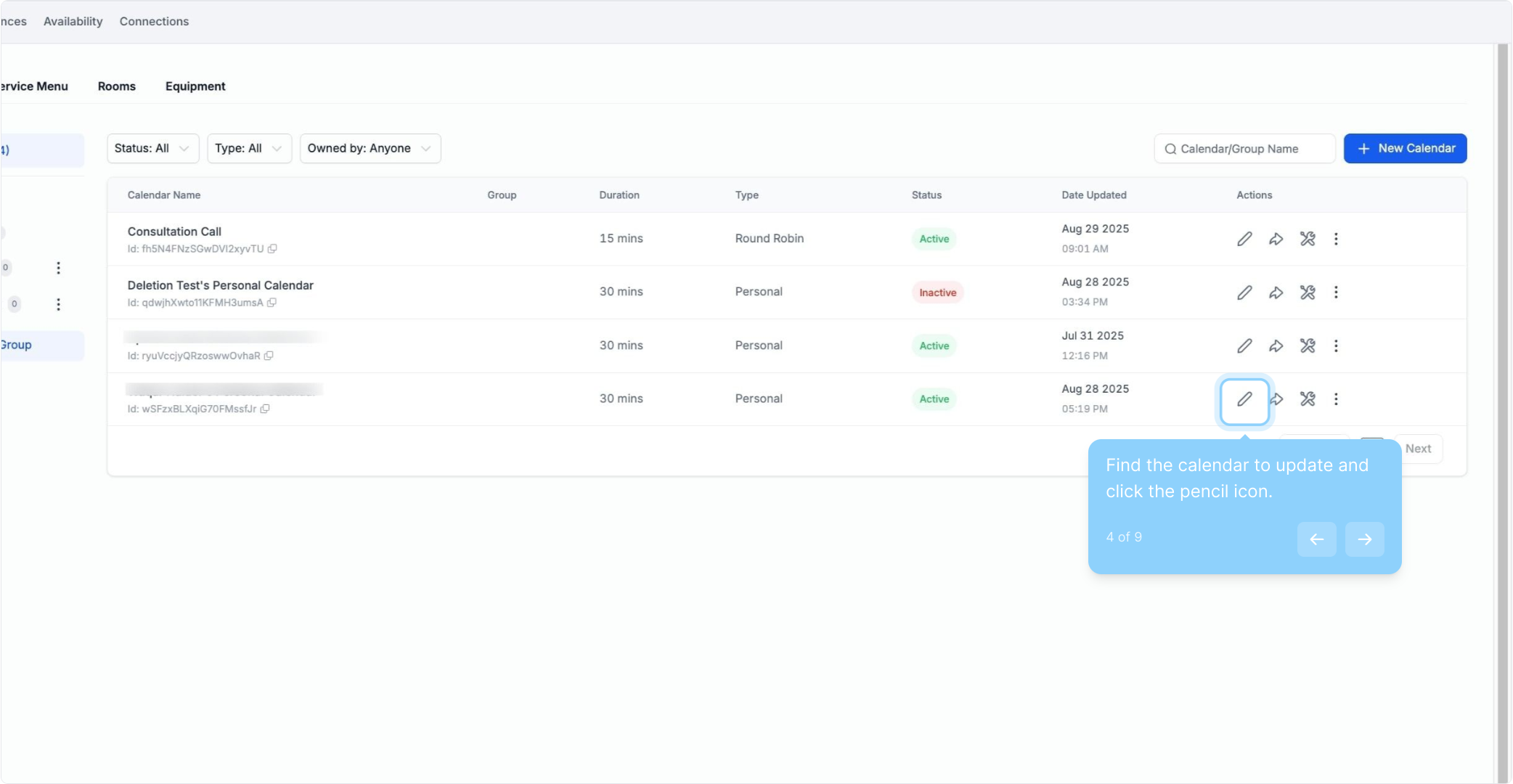
4. Find the calendar to update and click the pencil icon.
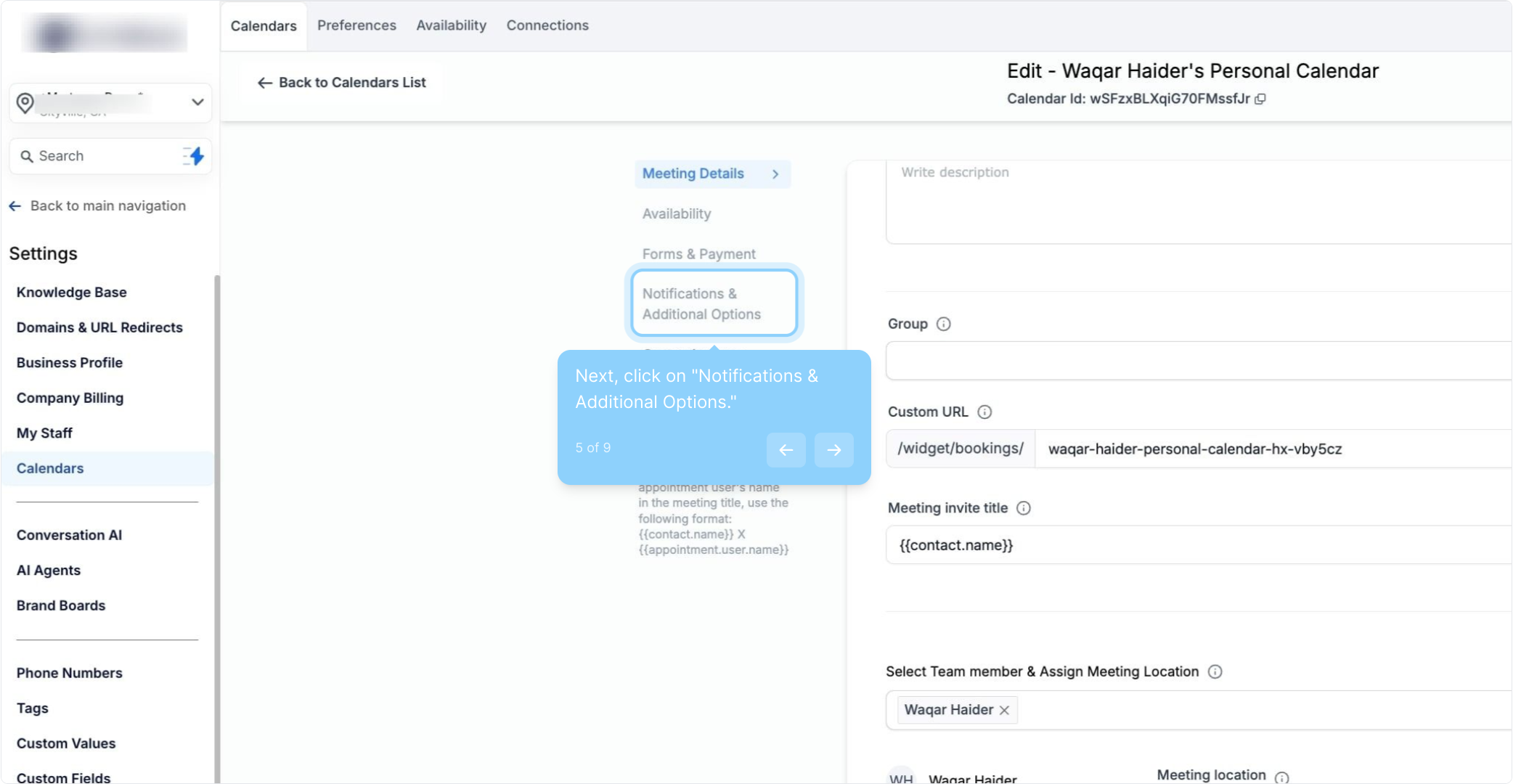
5. Next, click on "Notifications & Additional Options."
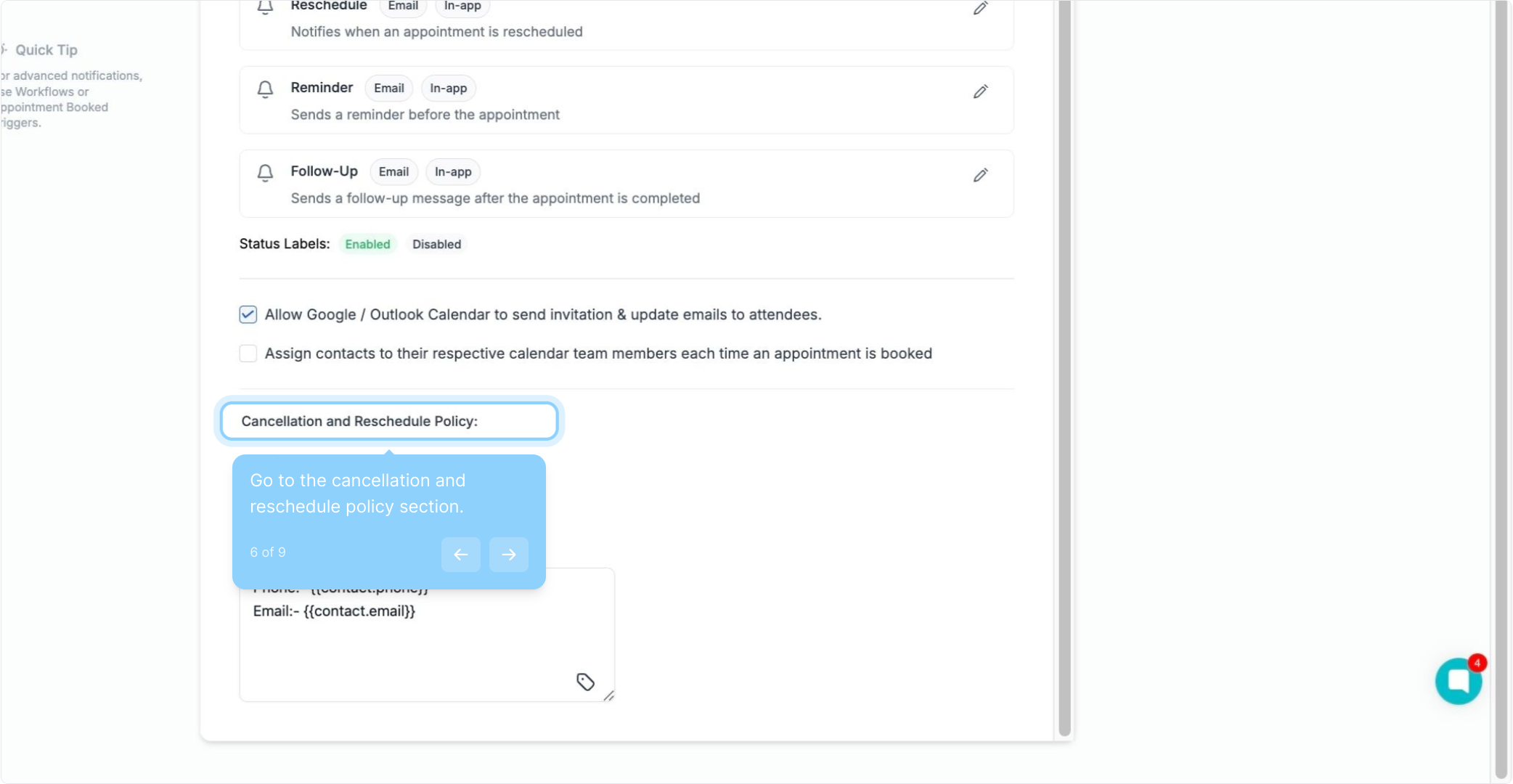
6. Go to the cancellation and reschedule policy section.
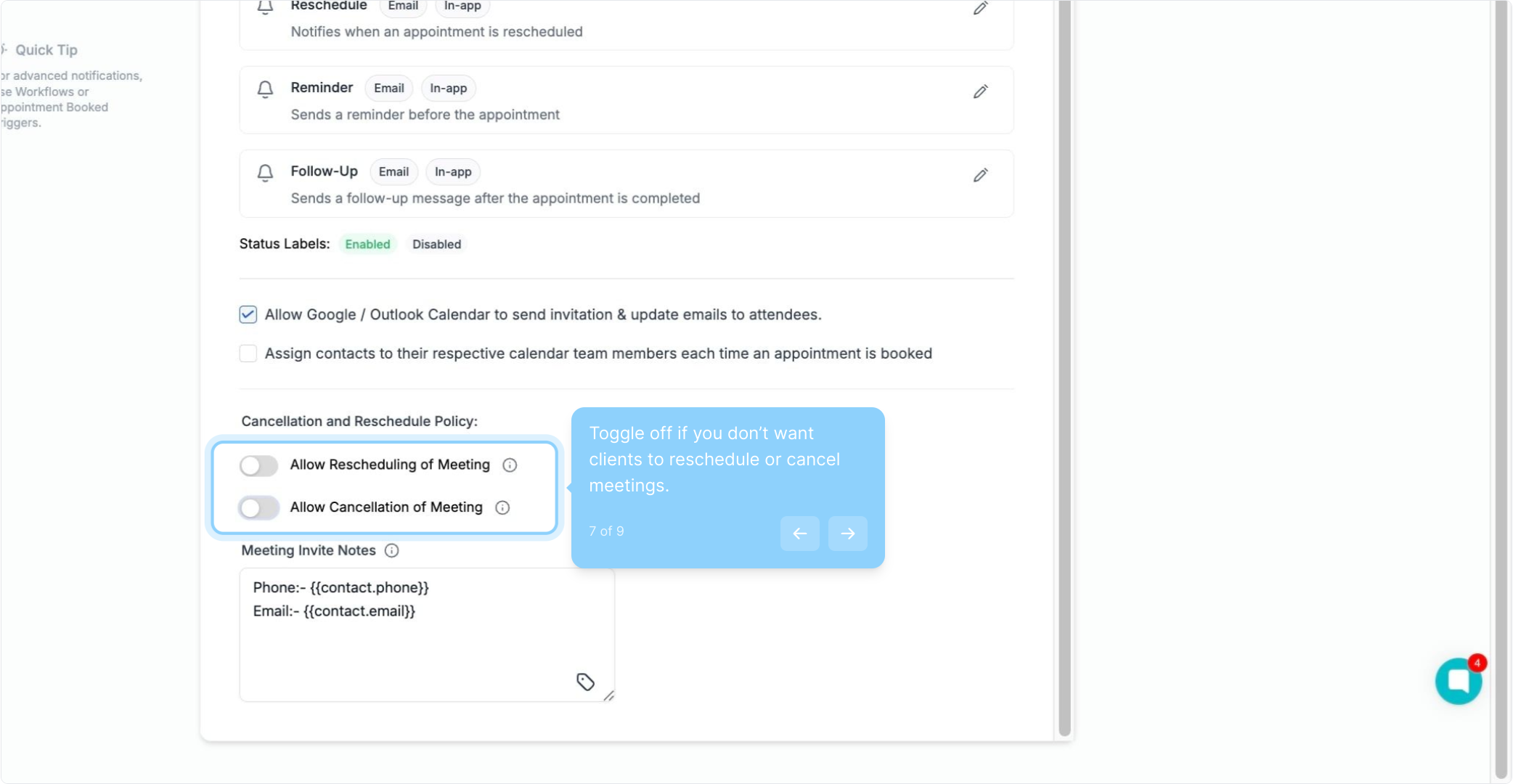
7. Toggle off if you don’t want clients to reschedule or cancel meetings.
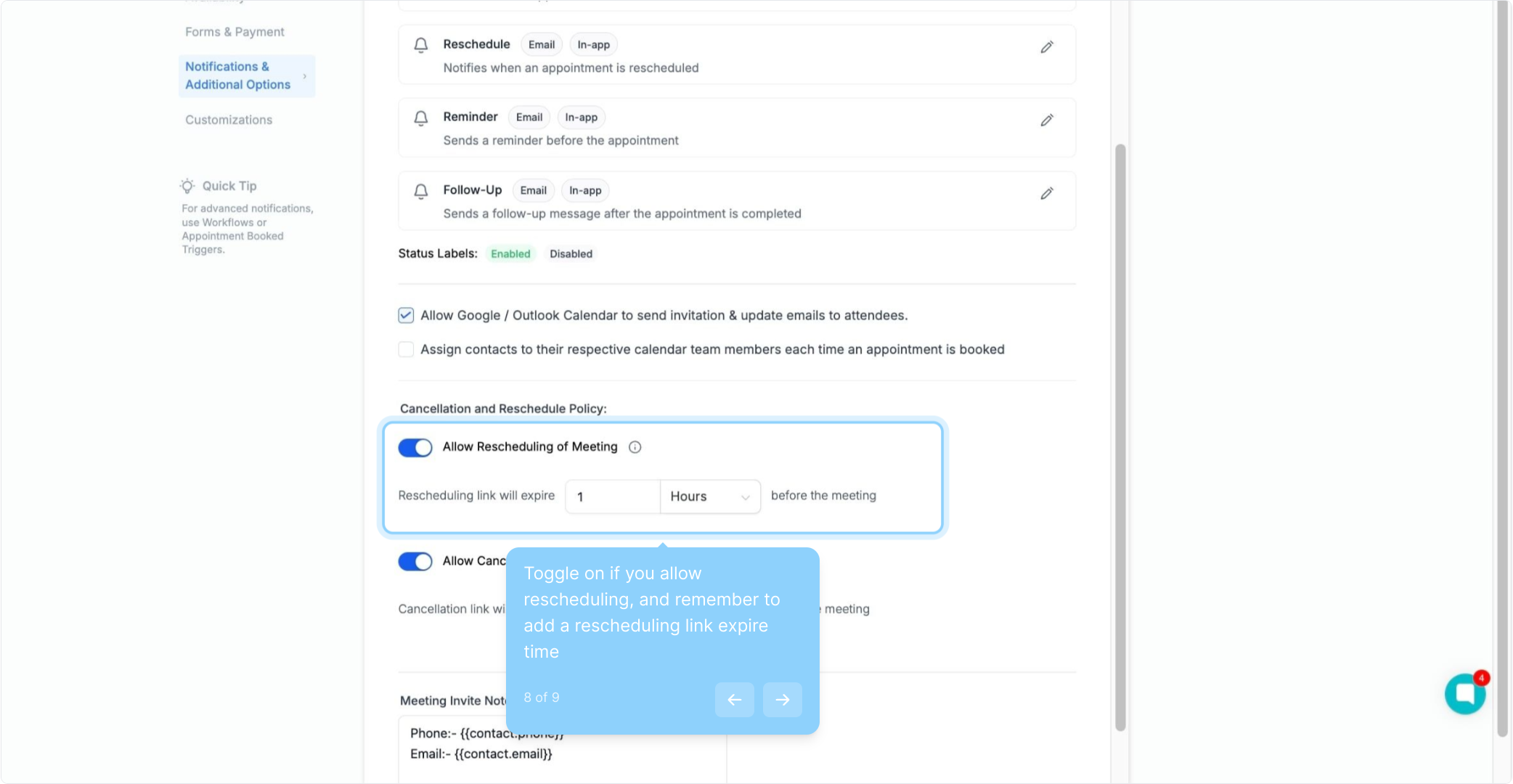
8. Toggle on if you allow rescheduling, and remember to add a rescheduling link expire time
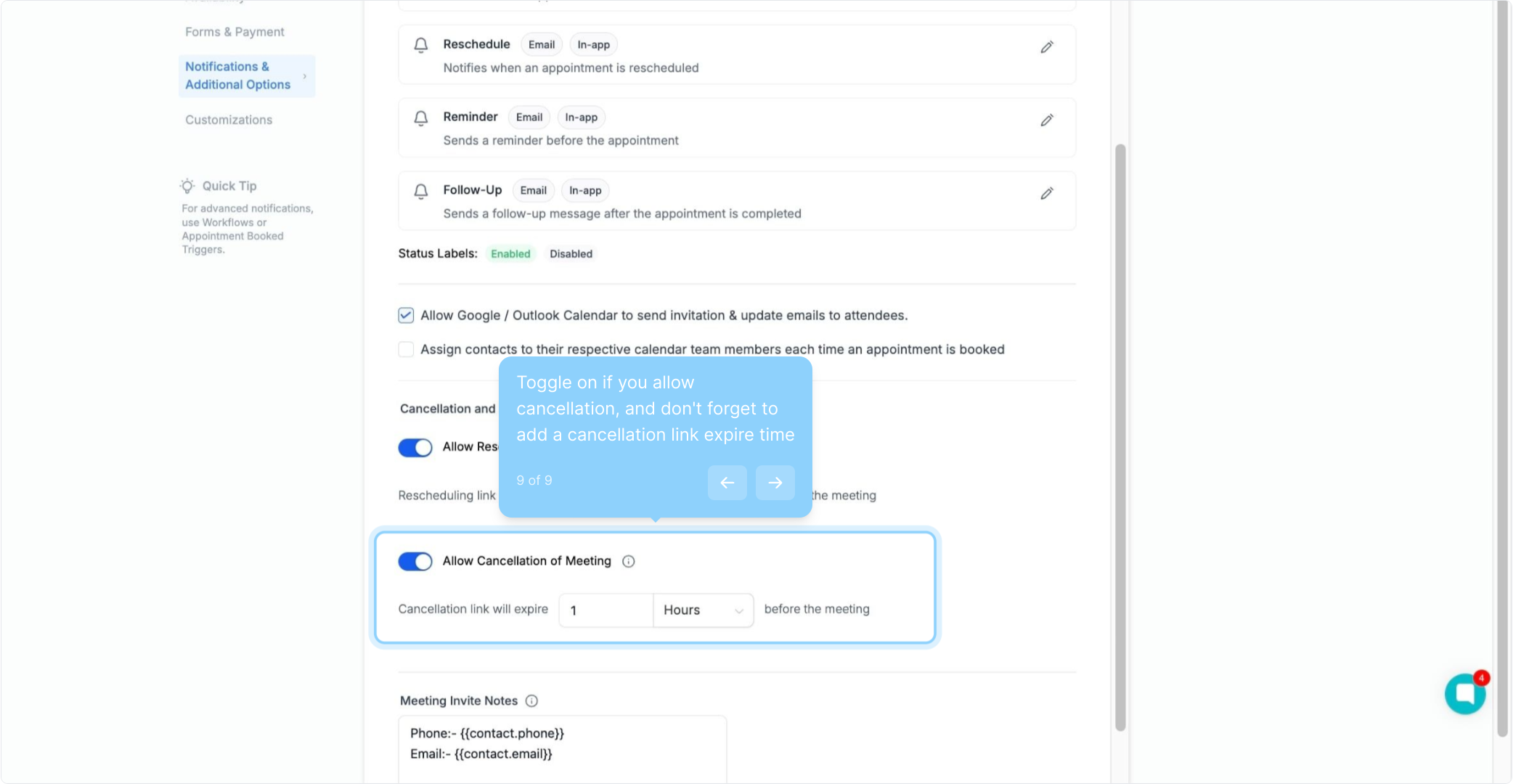
9. Toggle on if you allow cancellation, and don't forget to add a cancellation link expire time