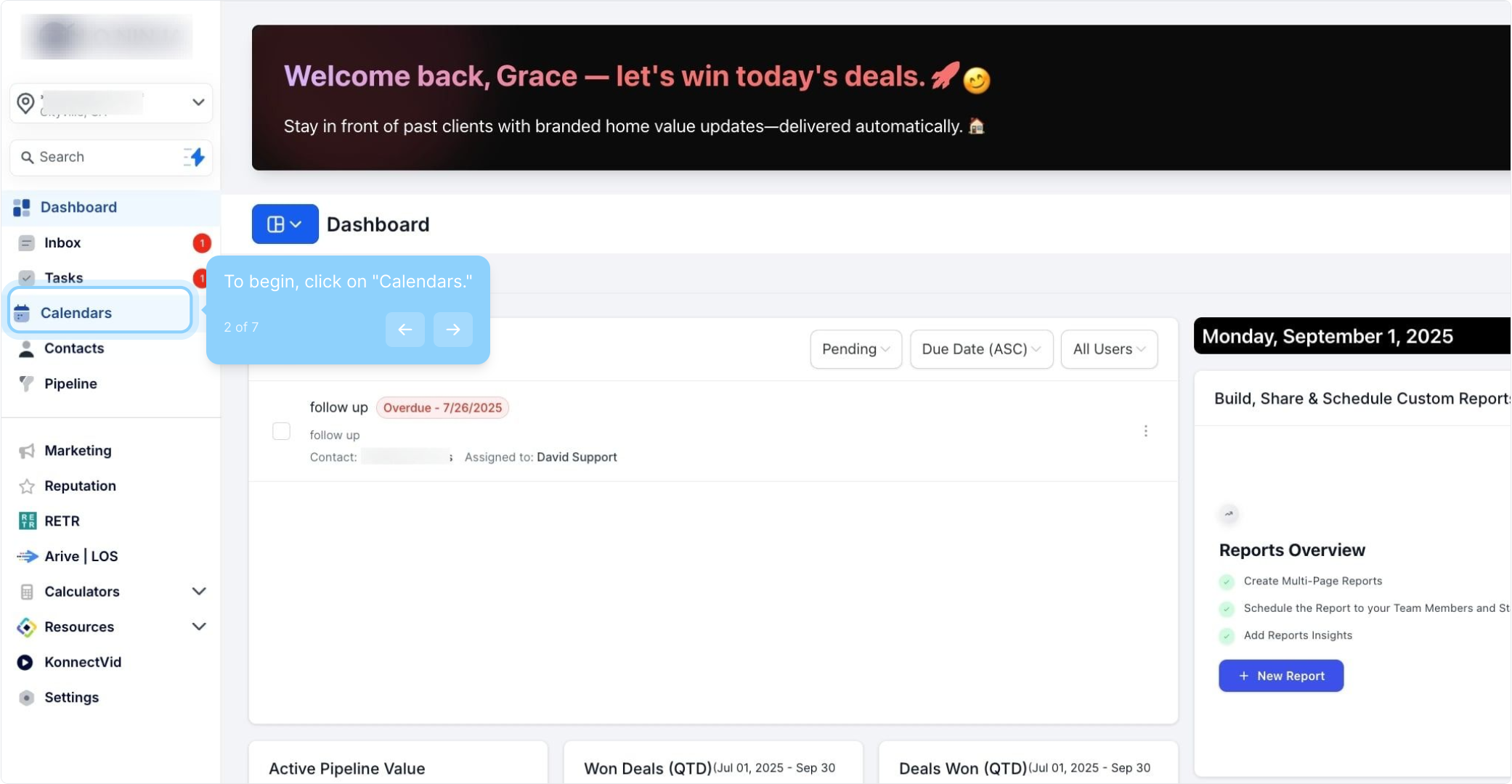
2. To begin, click on "Calendars."
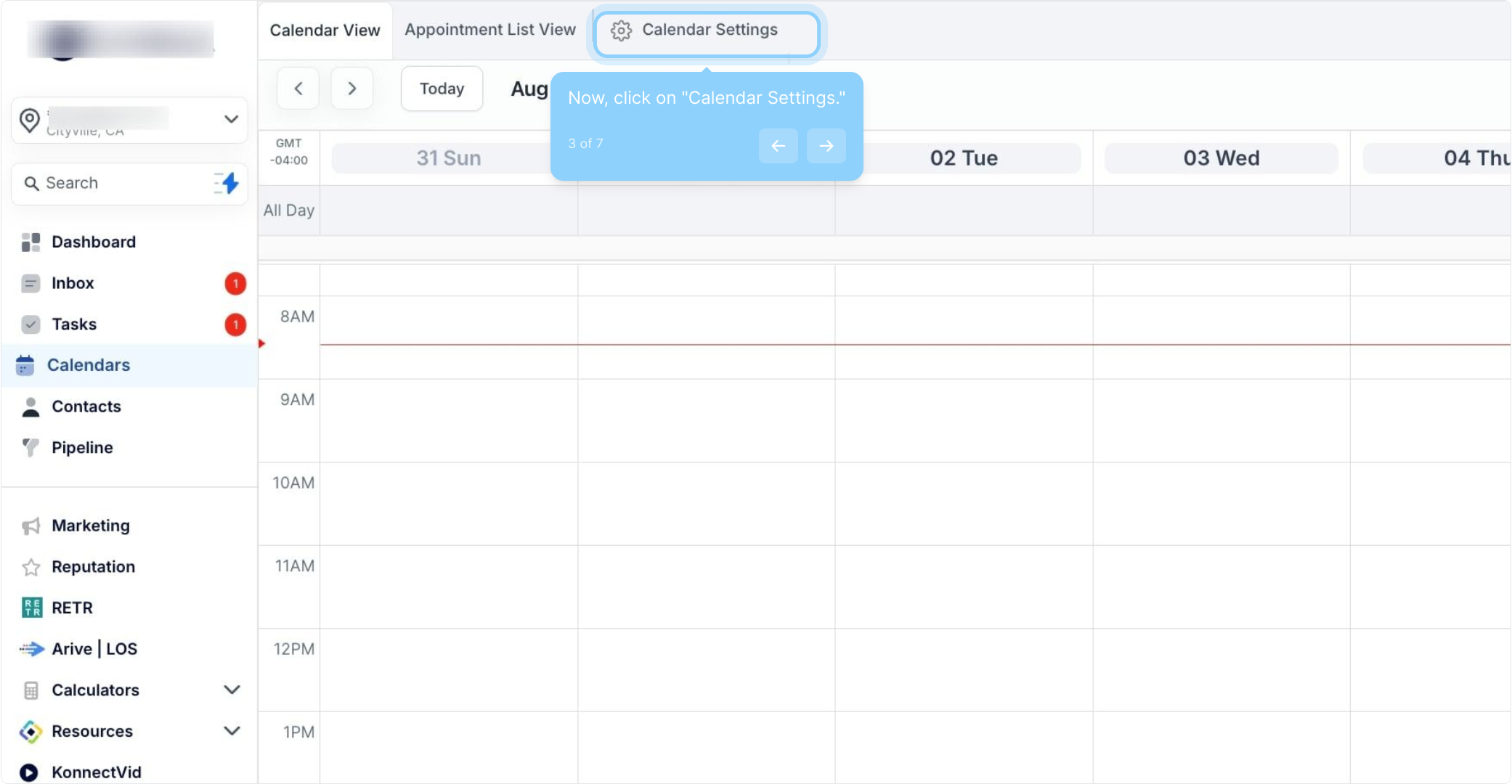
3. Now, click on "Calendar Settings."
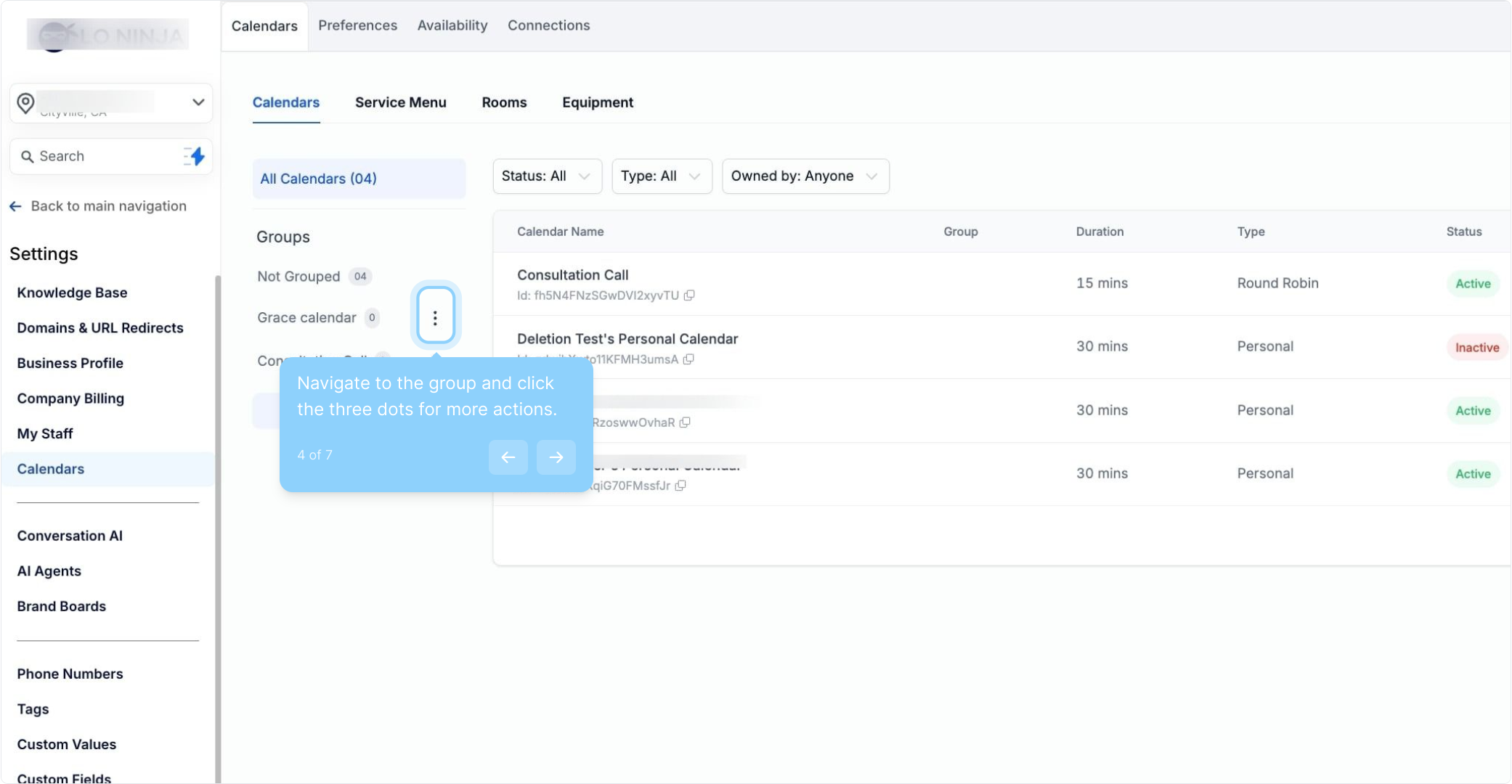
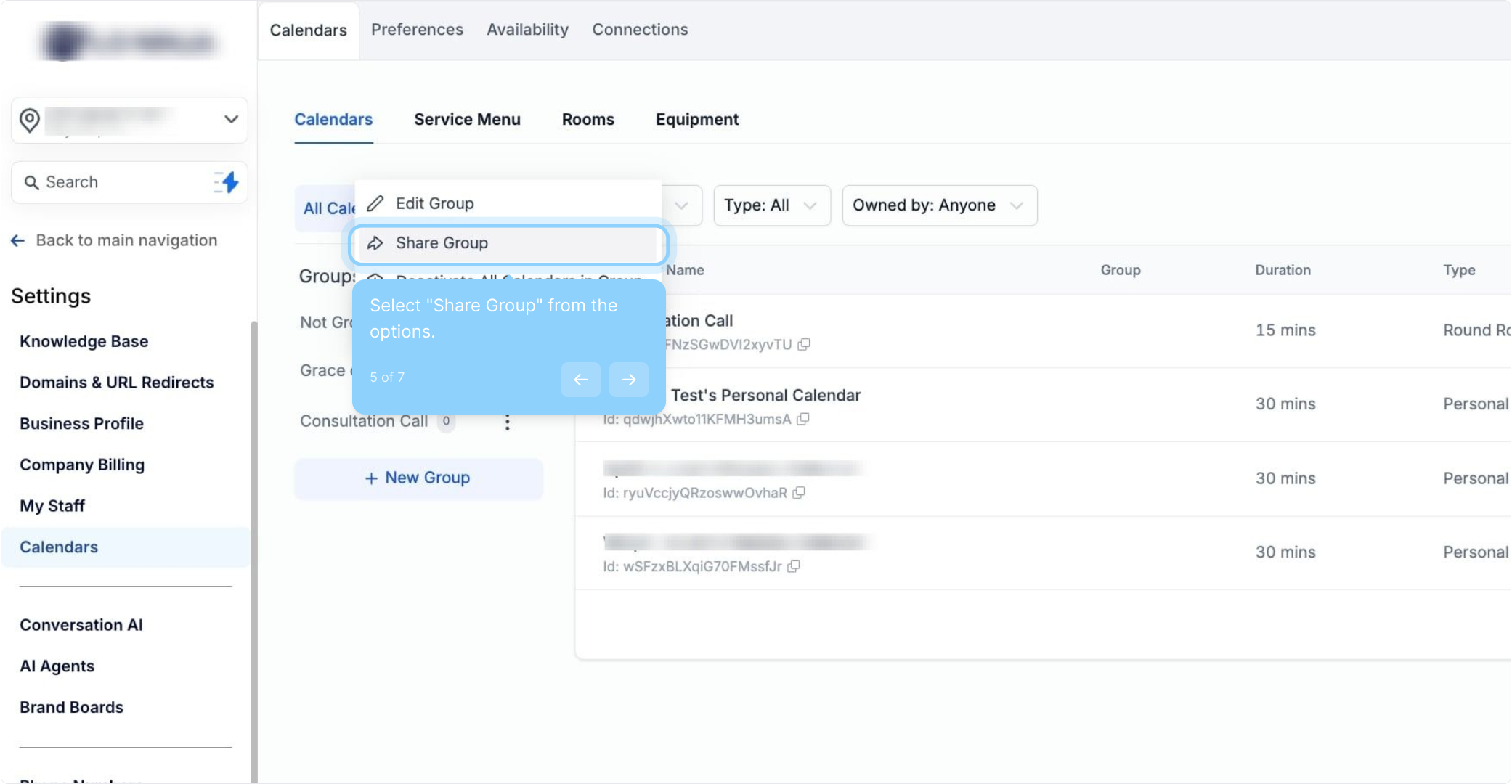
4. Navigate to the group and click the three dots for more actions.
5. Select "Share Group" from the options.
6. Under "Scheduling Link," copy your group calendar link.
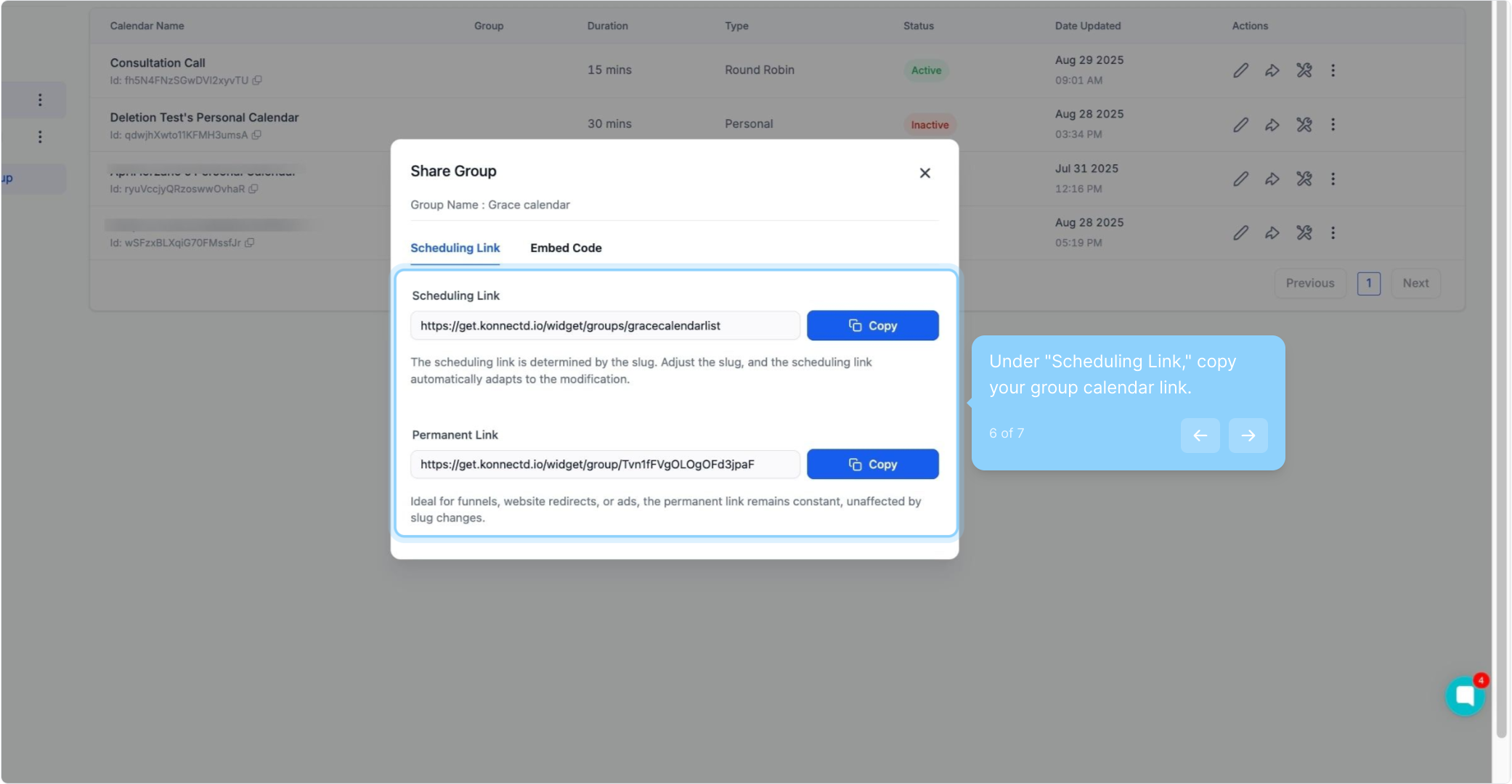
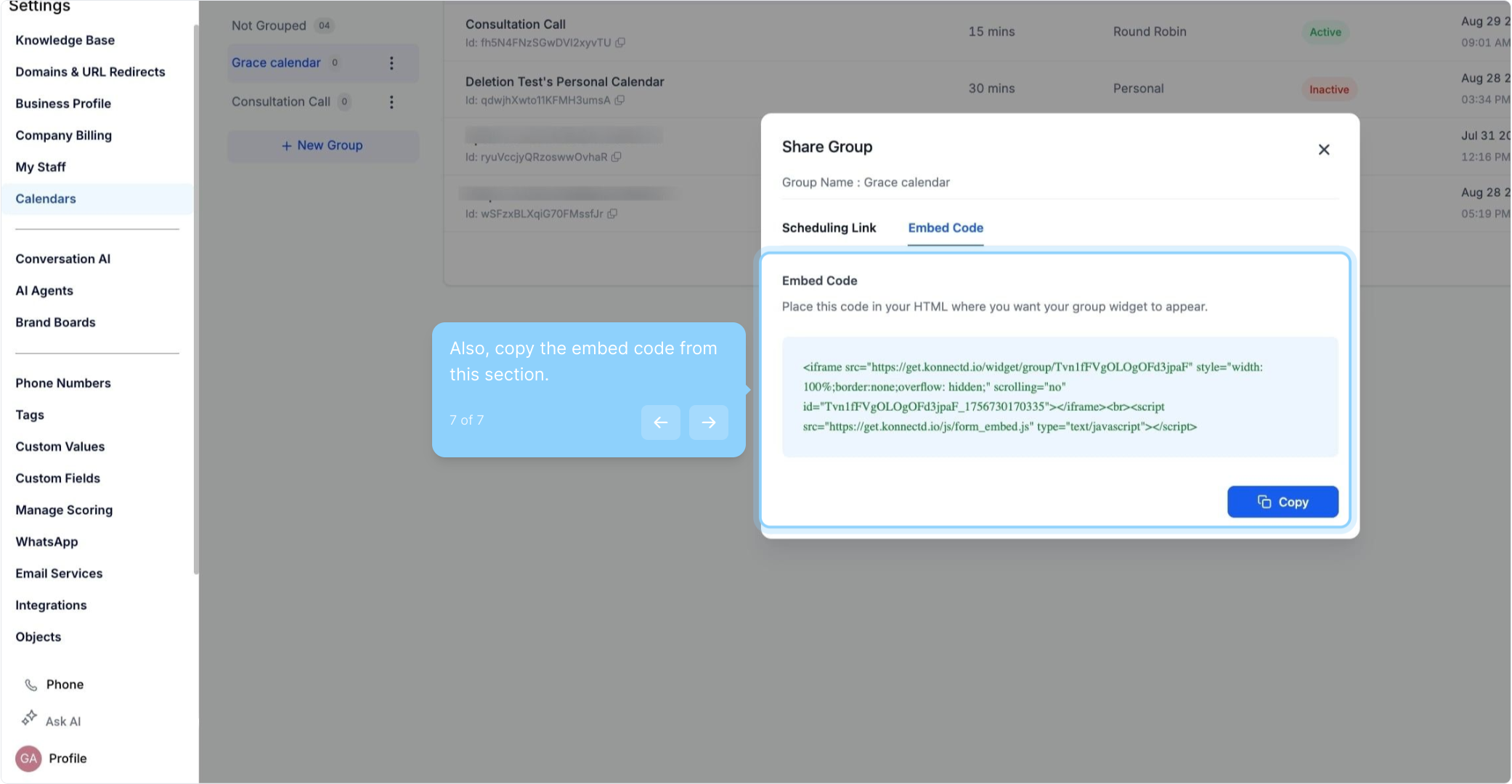
7. Also, copy the embed code from this section.