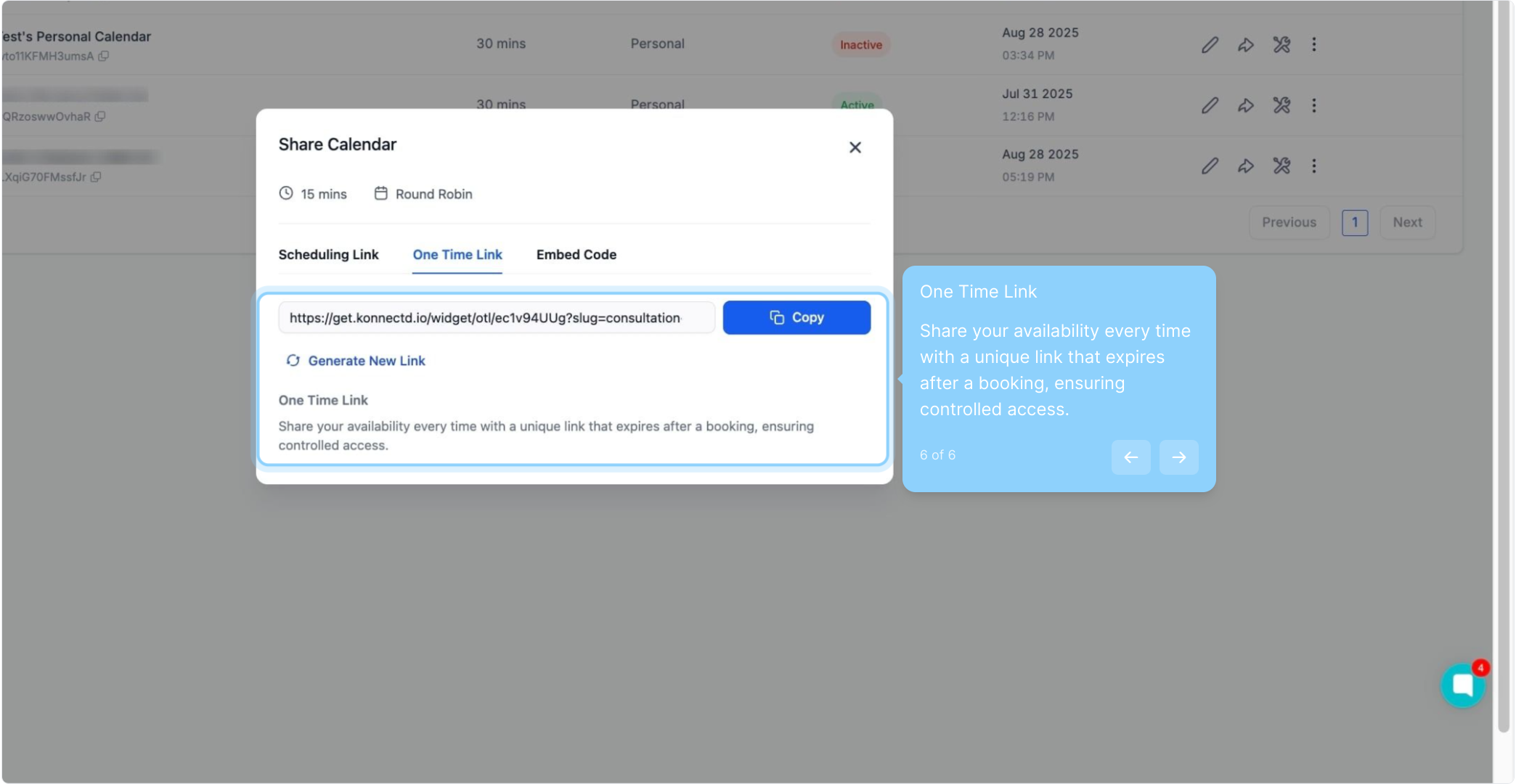
Why Calendar Sharing Matters?
You can now share scheduling links—permanent or one-time—directly from the app for quick, hassle-free bookings.
Key Benefits:
Flexibly share links for individual calendars or groups.
Use one-time links for secure, exclusive meetings.
Easily share links via email, text, or any platform.
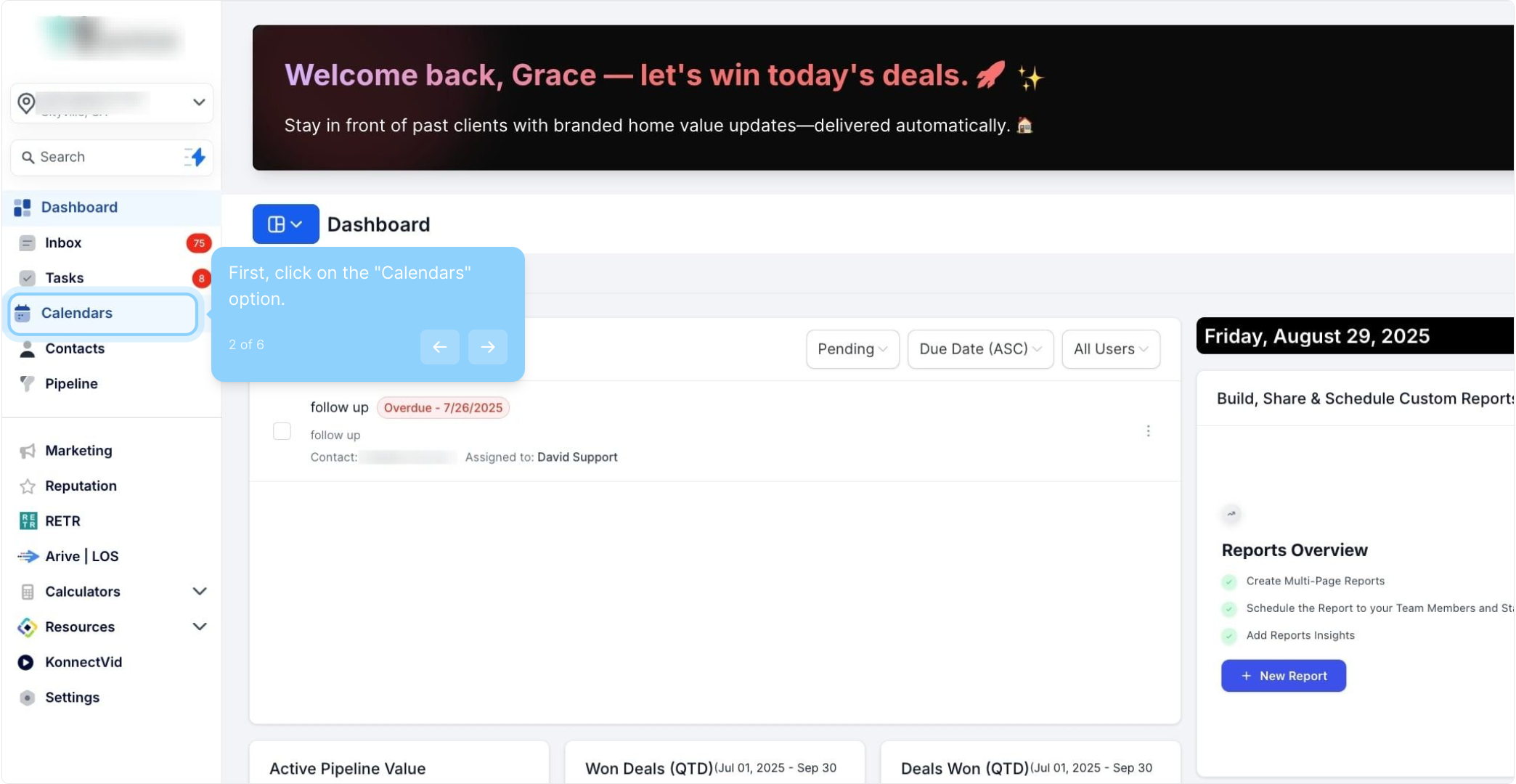
2. First, click on the "Calendars" option.
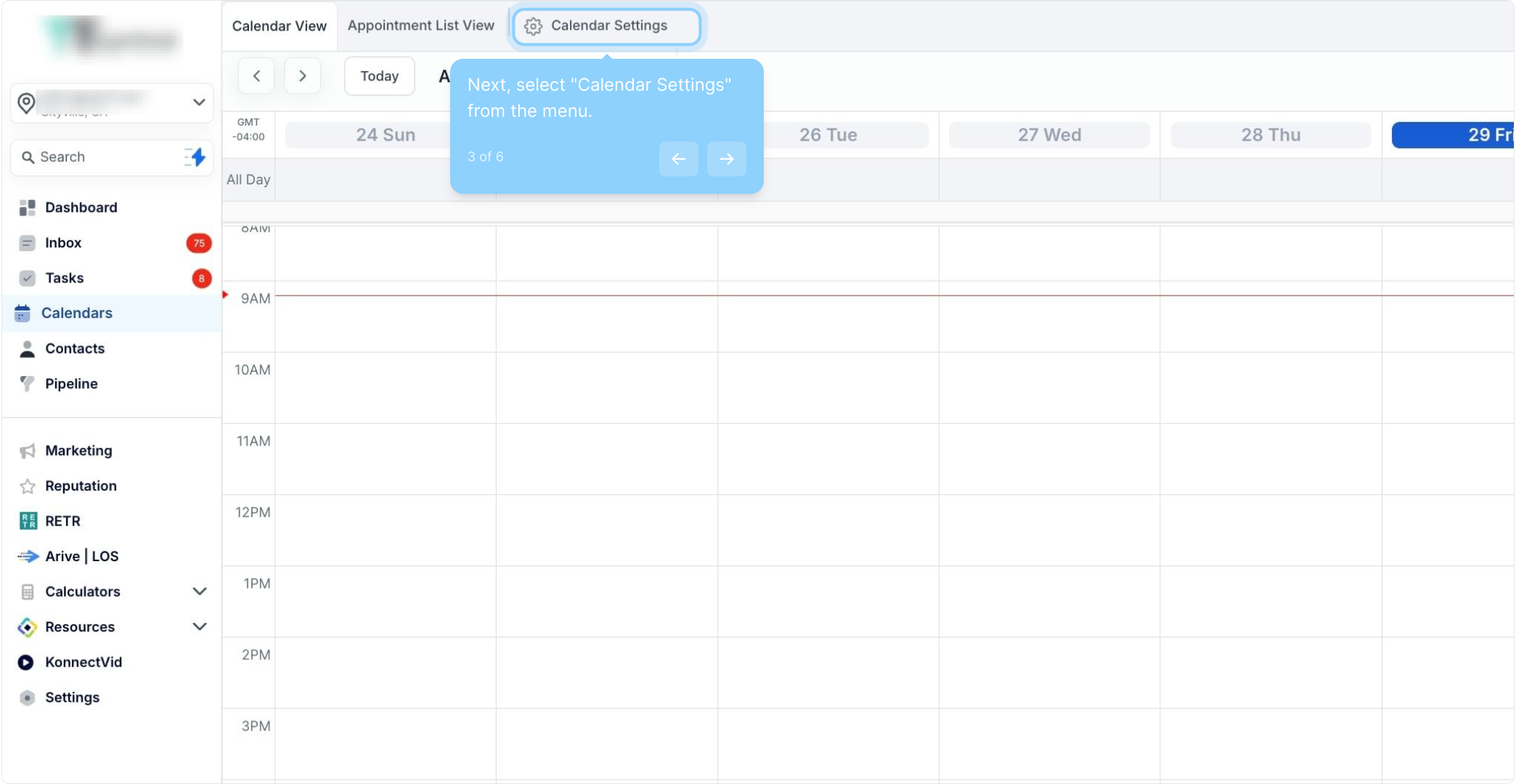
3. Next, select "Calendar Settings" from the menu.
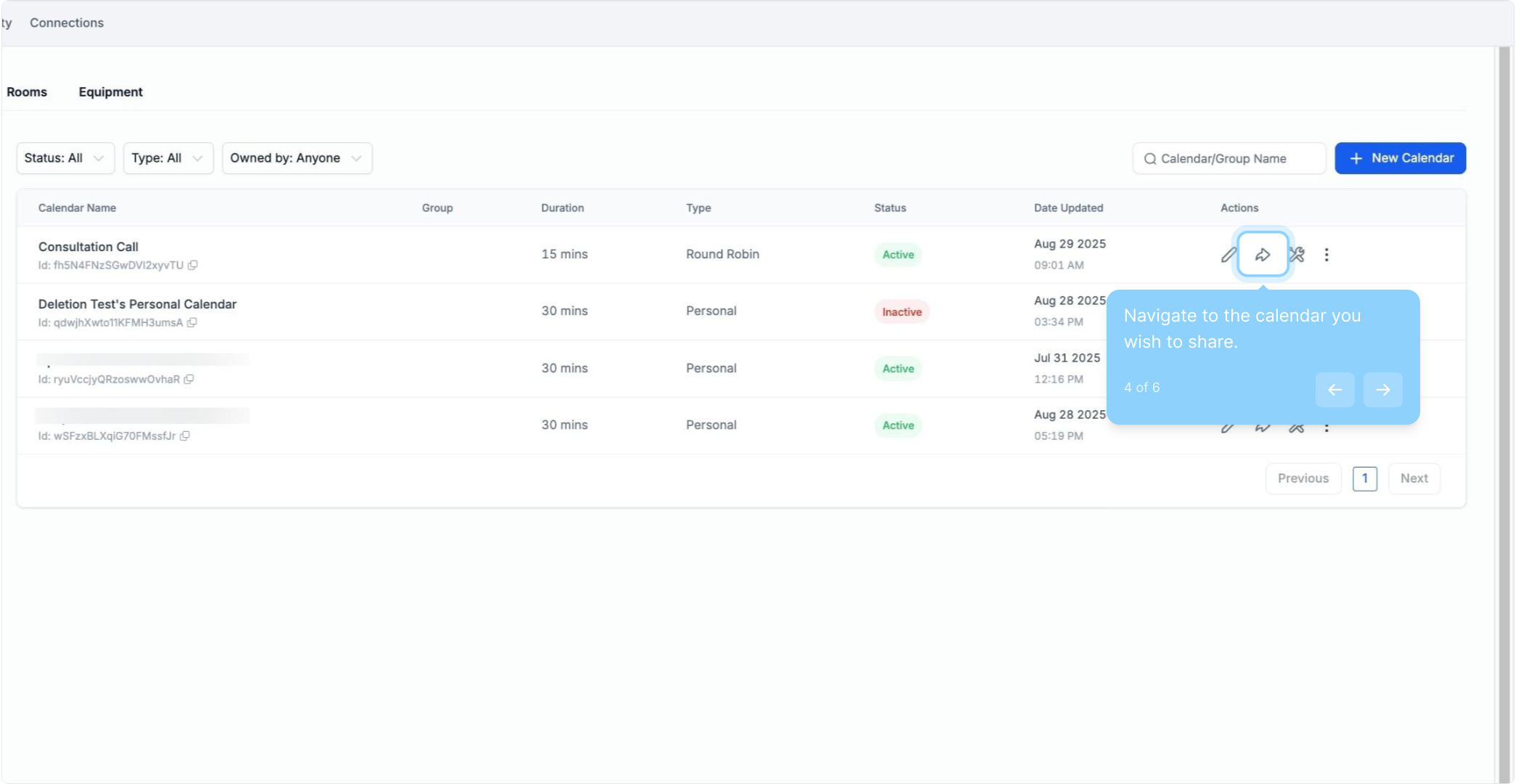
4. Navigate to the calendar you wish to share.
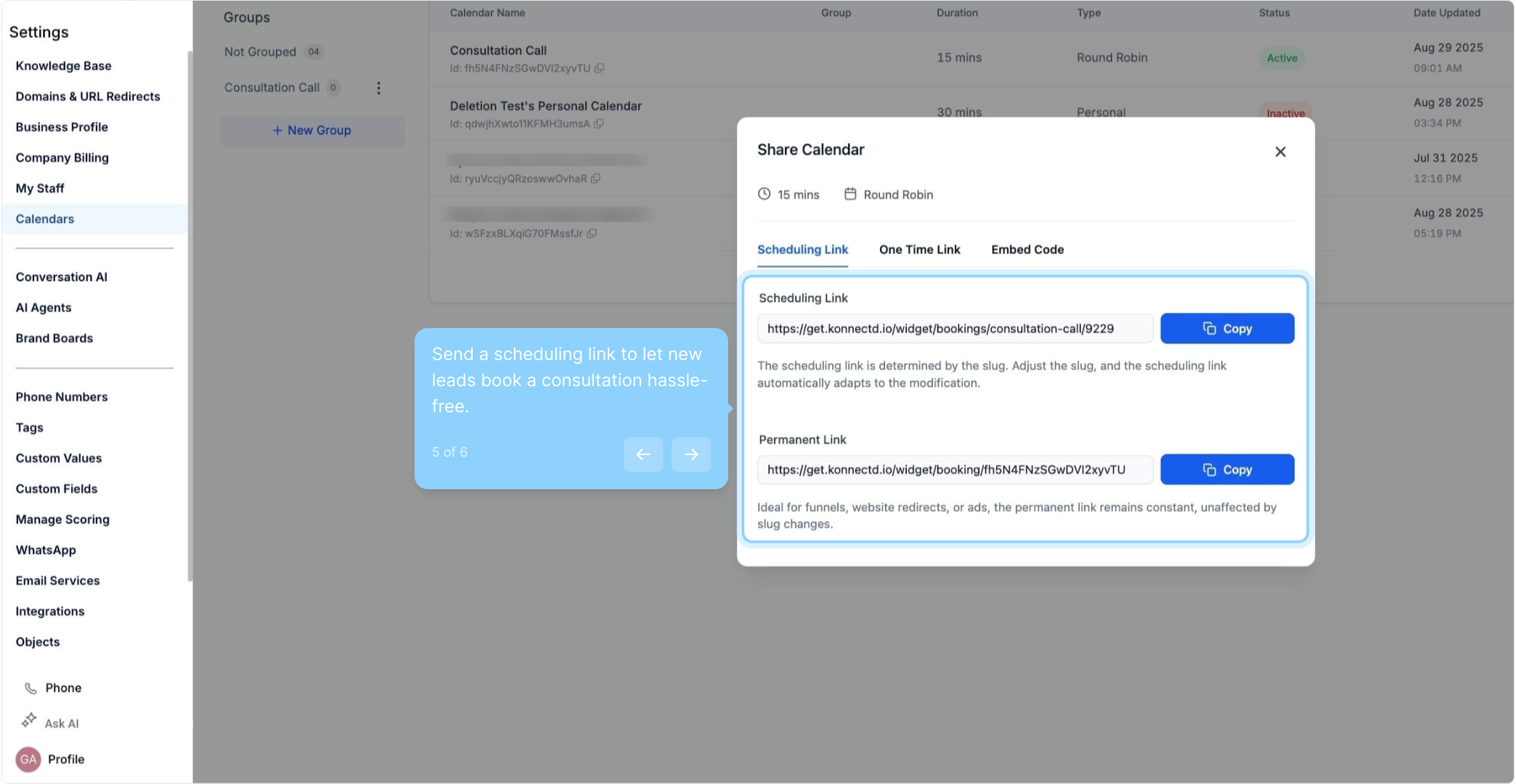
5. Send a scheduling link to let new leads book a consultation hassle-free.
6. One Time Link
Share your availability every time with a unique link that expires after a booking, ensuring controlled access.