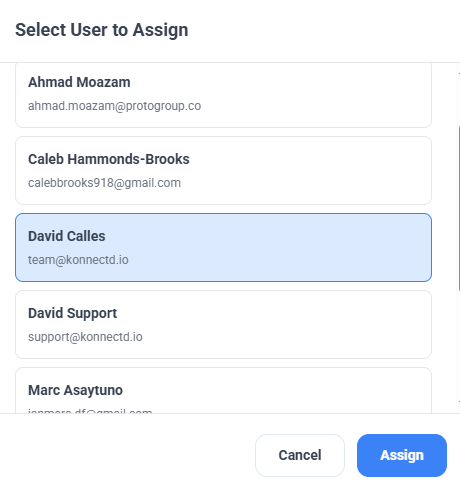
Bulk Action: Assign users
Managing users one by one can be time-consuming and inefficient. This article walks you through the process of bulk assigning users
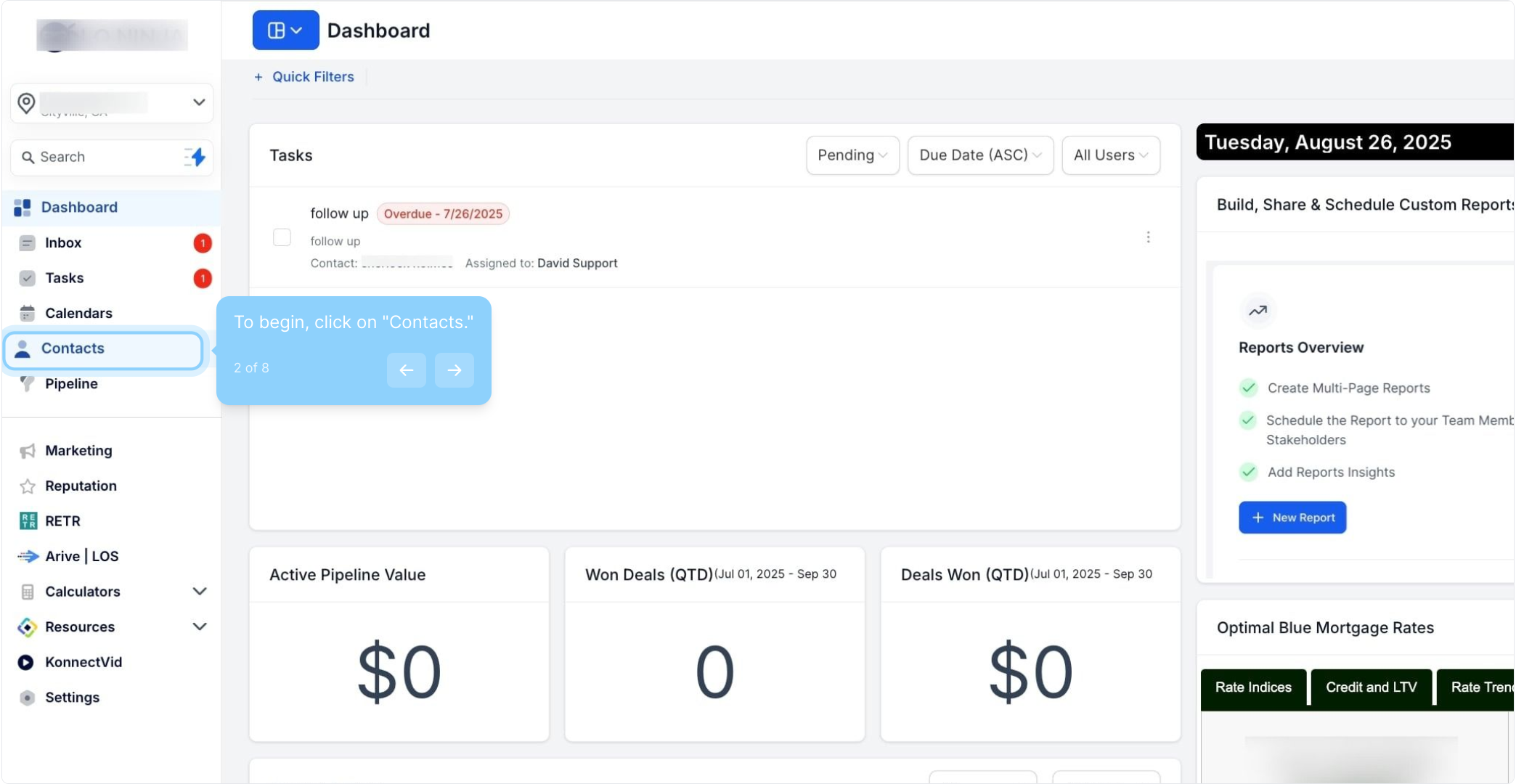
2. To begin, click on "Contacts."
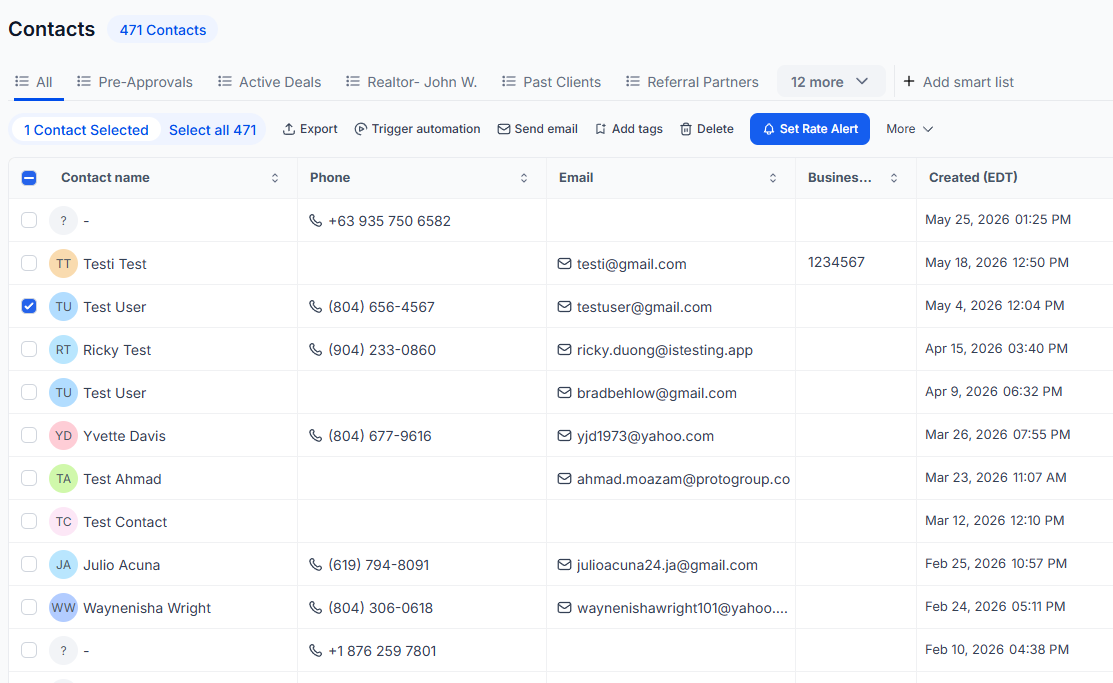
3. Select a contact by clicking the checkbox next to their name.
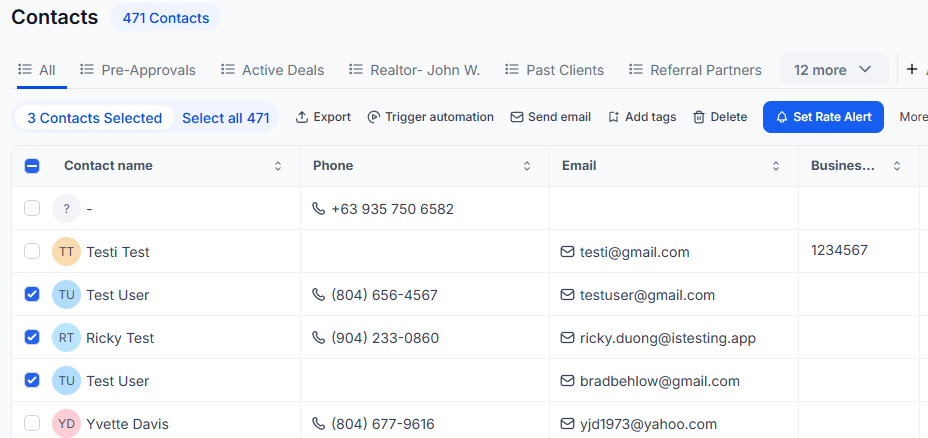
4. Remember, you can select multiple contacts if needed.
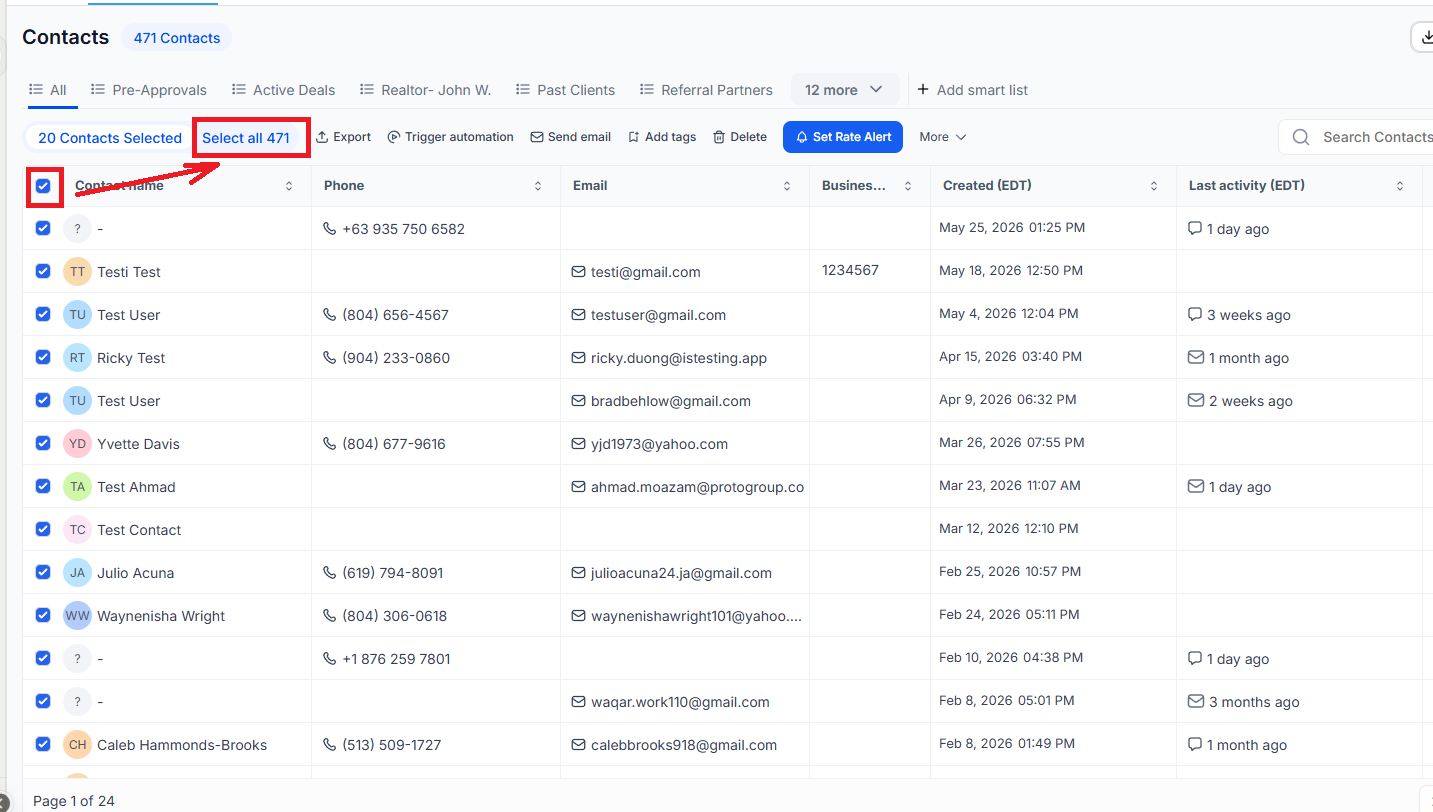
5. Click here to select all contacts at once.
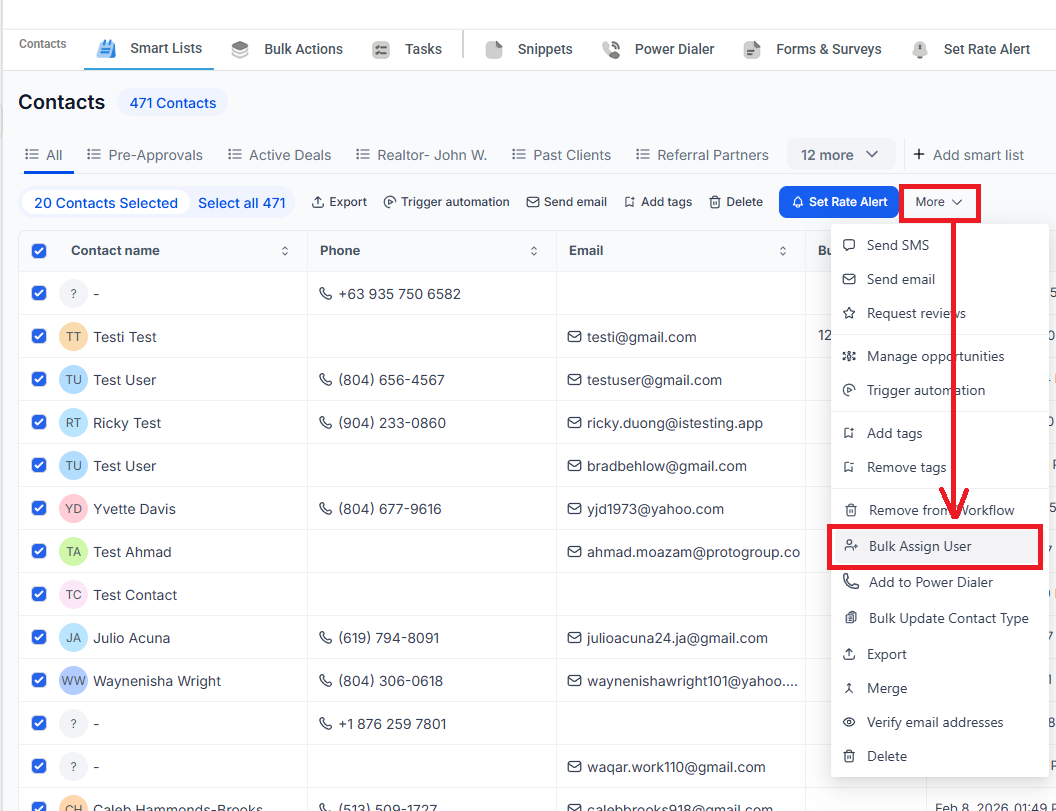
6. Then click "Bulk Assign User" to continue.
7. After that, select a user from the list.
8. Finally, click on "Assign" to proceed with your assignment.