
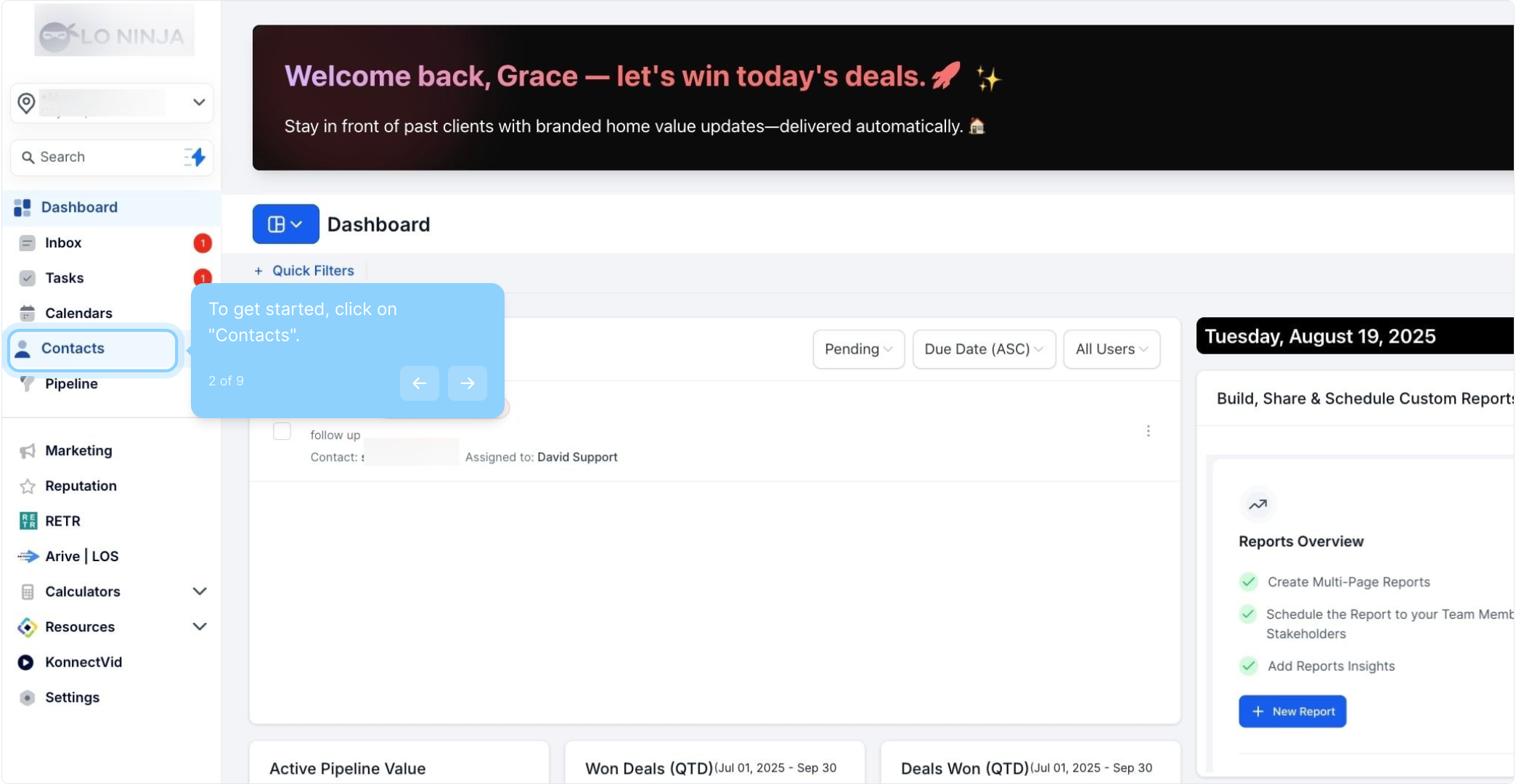
2. To get started, click on "Contacts".
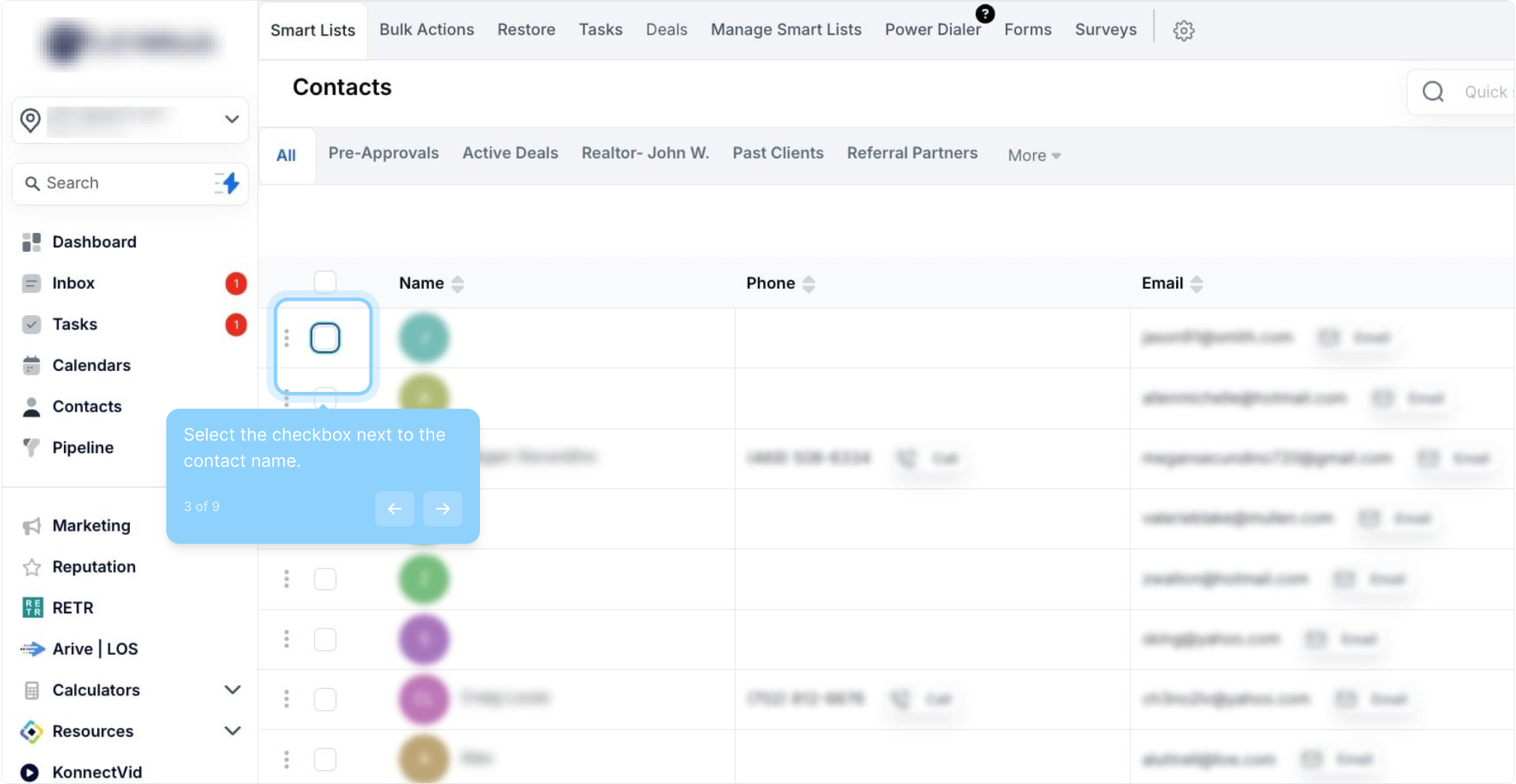
3. Select the checkbox next to the contact name.
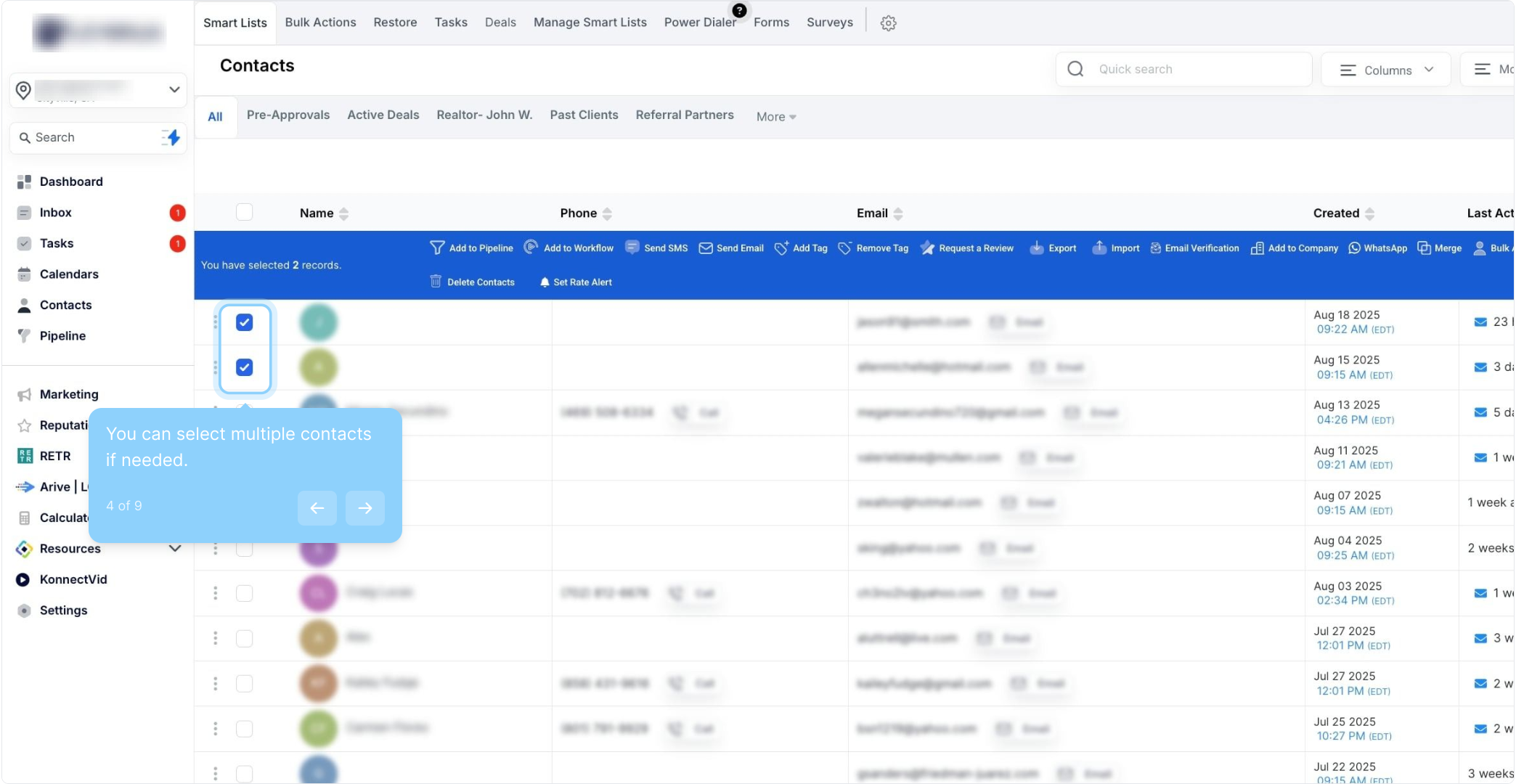
4. You can select multiple contacts if needed.
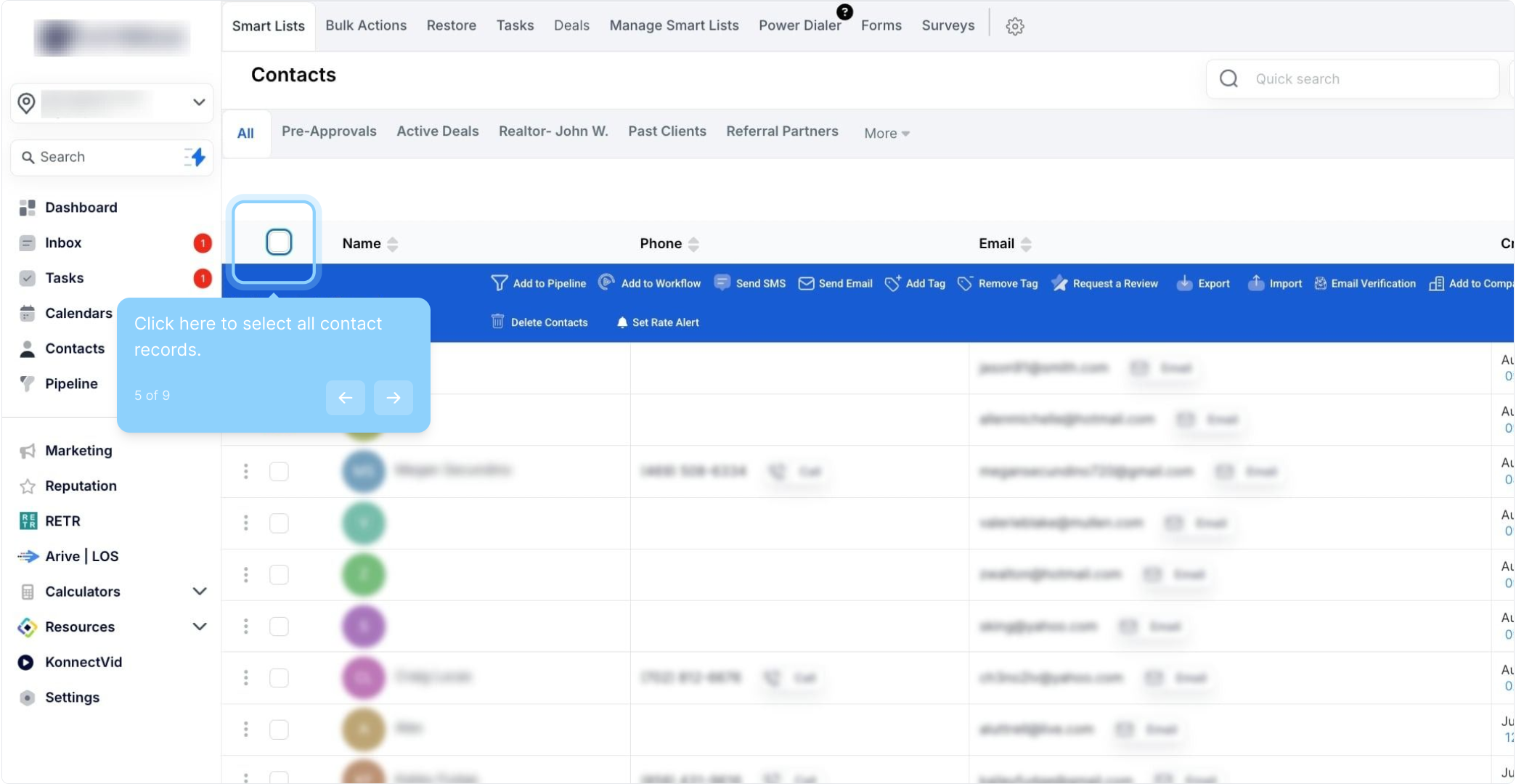
5. Click here to select all contact records.
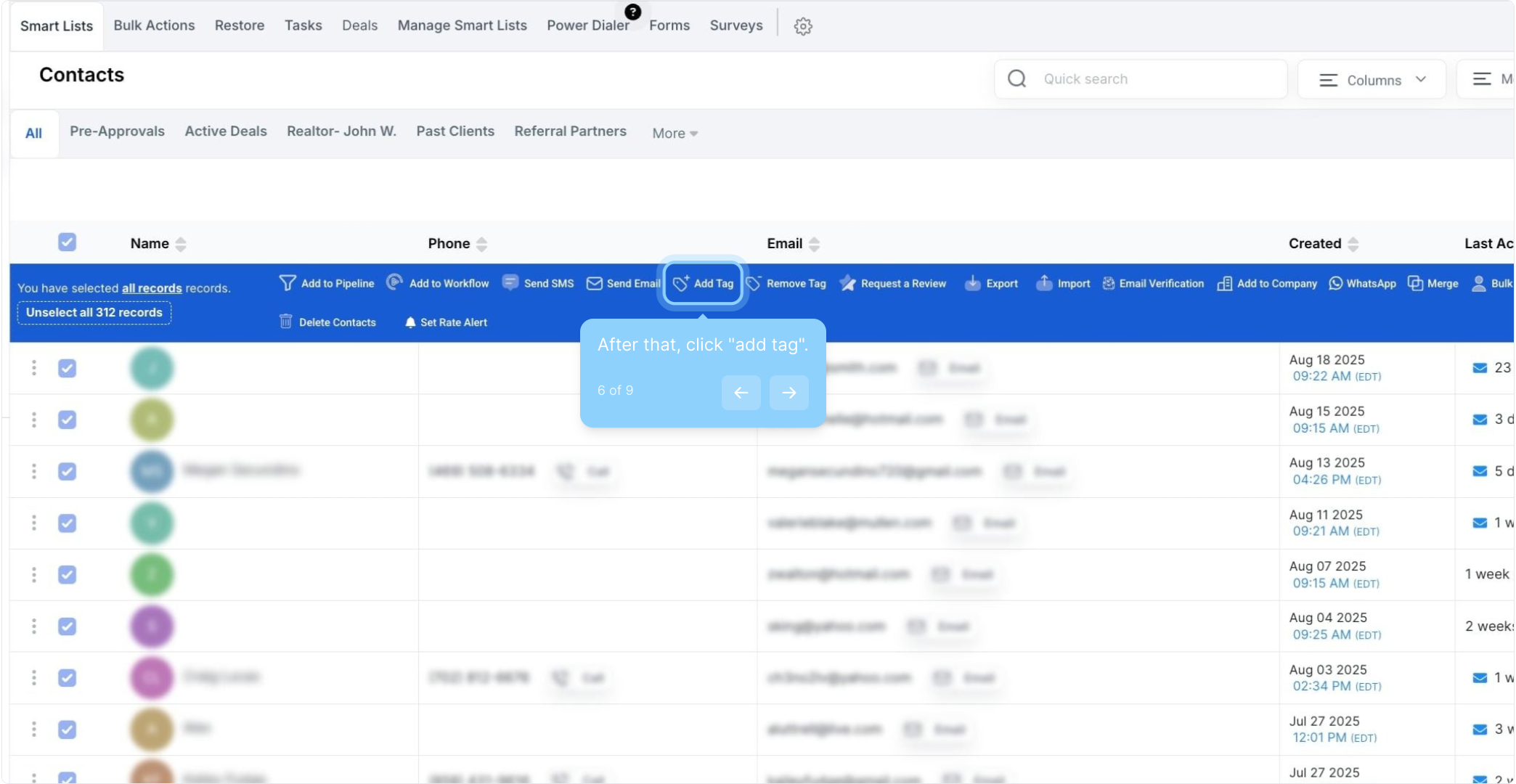
6. After that, click "add tag".
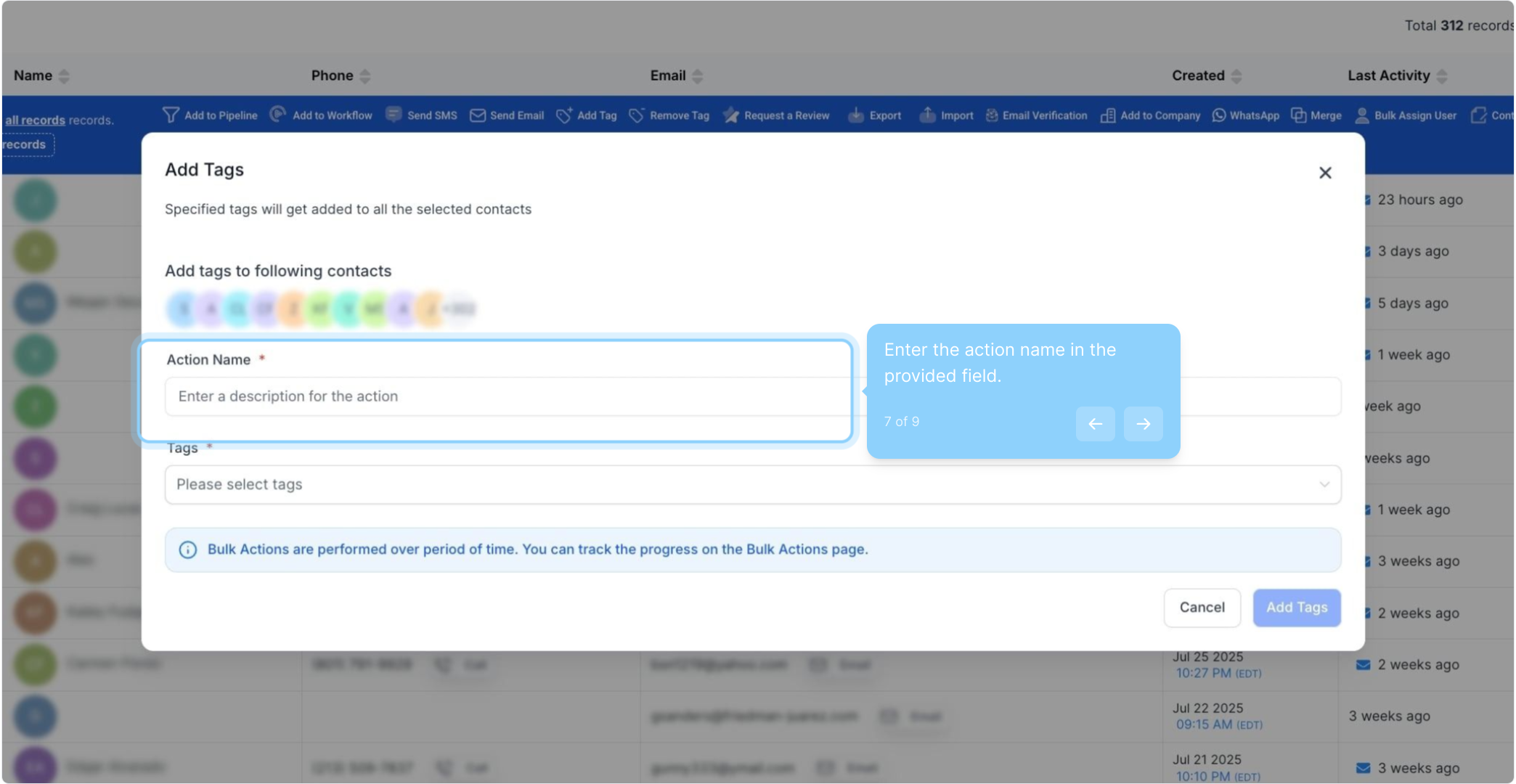
7. Enter the action name in the provided field.
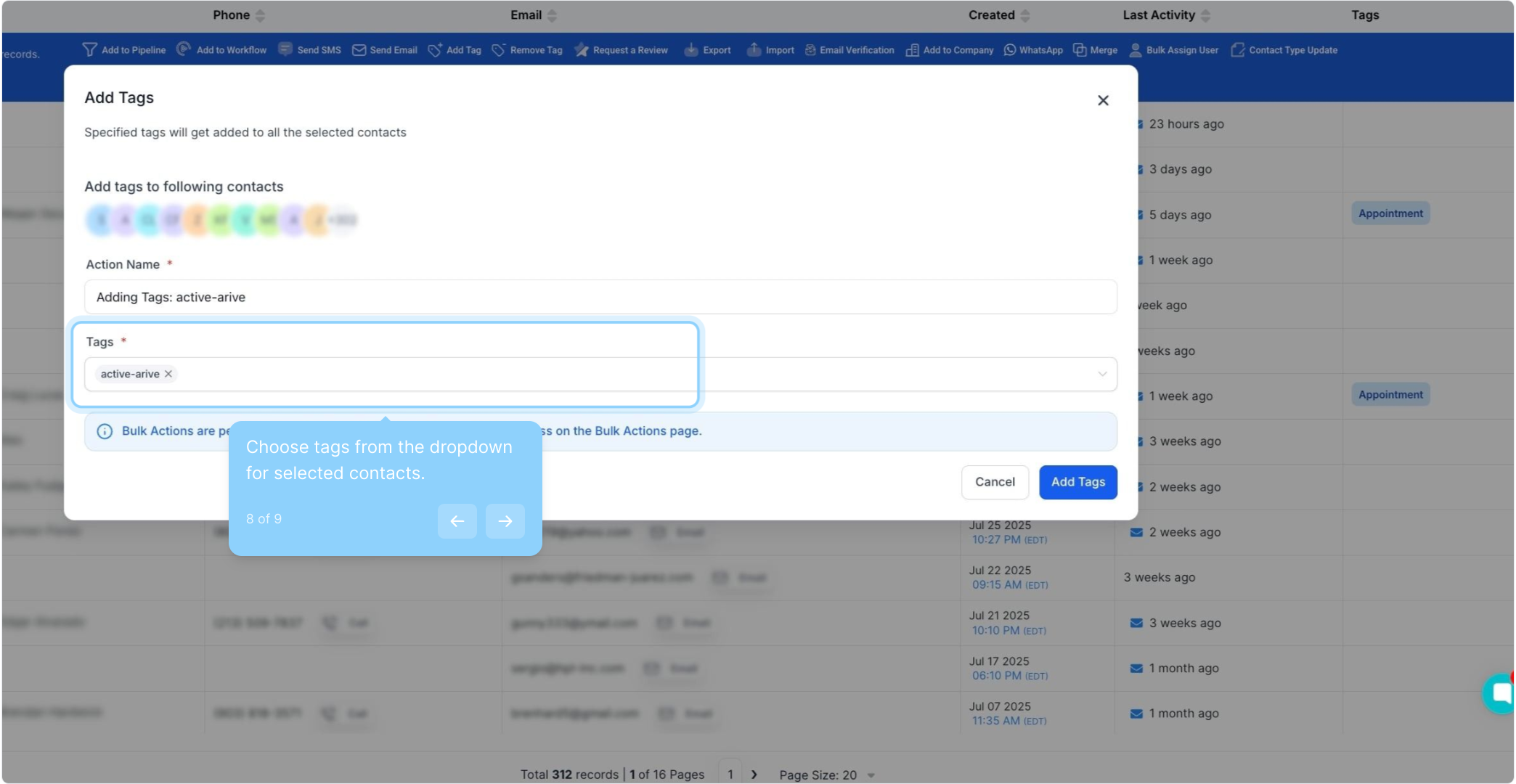
8. Choose tags from the dropdown for selected contacts.
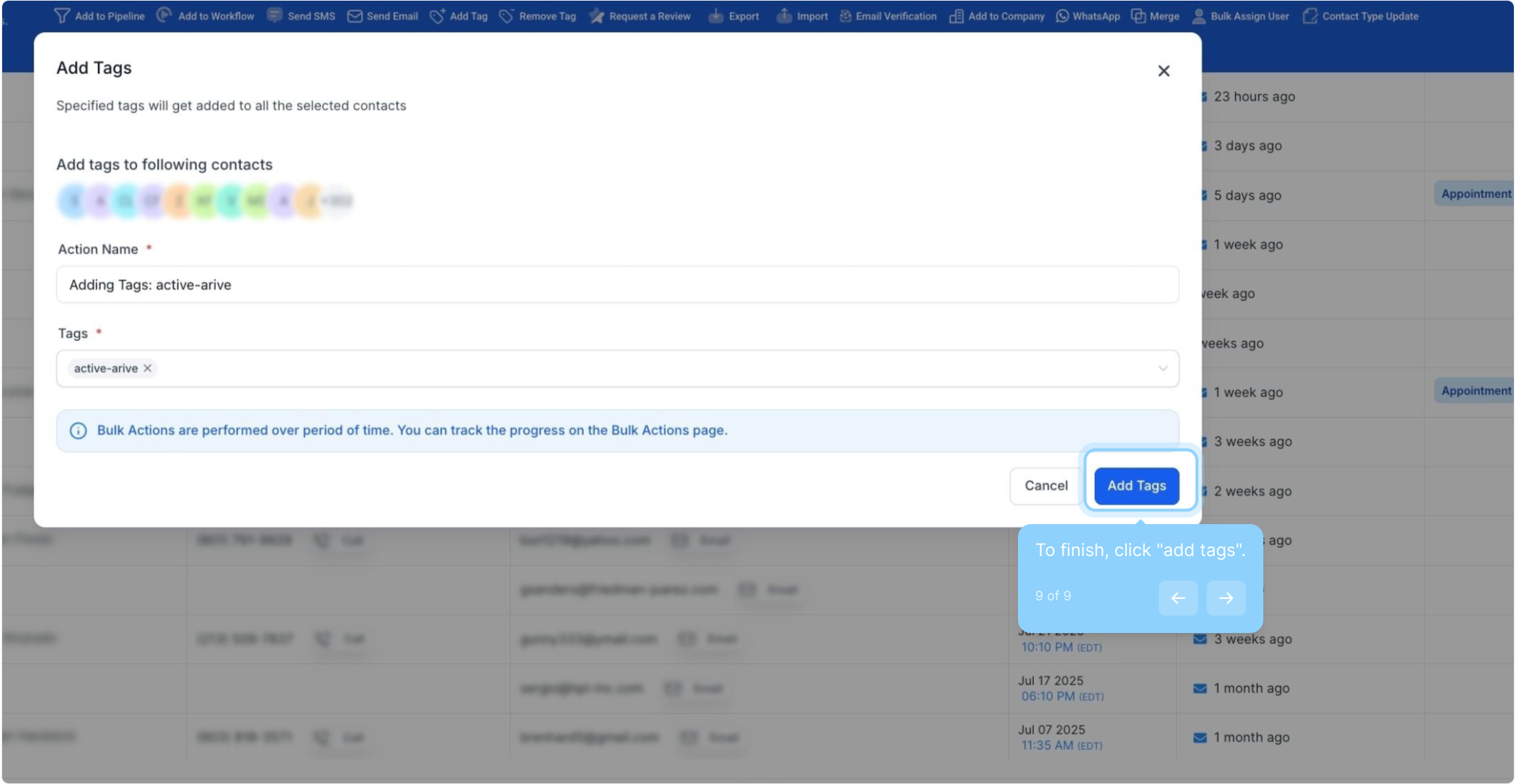
9. To finish, click "add tags".
FAQs:
Q: How do I select all contacts in my list for a bulk action?
A: Navigate to your Contacts or Smart Lists section and check the box at the top of the list to select all contacts on that page. To select all contacts in your company, click the hyperlink that appears after selecting the page contacts.
Q: Can I add multiple tags to contacts at once using the bulk action feature?
A: Yes, you can add multiple tags to selected contacts at once. In the pop-up window, type in keywords and select one or more tags to apply. Click "Add Tags" to apply them to the contacts.
Q: What happens if I try to add a tag that already exists on a contact?
A: If the tag already exists on the contact, it will not be duplicated. The system will simply retain the existing tag without adding another copy.
Q: Can I undo a bulk action if I make a mistake?
A: Unfortunately, there isn't an "undo" feature for bulk actions. You would need to manually remove or add tags as needed to correct the mistake.