LO Ninja’s QR code tool lets you design and print custom QR codes for use in flyers, mailers, open houses, or digital platforms. The idea is to direct clients to an opt-in form, review page, or any link of your choice to capture leads and engage clients effectively.
Note: This tool generates QR codes only—the linked form, webpage, or automation workflows must be set up separately.
Quick Connection: Clients can easily connect by scanning a QR code, guiding them to a form or webpage.
Flexible Use: Works well in print and digital—flyers, mailers, open houses, and more.
Lead Capture: Customize where your QR code links to start the lead generation process.
Enhance any mailer or flyer into an instant lead-generating tool with this powerful feature!
Option 1: Create your own form
Option 2: Use the pre-installed "QR Code form" (Located in Forms)
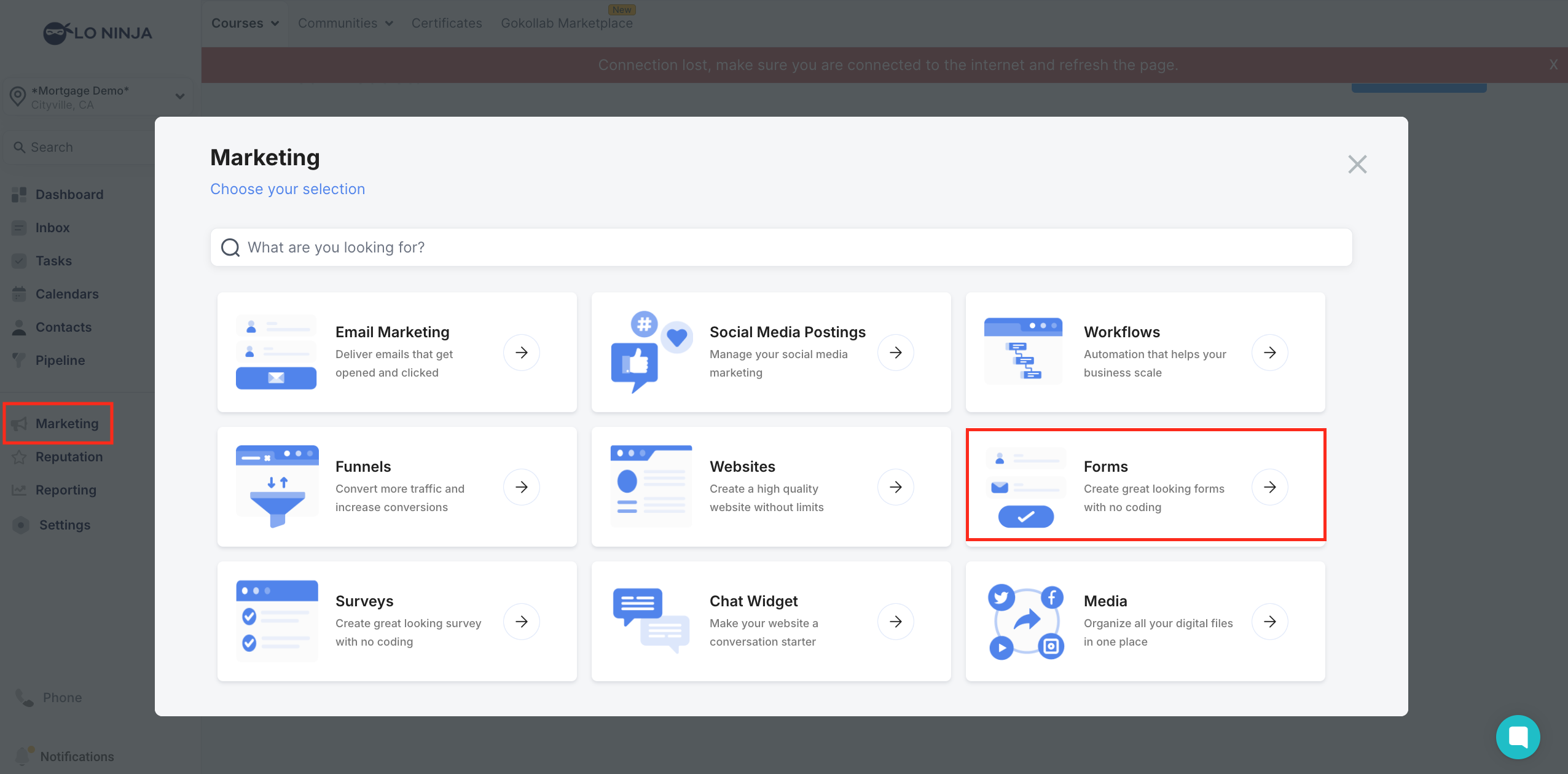
Go to Marketing > Forms
Navigate to QR code section & click "Create New QR Code"
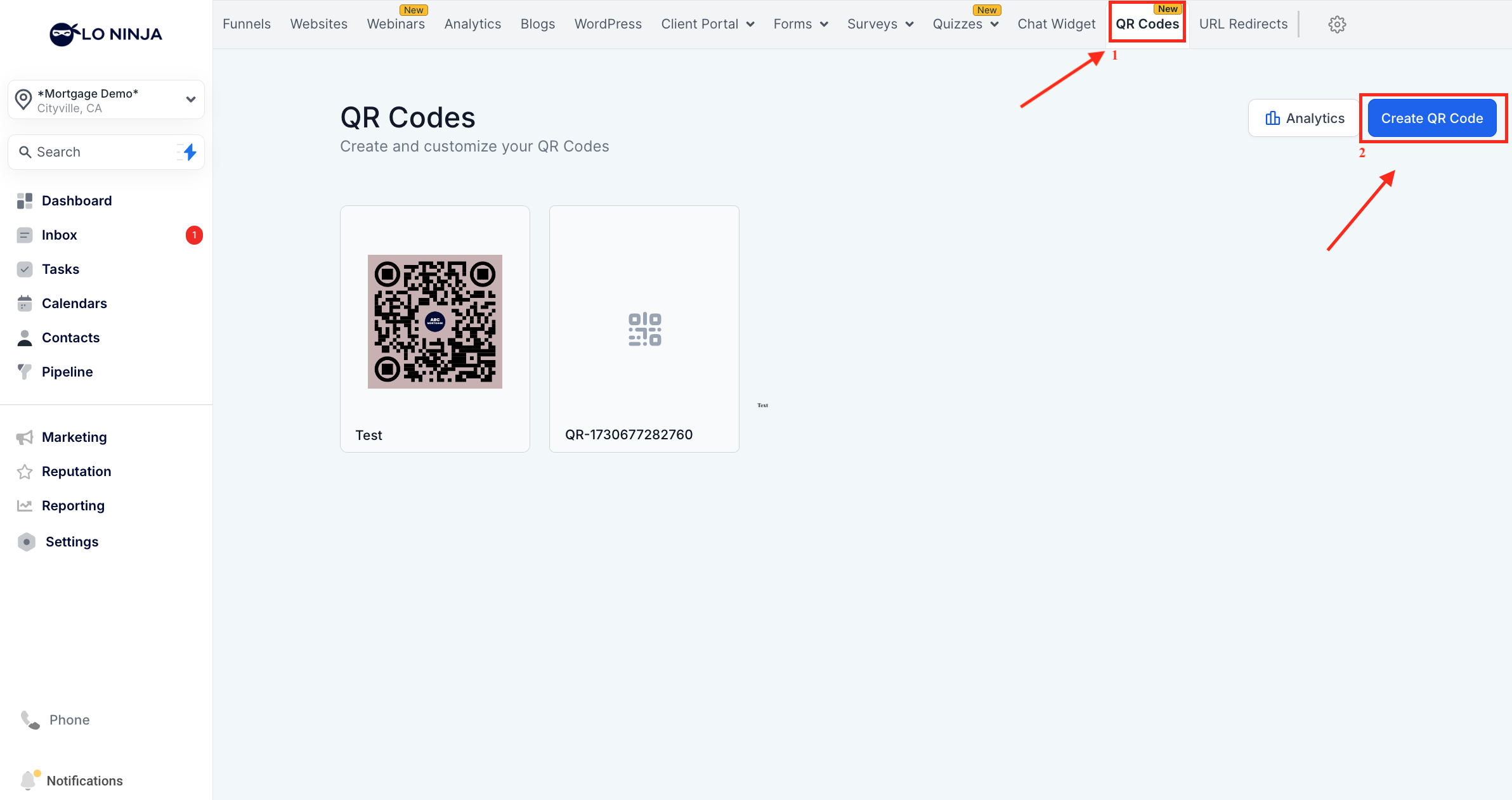
Add the Destination Link: Copy the link and paste it as the destination for your QR code.
*Tip for Effective Lead Capture: Ideally, your link should go to a simple form where prospects can enter basic contact information. This allows you to follow up easily. Once they fill out the form, you can have it redirect to your main website or application page.

Complete customizing the QR Code: Add any additional color/logo.
Download the QR Code: Save the QR Code in pdf format.
Print & Display: Add the QR code to flyers, posters, business cards, etc.
Share digitally: Include the QR code in social postings, email signatures, or on your website.

Tip: Always make sure your QR Code remains scannable after customization by testing it with different devices.
QR Code Form: Search "QR Code Form" in forms, edit it to match your promotion.
Follow-Up Workflow: Customize messages in the "QR Code Starter Workflow" with 2-step email and SMS follow-ups.
How does the QR Code feature work?
The QR code directs clients to a link of your choice. This is where you can set up your form or landing page for lead capture.
How do I build a custom automation workflow from scratch for my QR code?
Create a Form: Start by creating a form in LO Ninja.
Set Up Workflow Trigger: Make your form the trigger for a workflow.
Customize Actions: Add SMS, email, or other actions to follow up when the form is filled out.
Example: You could set up an automated SMS or email to welcome new leads after they submit the form, then add reminders or follow-ups based on client needs.
