Want to offer clients simple add-ons without sending them through a full checkout funnel? You can now add order bumps directly inside any form or survey, no extra steps, no redirects.
Perfect for offering bonus sessions, VIP upgrades, downloads, or any optional extras.
A form or survey inside Konnectd
At least one product set as the Main Product
Stripe or PayPal connected
Offer optional add-ons right inside your forms
Choose from Classic or Modern styles
Use clean templates with custom icons, colors, and text
Add multiple bump products to one form
✅ Step 1: Add a Sell Product Field
Go to any form or survey and drag the Sell Product field into your layout.
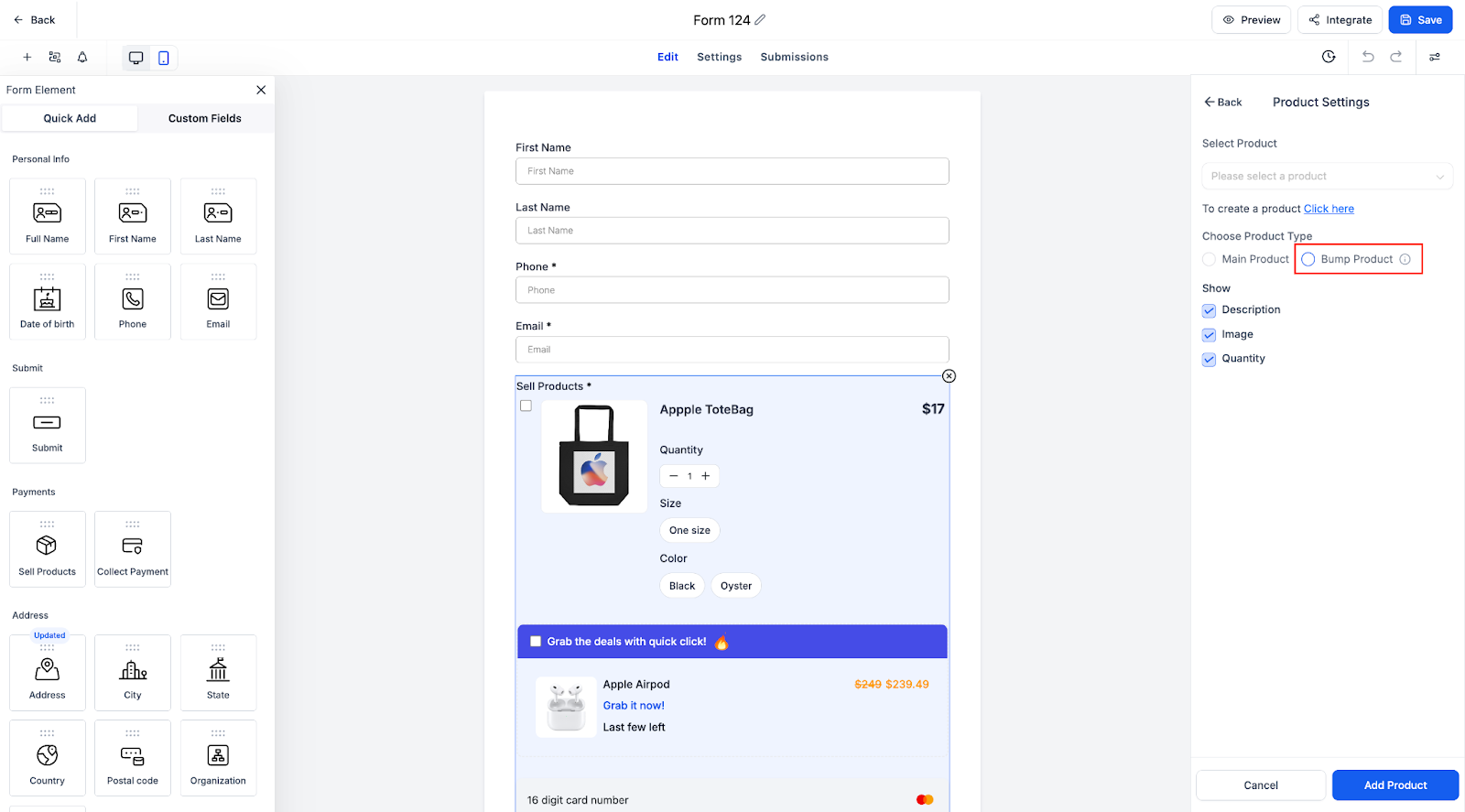
✅ Step 2: Choose the Product Type
Click the product field and set it as either:
Main Product (required)
Bump Product (optional add-on)
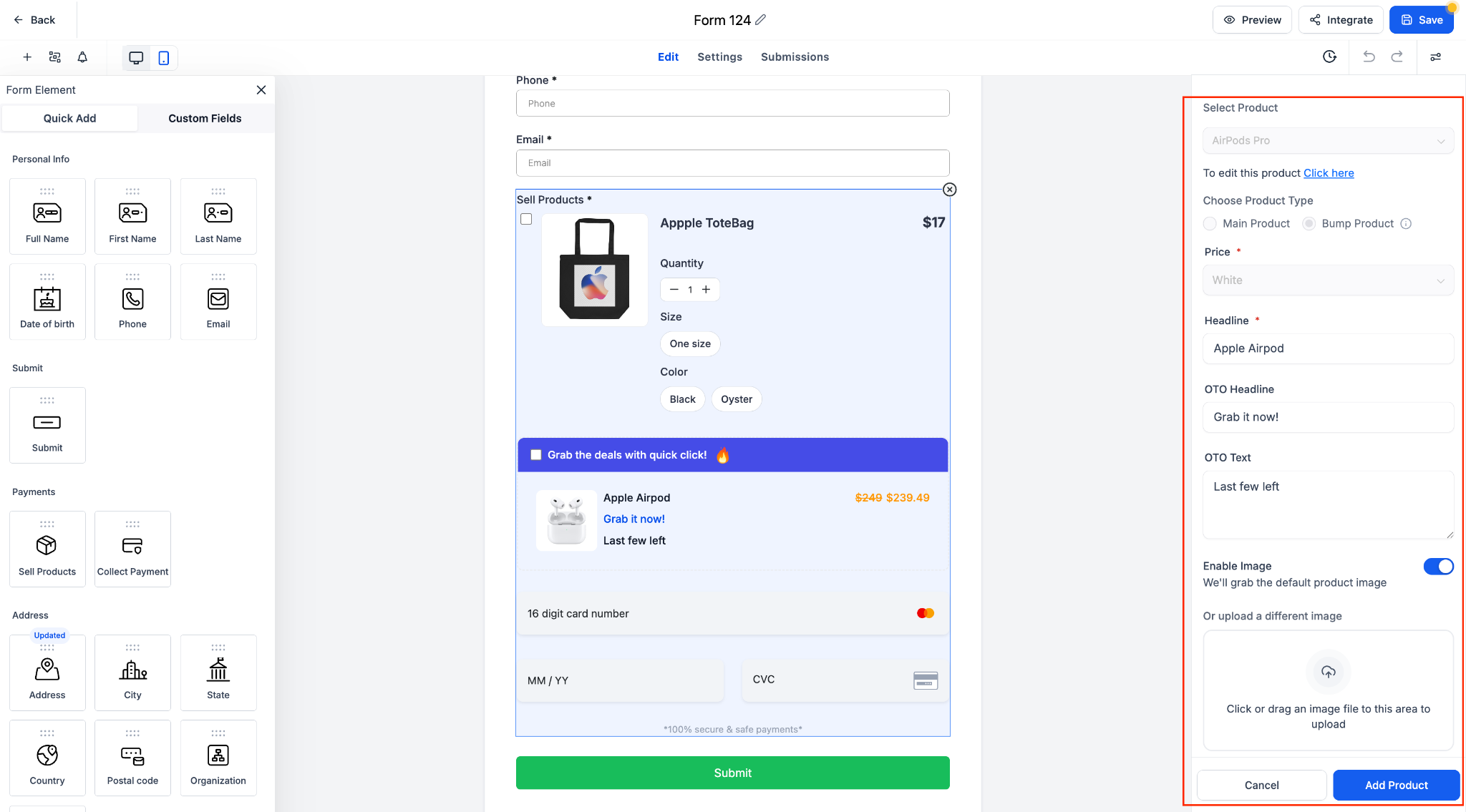
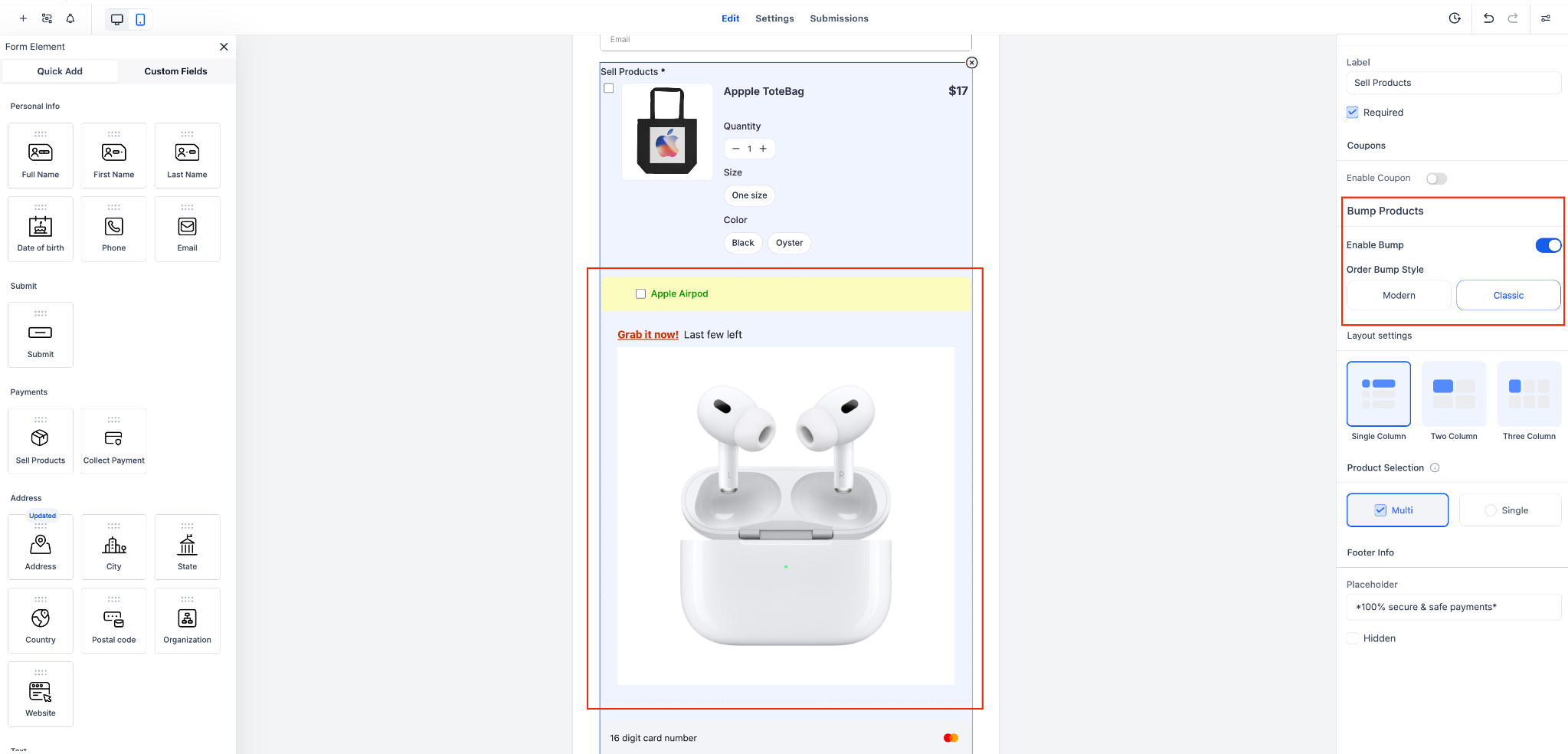
✅ Step 3: Select Your Style (Modern or Classic)
Choose how your order bump looks using the toggle under Layout Style.
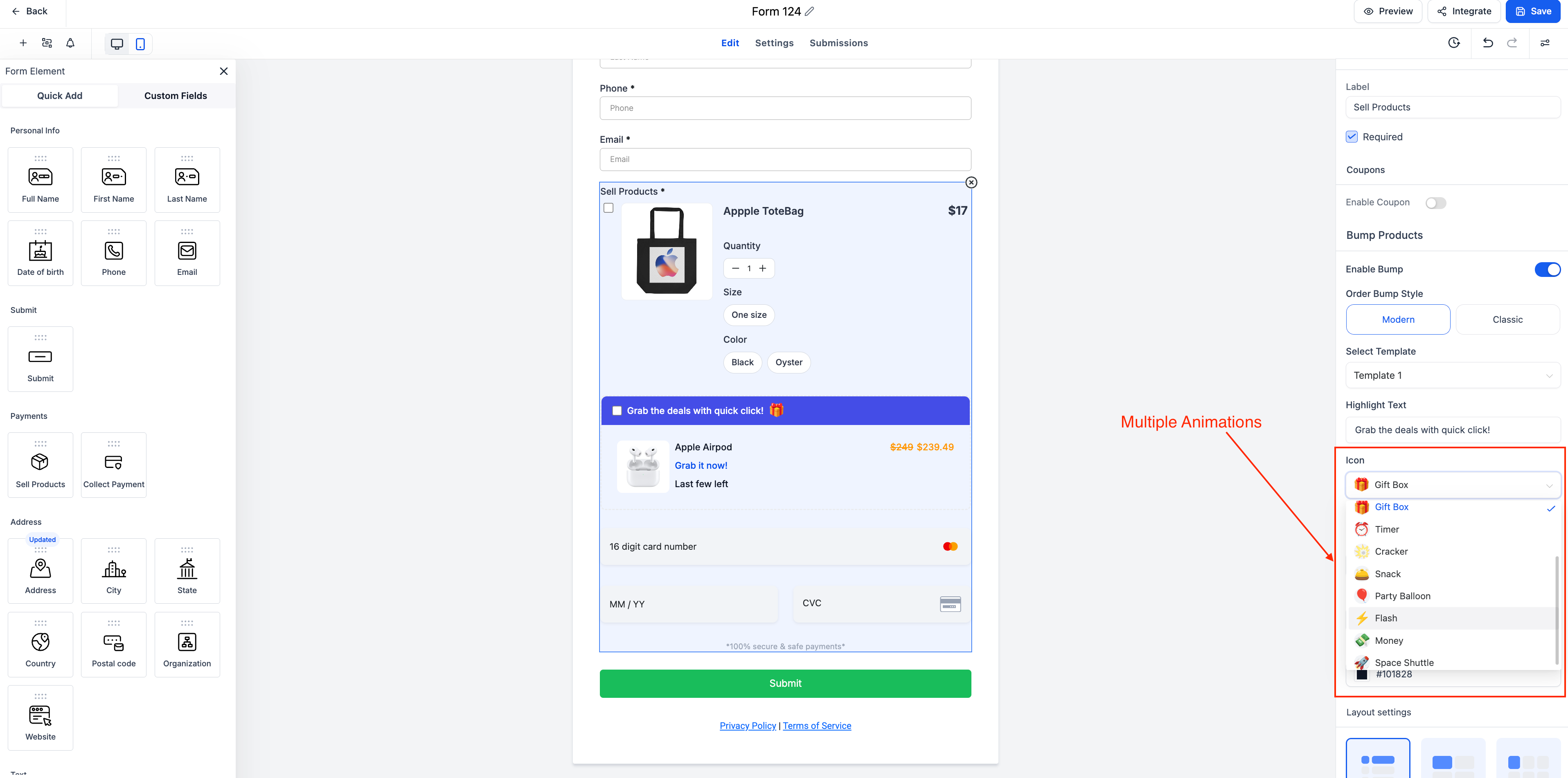
Modern = clean, sleek layout
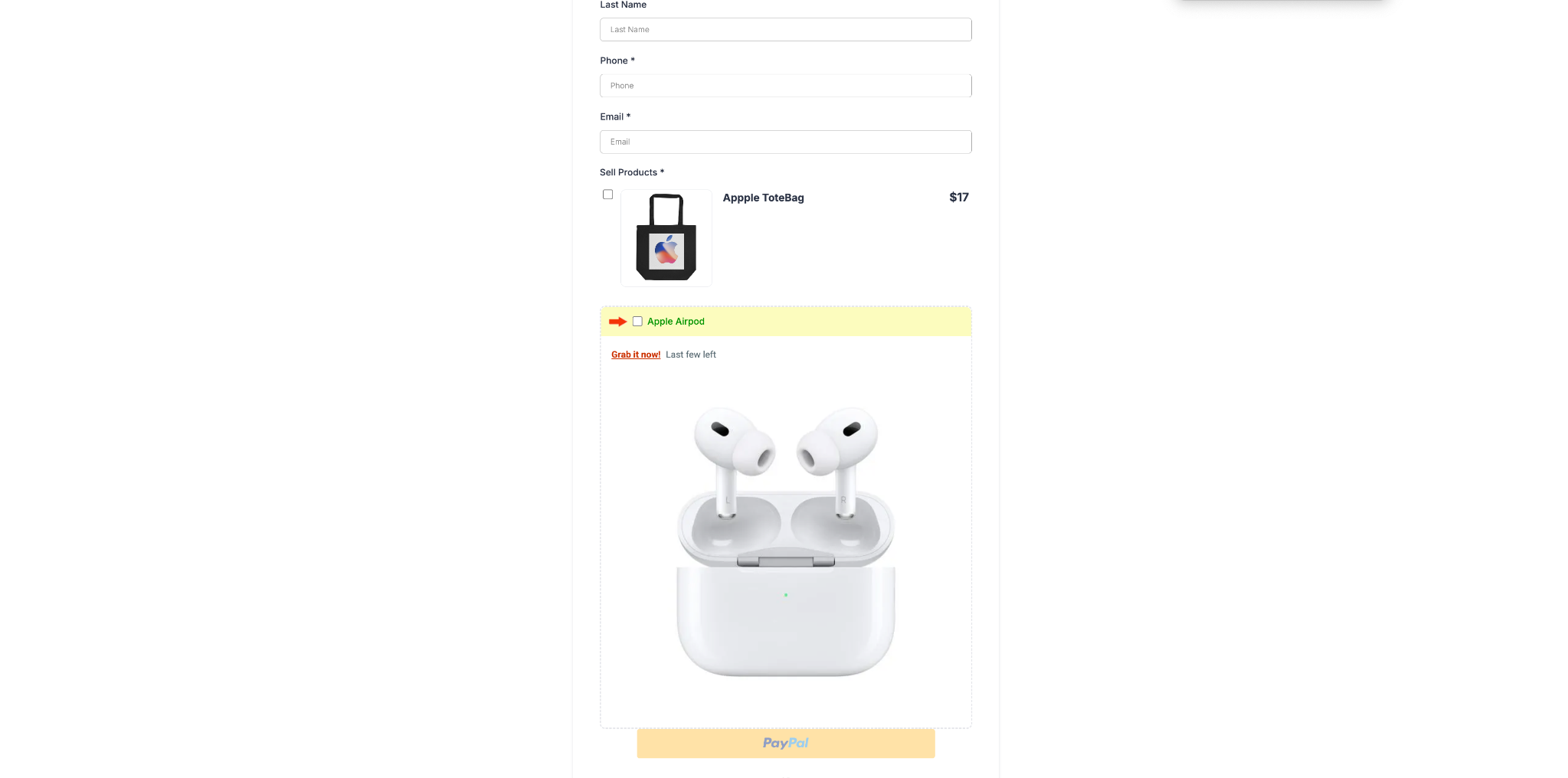
Classic = original GHL bump format
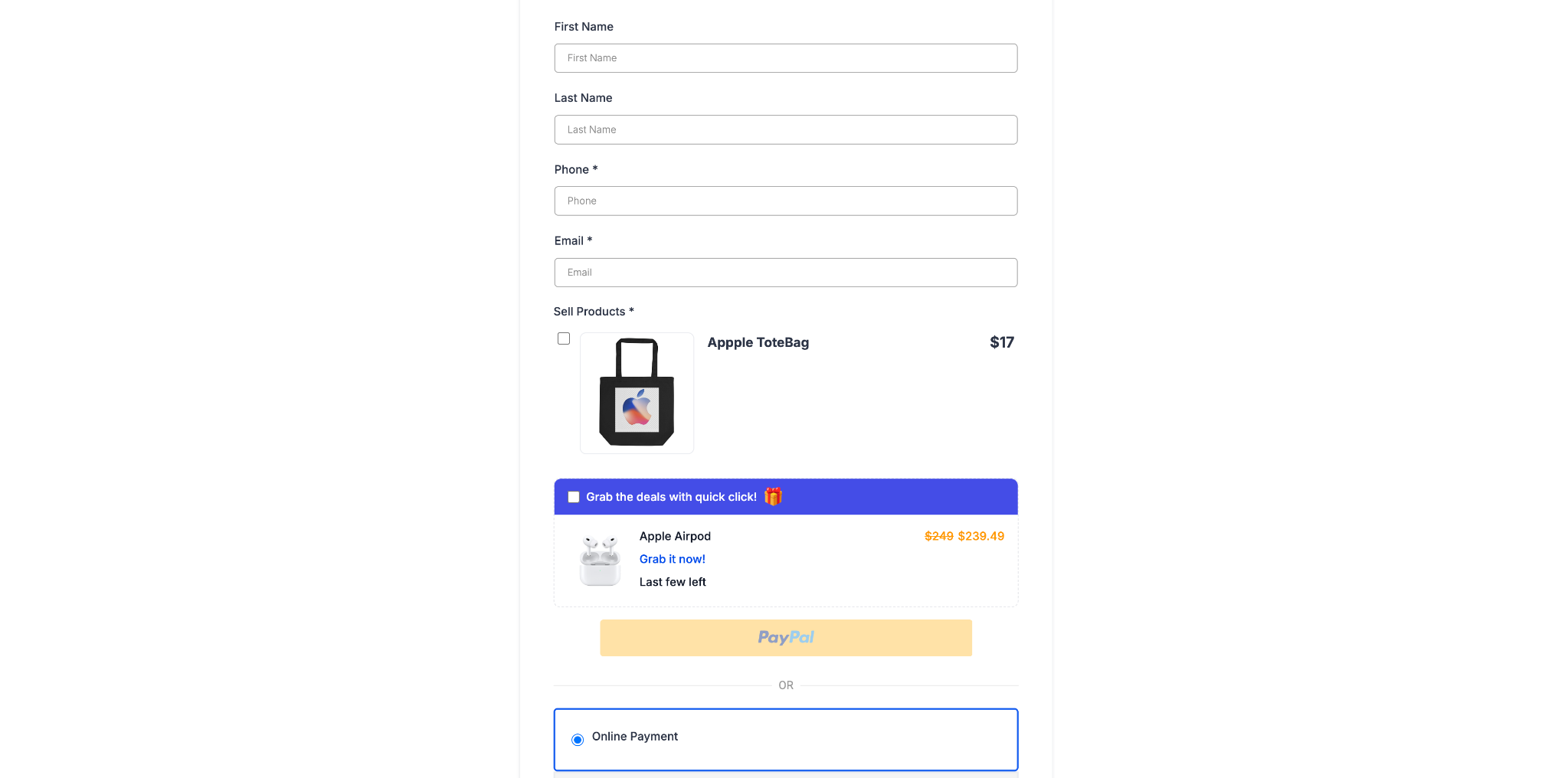
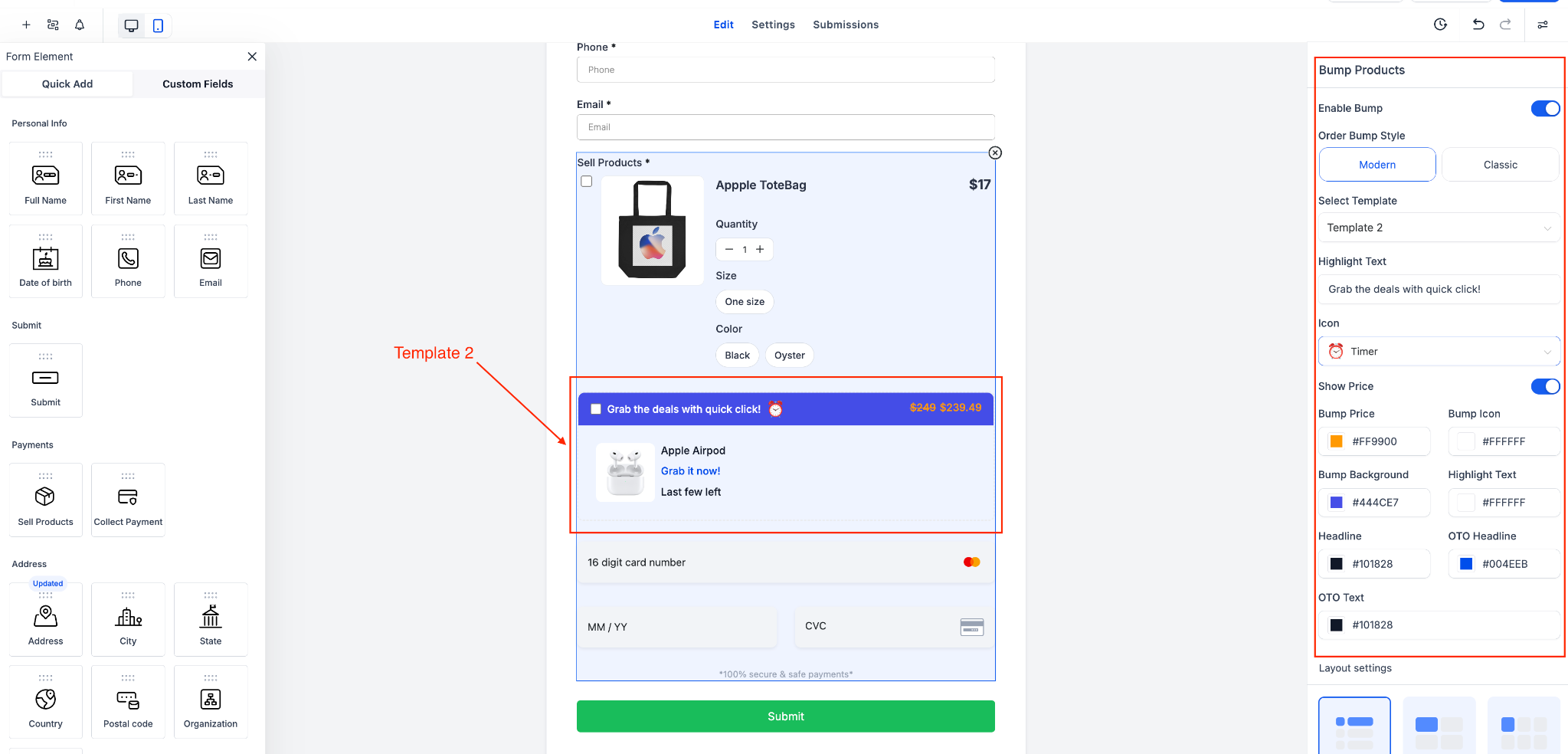
✅ Step 4: Customize the Look
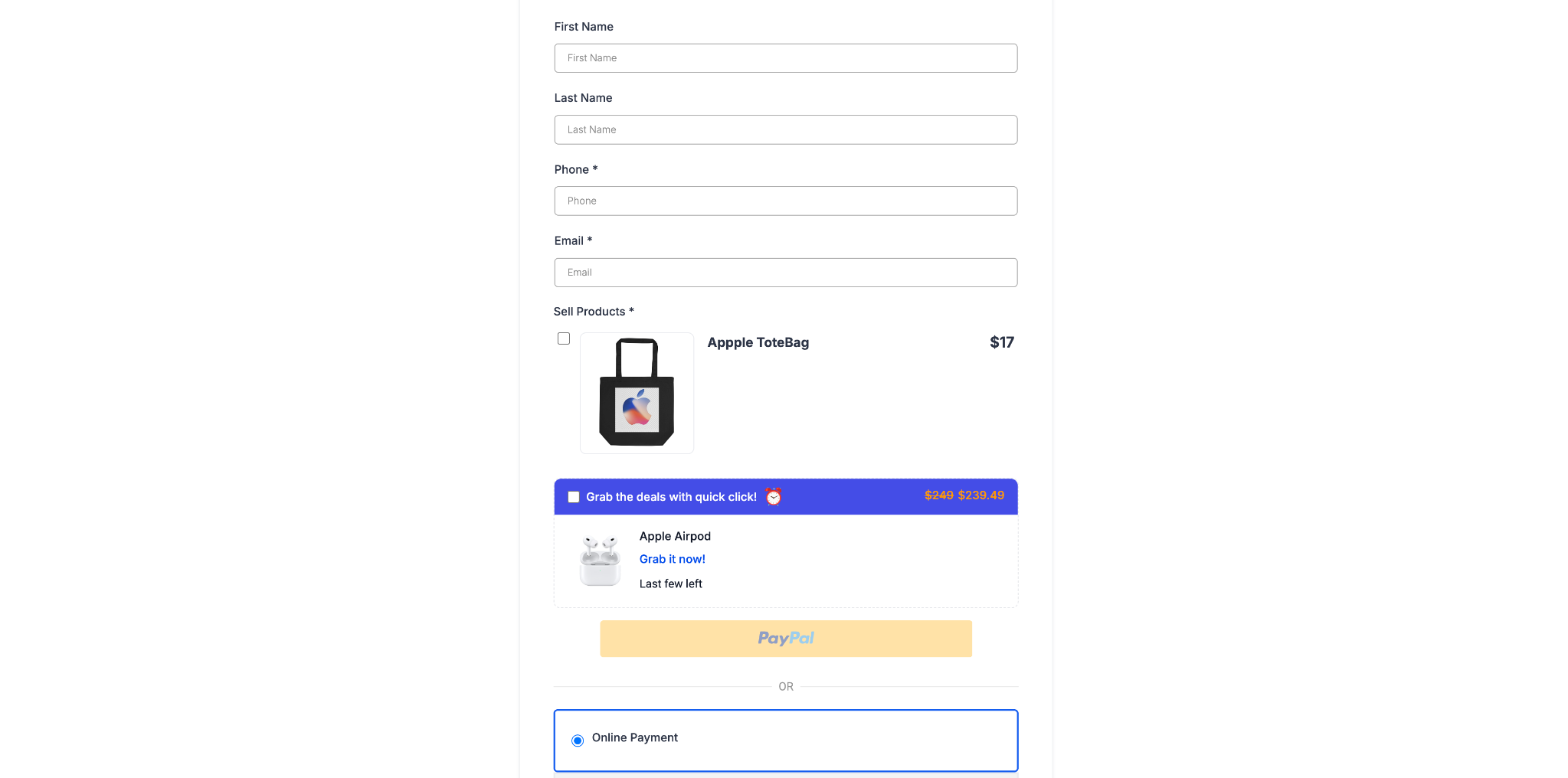
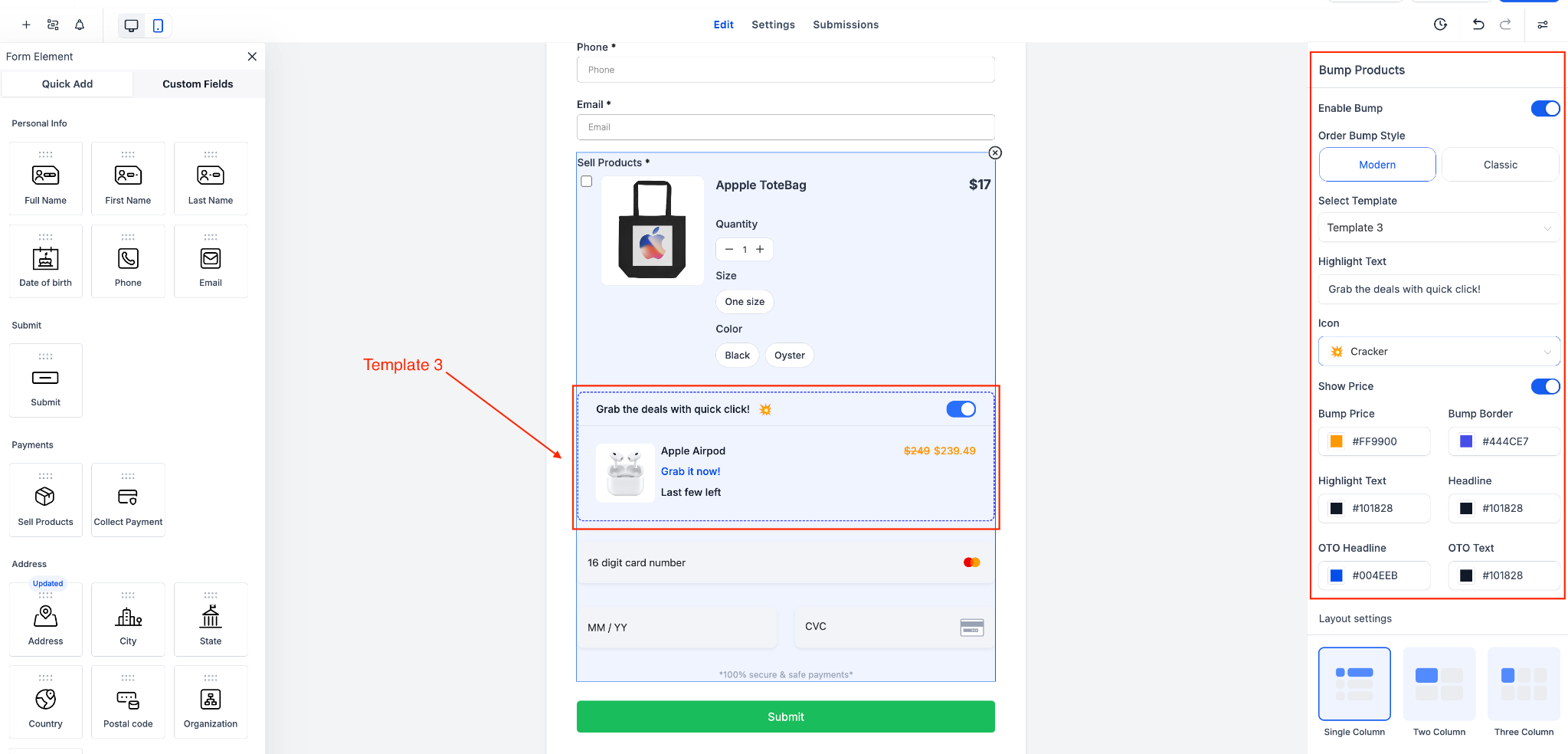
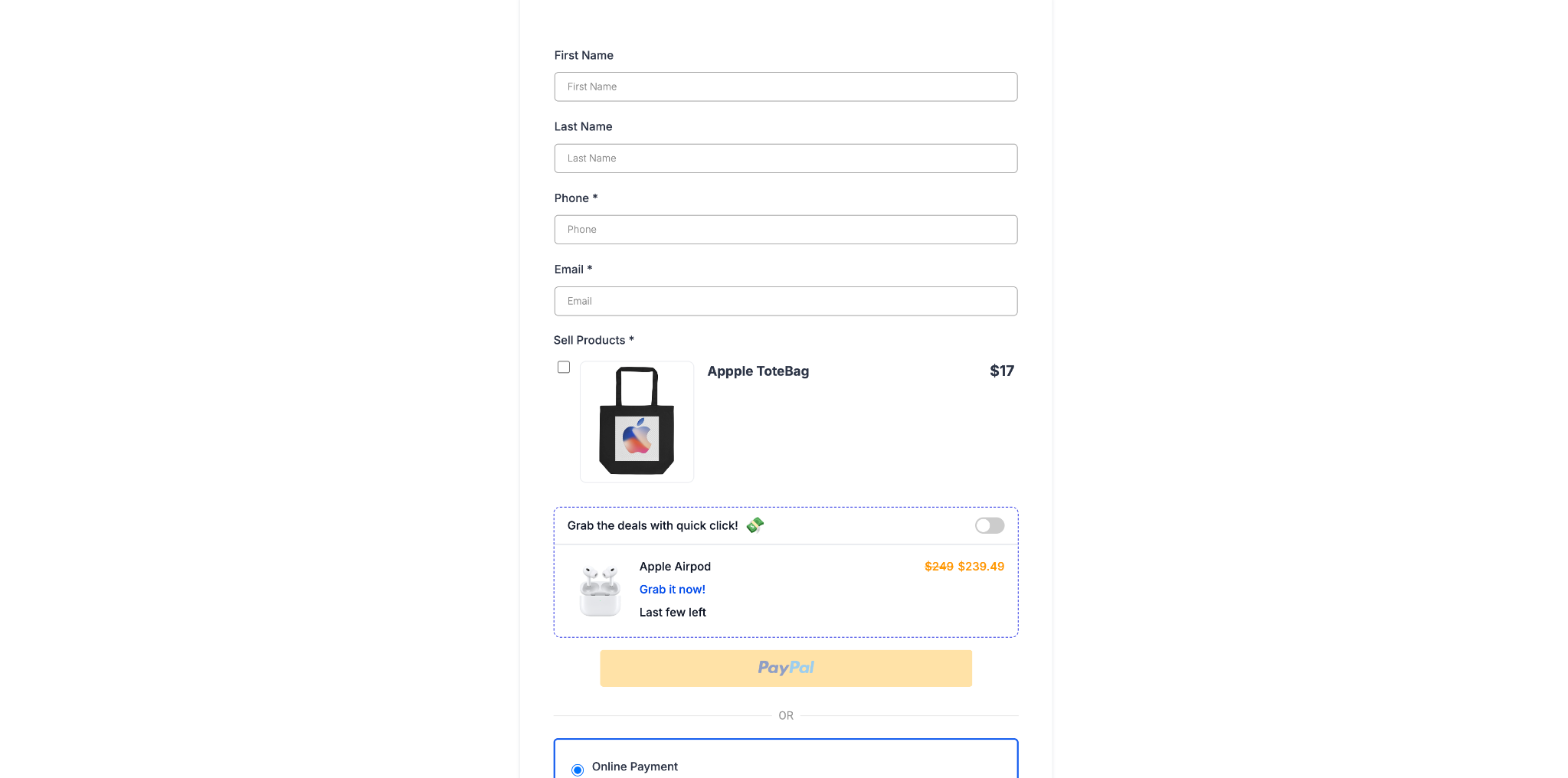
Pick from 3 Modern templates and style everything:
Change icon, highlight text, price display
Adjust colors, borders, layout
✅ Step 5: Save & Reorder (Optional)
You can reorder your bump products or toggle them off as needed.
You must have a Main Product in the form before adding bump products.
You can use multiple bump products, but only one product (main or bump) can be set to recurring.
Works with Stripe and PayPal.
You can reorder or disable bump products anytime.
