
🪜Steps to Drop a Lead into the NYR Stage
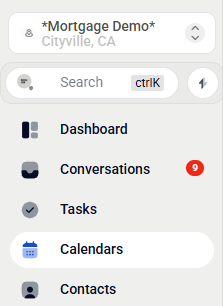
1. Open the Contacts Tab
From your LO Ninja dashboard, click the Contacts tab in the left-hand menu.
2. Select Leads to Move
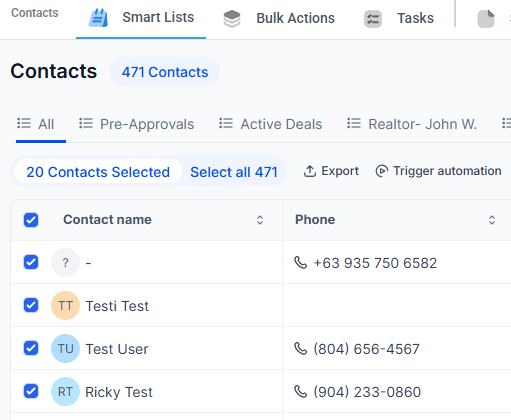
Use checkboxes to select leads or lost prospects you want to move into the Not Yet Ready stage.
3. Add to Workflow
Once you select the contacts, the action menu will automatically appear. Click Trigger Automation.

4. Choose the Not Ready Nurture
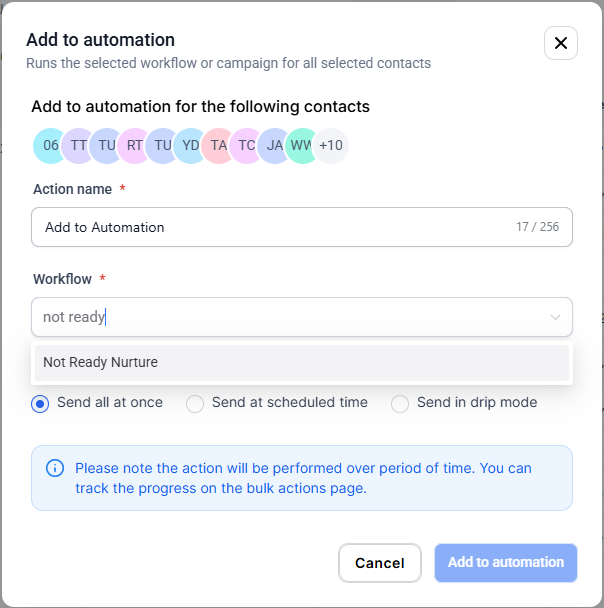
In the pop-up window, select add to Workflow and choose Not Yet Ready as the Workflow No need to fill out anything else—LO Ninja will take care of the rest.
5. Click “Add to automation”
Finalize your changes by clicking the Add to automation button at the bottom.
🔁 Note: This action automatically triggers the Not Ready Nurture workflow, which follows up with leads over time to keep them warm.