With UWM’s integration, every time a loan stage changes in UWM, ARIVE updates automatically—no extra work needed. This keeps your LO Ninja updates accurate and saves you time.
Set it up in the UWM Portal using the steps below. For extra help, your UWM AE is available.
INTEGRATING UWM INTO ARIVE
From UWM homepage, access UWM Portal
When sign-in screen displays, select UWM

Connecting An LOS
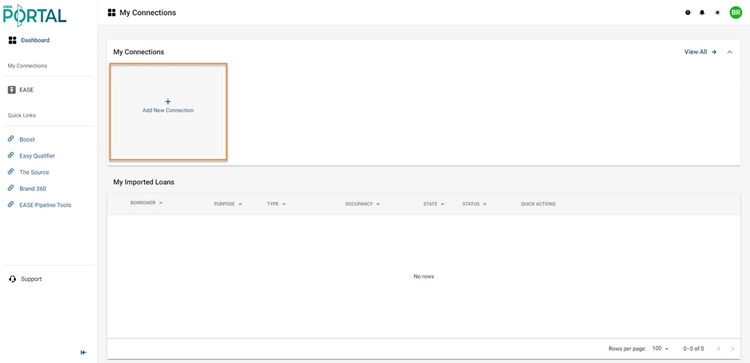
Click the 'Add New Connection' widget
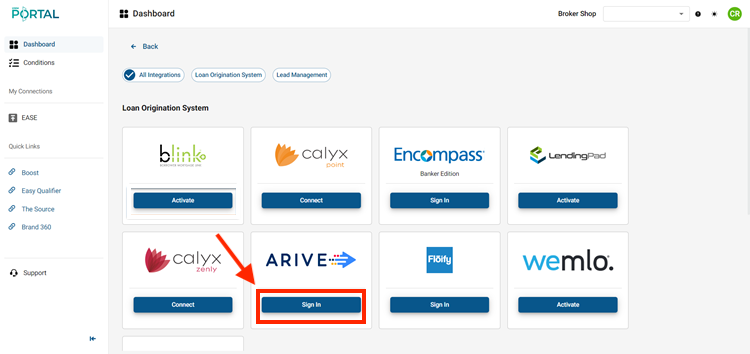
Select ARIVE & Sign In
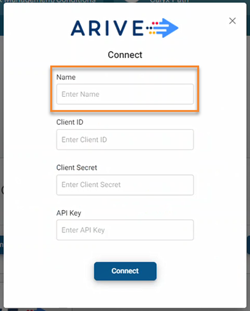
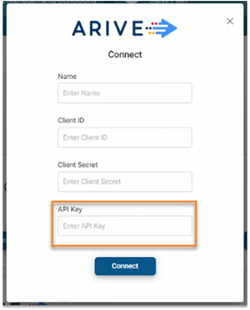
Enter the desired name for the connection in the Name field (can be anything)
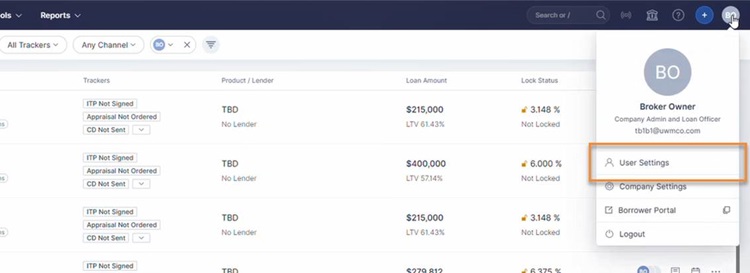
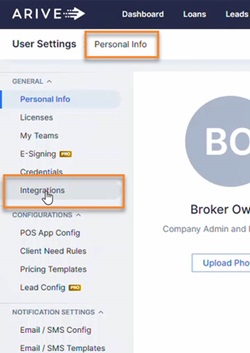
In ARIVE under the profile icon, click User Settings
From the Personal Info settings, click Integrations
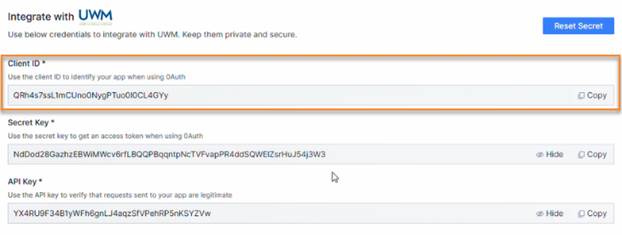
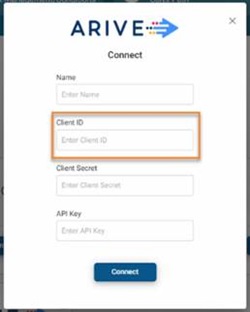
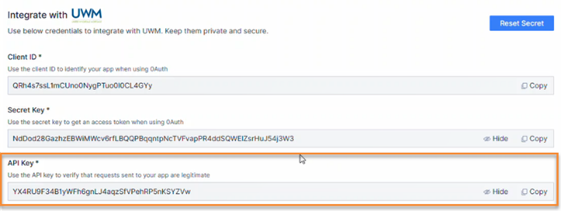
Copy the Client ID from ARIVE and paste it into the Client ID field in UWM Portal
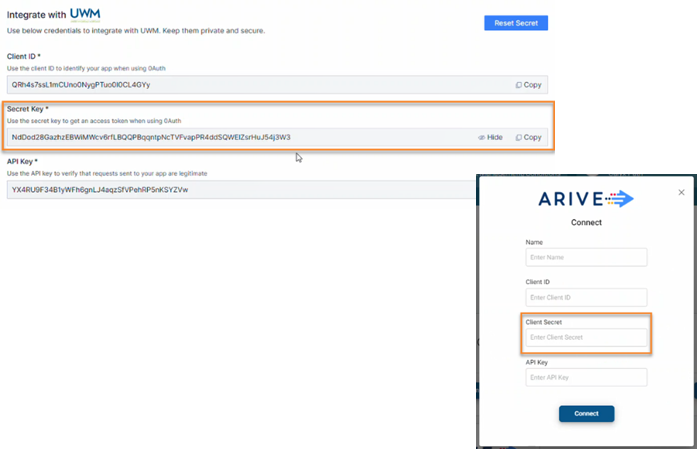
Copy the Secret Key and paste it into the Client Secret field in UWM Portal
Copy the API Key and paste it into the API Key field in UWM Portal
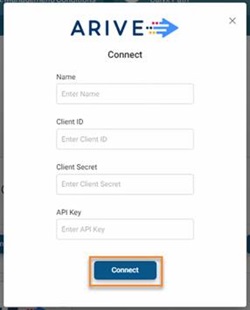
Click Connect
A success message will be displayed once the connection has been established!

For any queries or assistance, our support team is always available to help.