Easily text borrowers, co-borrowers, and agents together, all inside your CRM — keeping every conversation organized, professional, and right where you need it.
Why Group SMS Matters in Your Daily Workflow:
One Thread, All Parties: Borrower, spouse, and agent — all in a single conversation. (up to 10 contacts including yourself)
Stay Organized: No more switching between your phone, apps, and CRM — it’s all synced inside LO Ninja.
Catch Outside Texts: If someone starts a text group without you in CRM, no problem. Start a new group inside LO Ninja with the same people, and it’ll sync into their existing thread.
Status Tracking: Easily track message statuses, including sent, delivered, and failed indicators for each participant.
Go to Inbox inside your CRM.
Click Create a New Message → Select Group Message.
Add your contacts →Type your message → Send.
You’re now managing all parties in one professional thread — effortlessly.
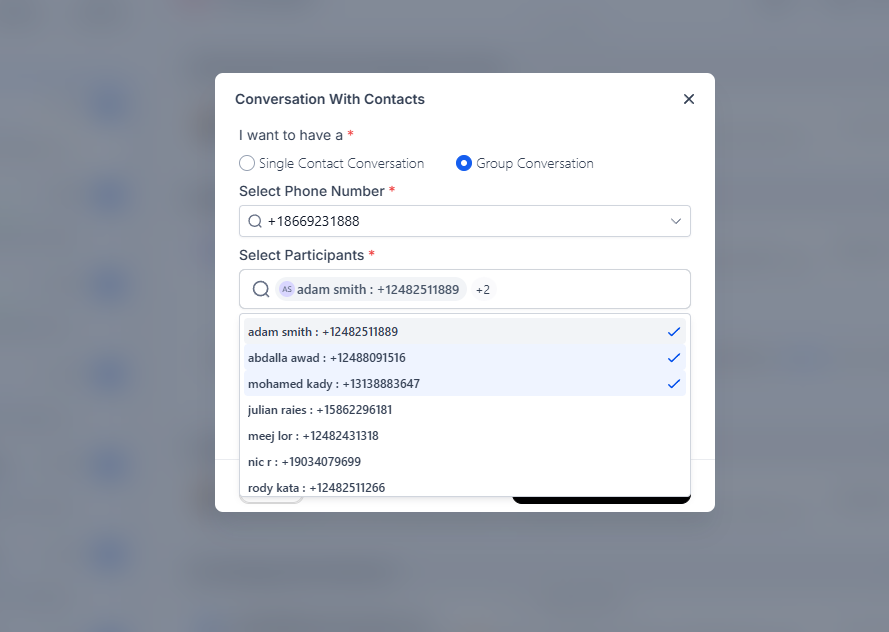
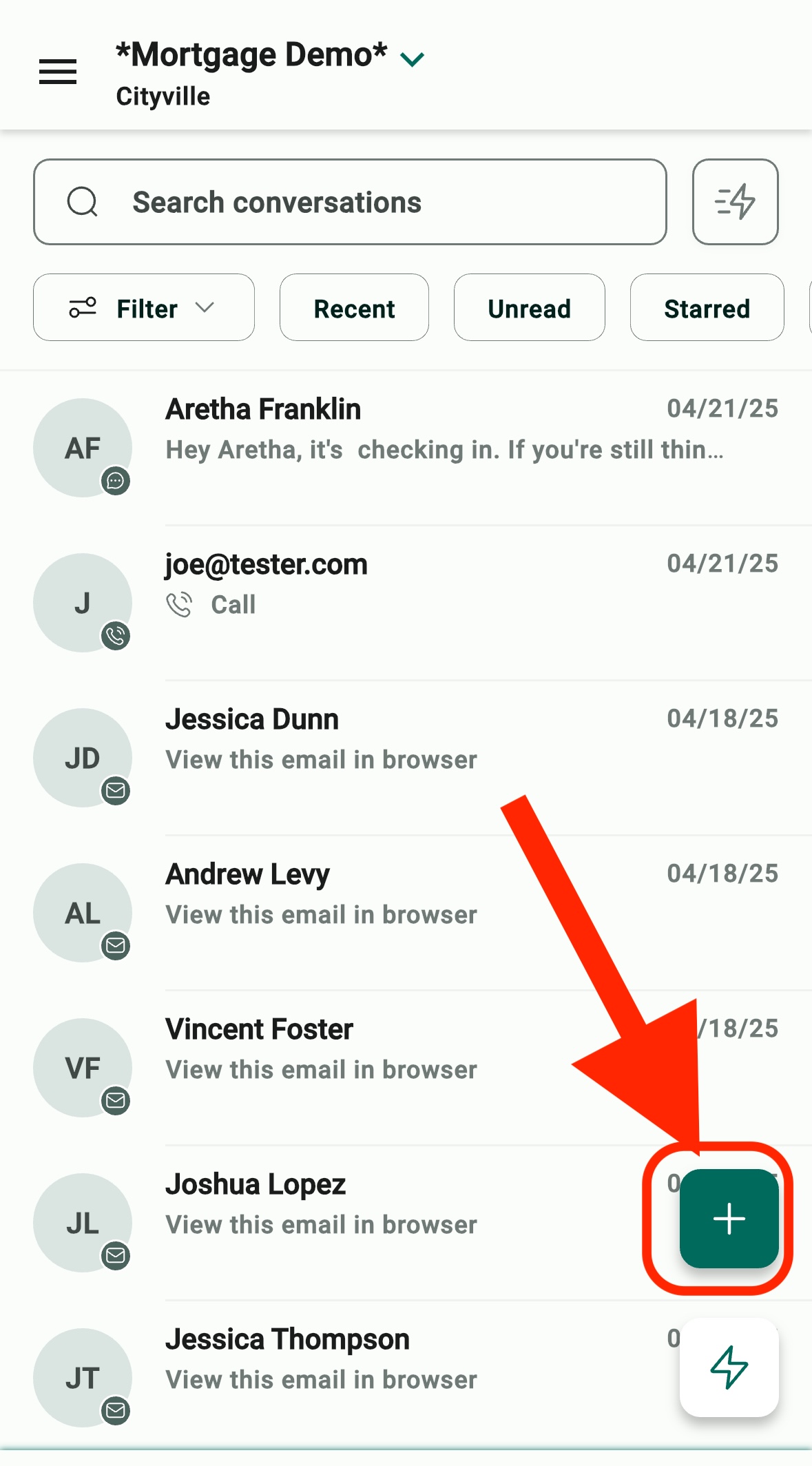
Go to Inbox inside your the mobile app (conversations message bubble).
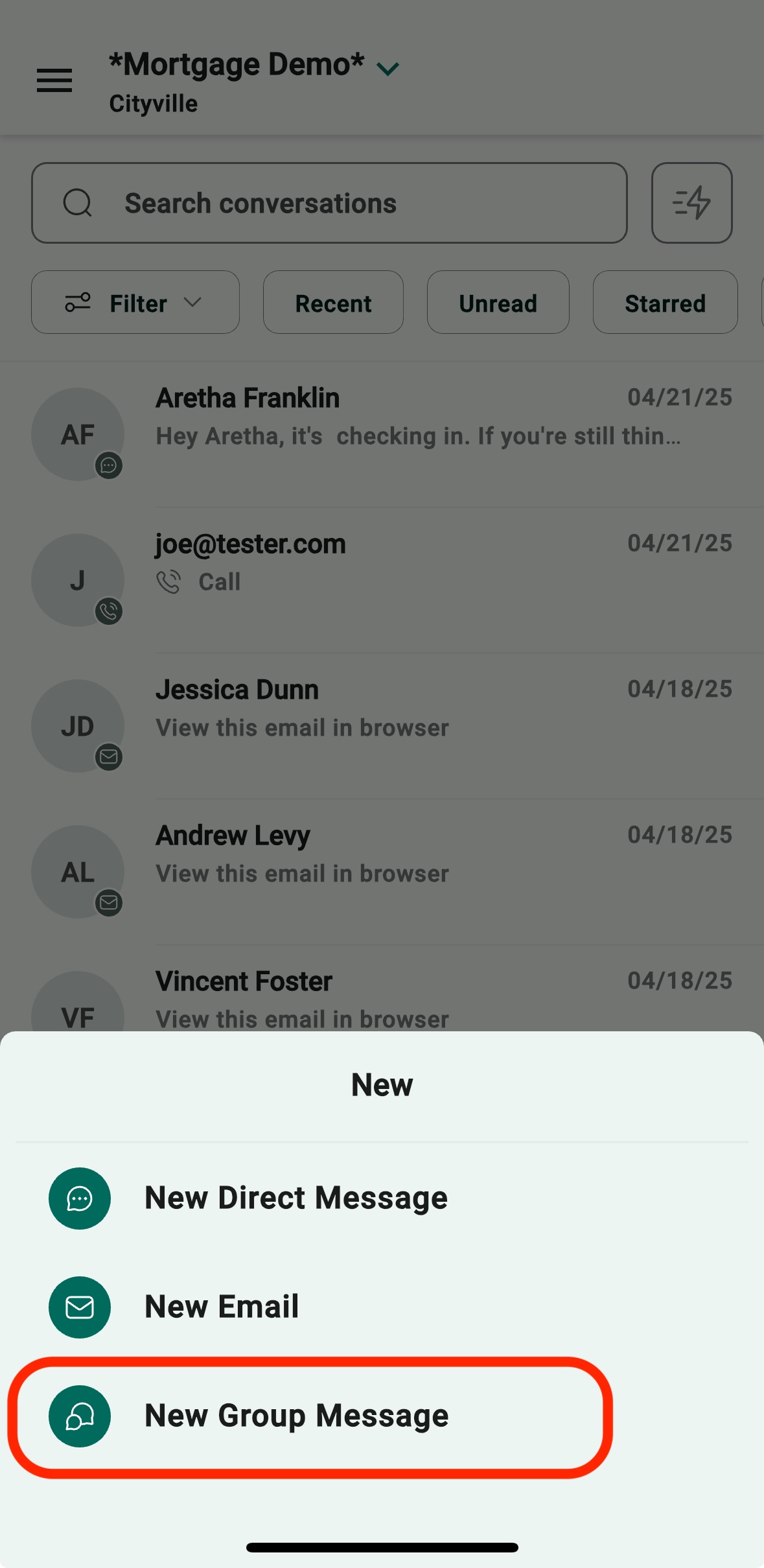
Click + button → Select New Group Message.
Add your contacts →Type your message → Send.
You’re now managing all parties in one professional thread — effortlessly.
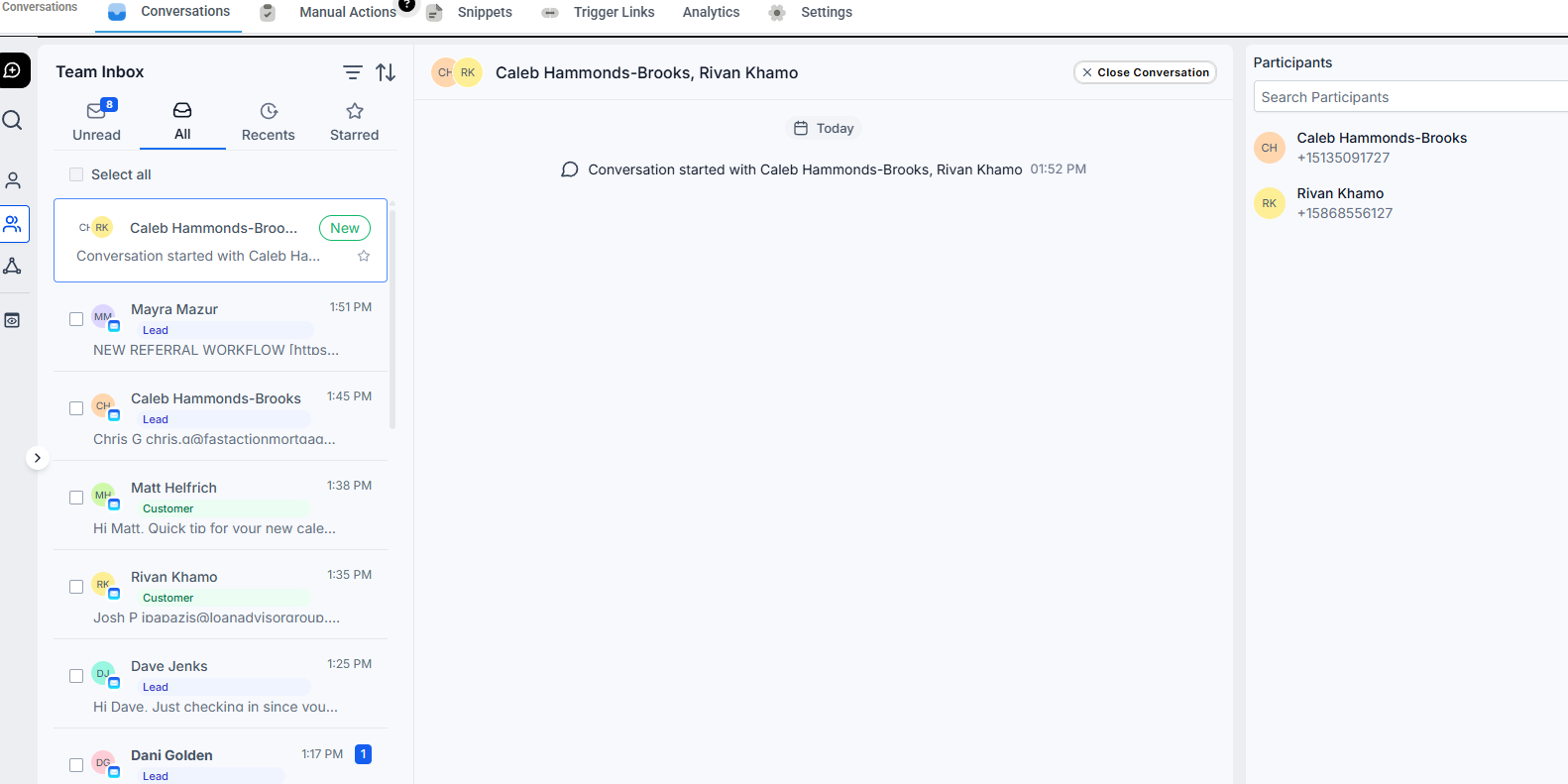
If someone starts a text group without you in CRM, no problem! Start a new group inside LO Ninja with the same people, and it’ll sync into their existing thread.
Best Use Cases for LOs:
Setting loan status updates with borrower + agent
Pre-approval check-ins with borrower and realtor
Final closing day coordination
Referral thank-you messages
Assigned Data Access: Users with limited data access will only see group chats with contacts assigned to them.
Admin Privileges: Admins have full access to all phone numbers and group chats across locations.
DND (Do Not Disturb): If a contact in the group enables Do Not Disturb (DND) after the group chat is created, you will no longer be able to send messages to that contact via the group chat. To continue group messaging, a new group will need to be created excluding the participant who has been marked as DND.

